iPhone Duo screen cracked at the hinge, or a white line? What to do (and what it costs)
Some iPhone Duo inner screens are cracking at the hinge. Apple is replacing affected phones, even without AppleCare+. What to do, and what repairs cost.
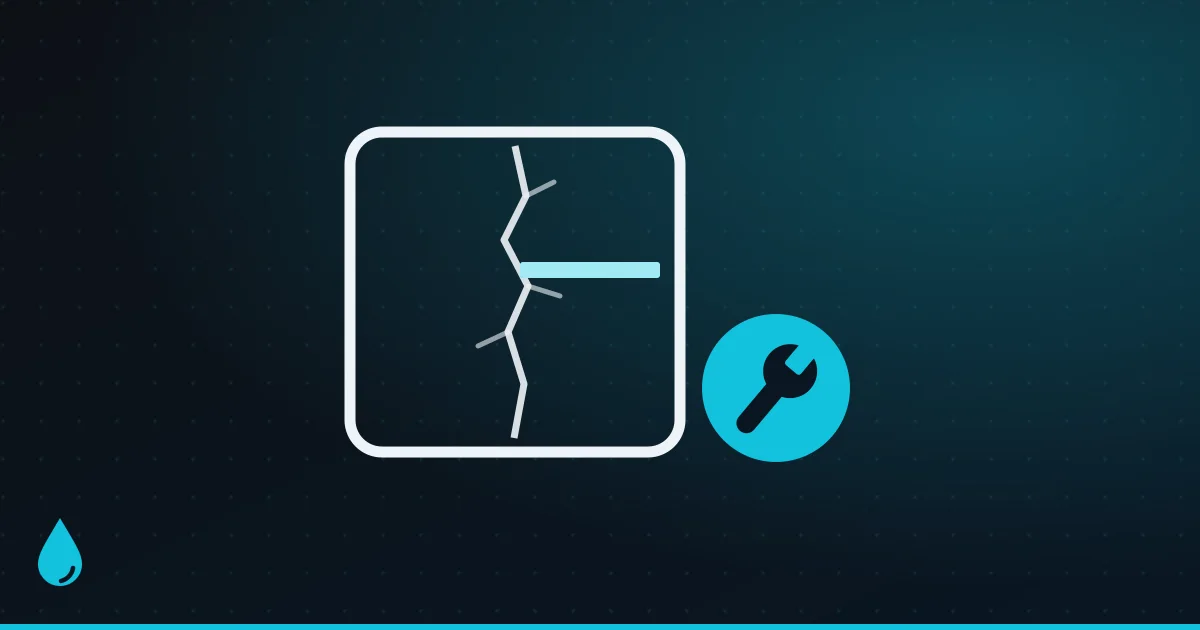
The iPhone Duo went on sale on 23 October, and within days some owners found its inner screen cracked along the hinge, often with a bright white band of pixels across one half. Apple has acknowledged the problem. It says only a small number of Duos are affected, and that it will replace them through AppleCare.
The key point: Apple says you don’t need AppleCare+ to get a replacement for this fault. So if it happens to your Duo, don’t agree to a $999 (₹1,49,900) screen repair before Apple has looked at it. Here’s what the problem looks like, what to do straight away, and what repairs cost if yours isn’t covered.
In short:
- Stop folding it, so the damage doesn’t spread.
- Back up your iPhone right away.
- Take photos and a short video of the damage.
- Don’t try to fix it yourself, and don’t peel off the screen’s top layer.
- Contact Apple (not your carrier) and ask for a replacement.
What the problem looks like
The reports, mostly on Reddit and the MacRumors forums, follow a pattern:
- A crack along the centre crease of the inner screen, right where it folds.
- A line or band of bright white pixels running across one half of the screen from the crease.
- Sometimes a crunch or crack felt inside the hinge while opening the phone. One owner reported a crack about six hours after unboxing, after fewer than 20 openings, with no marks on the screen beforehand.
Most failures showed up within the first hours or days of use. Be careful judging how common it is from social media, though: some viral photos of “cracked” Duos have turned out to be AI-generated fakes.
What Apple says
In a statement to 9to5Mac on 26 October, Apple said it is aware of an issue affecting the inner display on “a small number of iPhone Duo units”, and that owners who see it should contact AppleCare for a replacement. Apple also said:
- Most iPhone Duos aren’t affected, and the problem tends to appear early.
- You don’t need AppleCare+ to get an affected phone replaced.
- If you bought your Duo from a carrier, contact AppleCare directly, not the carrier.
As of 11 November, Apple hasn’t said what causes the cracks, and there’s no formal repair programme. Some early owners report Apple Stores swapping the phone on the spot.
What causes it?
Nobody knows for sure yet. iFixit’s teardown offers the best clue so far. It built a 3D model of the hinge from teardown footage, patents and CT scans, and found that the reported breaks cluster in one spot: just below where the display’s cable crosses the hinge, at a point where several edges meet. That could concentrate stress on the screen every time it folds.
iFixit lists other possible causes too: pressure, a trapped particle, repeated bending or a manufacturing defect. The white line doesn’t always mean the screen has physically snapped, either. A broken connection inside the display can look the same.
Dust tests by iFixit and YouTuber JerryRigEverything found that some grit can get into the hinge. The Duo let in less than rival foldables, but sand and crumb-filled pockets are still best avoided.
What to do if your iPhone Duo’s screen cracks
1. Stop opening and closing it
Every fold flexes the damaged area. Leave the phone the way it is and use the outer screen if you need to. Don’t force the hinge if it feels stiff, gritty or loose, or won’t close fully. If the phone gets hot or the damage spreads, stop using it.
2. Back up now
A cracked inner screen usually keeps working for a while, but it can get worse. Back up to iCloud (Settings > your name > iCloud > iCloud Backup > Back Up Now) or to a Mac or PC, and let it finish before you hand the phone over. If Apple gives you a replacement, the backup is how you get everything back.
3. Record the damage
Take clear photos of the crack, the white line, the whole inner screen, the outer screen and the hinge, plus a short video if the line flickers. Write down when it happened and what you were doing, for example “opening it normally, never dropped”. Keep your receipt or order confirmation handy.
4. Don’t try to fix it yourself
- Don’t peel off the inner screen’s top layer. It’s a factory-fitted cover layer, not a screen protector, and removing it won’t fix a crack underneath.
- Don’t open the phone or push anything into the hinge. Apple publishes repair manuals, but a foldable’s inner screen is one of the hardest parts on any phone to replace.
- Restarting or restoring won’t help. Apple’s hinge troubleshooting guide says there are no diagnostics or software fixes for hinge problems. Its fix is to replace the inner display assembly.
- If you clean it, use a soft, slightly damp, lint-free cloth. Apple specifically says don’t use compressed air.
5. Contact Apple and ask for a replacement
- Start in the Apple Support app or at support.apple.com, or book a Genius Bar appointment. In India, an Apple Authorised Service Provider can also check it.
- Describe exactly what happened: a crack along the hinge and a white line, from normal use. Mention that Apple has said affected Duos can be replaced through AppleCare.
- Apple’s one-year limited warranty covers manufacturing defects, not drops or other accidents, so Apple will inspect the phone. If it was never dropped, say so clearly.
- Bought from a carrier? Go to Apple, not the carrier.
- If you’re still inside the return window (usually 14 days when you buy from Apple), returning it is another option.
No crack, but a white line?
A line without a visible crack is still worth taking seriously:
- Take a screenshot. If the line doesn’t appear in the screenshot, it’s a fault in the screen hardware, not something an app is drawing.
- Restart once to rule out a one-off glitch. If the line is still there afterwards, software won’t fix it.
- Watch whether it changes when you open or close the phone. If it grows, flickers or touch stops working nearby, stop folding the phone.
- Get it checked by Apple soon. Don’t wait for it to turn into a full crack: an early fault from normal use is exactly what Apple says it will replace.
What iPhone Duo repairs cost
If Apple decides your damage was accidental rather than the known fault, these are Apple’s own prices in the US and India, without and with AppleCare+:
| Repair | Price | AppleCare+ |
|---|---|---|
| Inner screen | $999 (₹1,49,900) | $99 (₹8,900) |
| Outer screen | $379 (₹42,900) | $29 (₹2,500) |
| Inner screen’s top layer | $49 (₹5,900) | $19 (₹1,900) |
| Back glass | $199 (₹20,900) | $29 (₹2,500) |
| Other damage | $1,499 (₹2,24,900) | $99 (₹8,900) |
The prices without AppleCare+ are Apple’s estimates before tax, and Apple confirms the final price after inspecting the phone. Authorised service providers can charge their own prices for repairs outside AppleCare+.

The inner screen is the one in the reports, and at $999 it costs half the price of a new Duo. With AppleCare+, the same repair is $99. AppleCare+ itself costs $19.99 a month in the US, so it’s worth weighing up on a phone this fragile. See our iPhone Duo pros and cons for the full numbers.
How to protect an iPhone Duo that’s fine
- Keep the hinge away from sand and grit. Don’t carry it in a pocket with sand, crumbs or keys, and think twice about the beach.
- Never close it on anything, such as a cable, earbud or card.
- Don’t press on the crease, and never force it shut.
- Leave the inner screen’s top layer alone. If it gets scratched, Apple replaces it for $49, or $19 with AppleCare+.
- Use a case made for the Duo that covers the hinge. See our best iPhone Duo cases.
- Check the inner screen as soon as you unbox it, so any fault is caught while you can still return it.
Should you still buy an iPhone Duo?
First-generation foldables often have teething problems. Samsung delayed its original Galaxy Fold in 2019 after early review units’ screens failed. Apple says only a small number of Duos are affected, and it’s replacing them, which is the right response.
If you buy one now, buy from Apple or a shop with easy returns, check the inner screen as soon as you open the box, and consider AppleCare+. If you’d rather not be an early tester, waiting a few months costs nothing and gives Apple time to explain the cause. Still deciding? Read whether the iPhone Duo is worth $2,000.
FAQ
Will Apple replace my cracked iPhone Duo for free? If it’s the known inner-screen fault, Apple says it will replace the phone through AppleCare, and you don’t need AppleCare+. Apple inspects every phone first, though, and damage from drops isn’t covered by the warranty.
How much does it cost to fix an iPhone Duo’s inner screen? $999 (₹1,49,900) without AppleCare+, or $99 (₹8,900) with AppleCare+.
I bought my iPhone Duo from a carrier. Who do I contact? Apple. Apple says carrier customers should contact AppleCare directly.
Will a software update fix the white line? Unlikely. Apple says hinge problems have no software fix, and a line that doesn’t show up in screenshots is a hardware fault.
Can I keep using a cracked iPhone Duo? Using the outer screen for a few days is usually fine, but stop folding it, back it up and get it checked. If it gets hot or the damage spreads, stop using it.
More on the Duo: the best iPhone Duo apps and iOS 27.2’s new features, including Apple Pencil support on the Duo.
Watch: this guide in 3 minutes
More short videos
Sources & further reading
- Apple — iPhone Duo: troubleshooting hinge issues
- Apple — iPhone service and repair costs (US)
- Apple India — iPhone service and repair costs
- 9to5Mac — Apple responds to reports of iPhone Duo’s inner display cracking
- MacRumors — iPhone Duo owners report screens breaking along the hinge
- MacRumors — iFixit iPhone Duo teardown points to possible cause of screen cracks
Keep reading
Why does my iPhone stop charging at 80%? The 4 reasons, and how to fix each
An iPhone stuck at 80% is usually doing it on purpose: Optimized Battery Charging, a charge limit, heat or Clean Energy Charging. How to tell which, and fix it.
Read more →
iOS 27.2: every new feature, and should you update?
iOS 27.2 brings Siri AI in five more languages, Messages suggestions, Apple TV profiles, Pencil on iPhone Duo and 162 security fixes. Everything new, explained.
Read more →
Is the iPhone Duo worth $2,000? 7 reasons it might be (and who should skip it)
The iPhone Duo costs $1,999 (₹2,99,900). Seven ways it earns that price, how it compares with an iPhone 18 Pro plus iPad mini, and who should skip it.
Read more →