The best iPhone Duo apps, and the big ones that aren't ready yet
Which apps make the most of the iPhone Duo's folding screen, from Netflix and Fantastical to games that use the hinge, plus popular apps that aren't ready yet.

A foldable is only as good as its apps. The iPhone Duo’s hardware is excellent, but what you’ll notice day to day is whether your apps fill that 7.6-inch inner screen properly, or sit in the middle surrounded by black bars.
The good news: Apple’s own apps and a solid first wave of third-party apps were ready on launch day, and some of them do things no other iPhone can. The less good news: some very popular apps, from Google Maps to Uber, haven’t caught up yet. Here’s how apps work on the Duo, the best ones to download now, and what to do about the rest.
We haven’t used the Duo ourselves. This guide is based on Apple’s and developers’ own announcements, App Store release notes and hands-on reviews. App support is changing week by week, so we’ve noted where to check the latest.
How apps use the iPhone Duo
The Duo has two screens: a 5.4-inch outer display and a 7.6-inch inner display that folds. Both have nearly the same shape, so apps can scale up smoothly when you open the phone. On the Duo, a well-made app:
- Picks up where you left off. Start something on the outer screen, unfold the phone, and the app expands to fill the inner screen, then shrinks back when you close it.
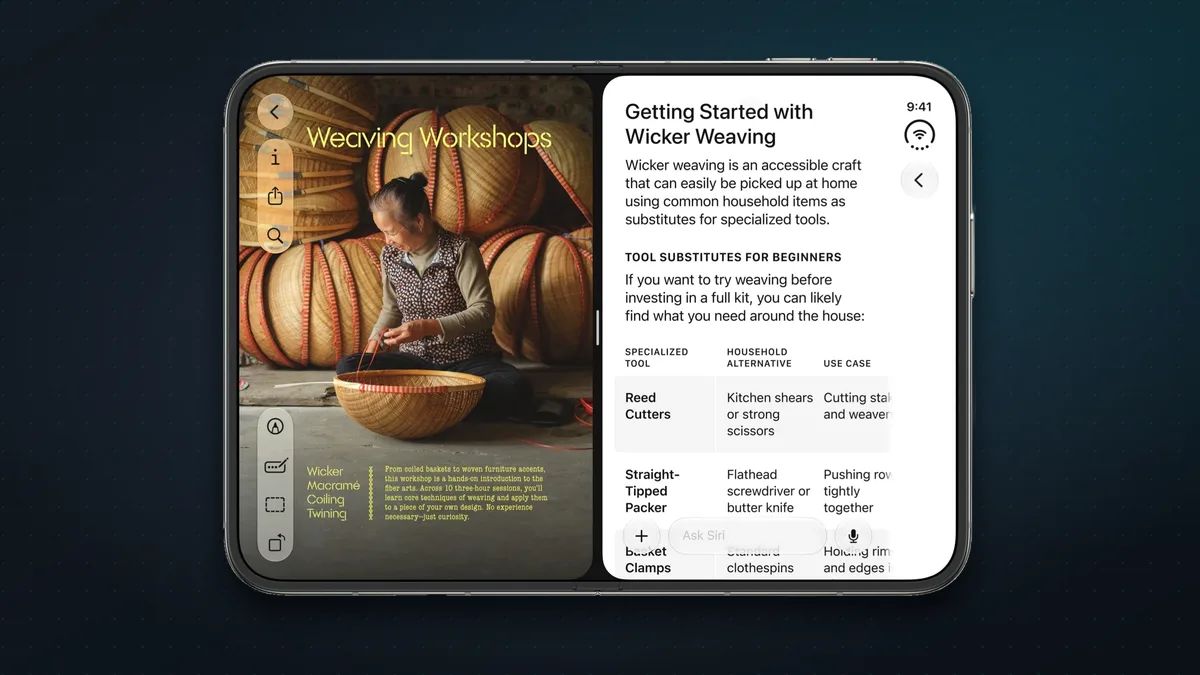
- Uses the extra width. Optimised apps switch to two or three columns, like an iPad app: a list on the left, details on the right.
- Adapts to how you hold or stand it. Apple names five postures: Landscape, Portrait, Closed, Seated (half-folded on a table, like a mini laptop) and Standing (propped up like a tent). In Seated mode, apps can put video or content on the upright half and controls on the half lying flat.
- Works in Split View. For the first time on an iPhone, you can run two apps side by side, or two windows of the same app, and save favourite pairs. The split is a fixed 50/50.
iOS does a lot of this automatically. Controls and the Dock move to the side of the screen, content moves away from the crease when the phone is part-folded, and the keyboard splits when you hold it half-open. Developers can go further with new tools for reading the hinge angle and showing content on both screens at once.
How to spot an optimised app
- Look for the “Made for iPhone Duo” badge. Apple says optimised apps carry it on their App Store product page, and the App Store has new editorial collections of Duo apps and games.
- Check a community tracker. Independent sites such as Fits Duo and WorksOnDuo list thousands of apps and whether they fill the screen properly, partly or not at all.
What “not optimised” looks like
How an app behaves depends on how recently its developer updated it:
| App last built for | What you see on the inner screen |
|---|---|
| iOS 26 or earlier | A phone-sized app in the middle, with black bars around it |
| iOS 27 | Fills most of the screen, but leaves a gap at the right edge |
| iOS 27.1 or later | Fully optimised: full screen, with toolbars moved to the side |
Apple’s own apps
Apple updated all of its built-in apps for the Duo. The highlights:
- Mail, Messages and Notes go two-pane: your inbox or conversations on the left, the open message or note on the right. Half-folded, Notes becomes a tiny laptop with the keyboard on the lower half.
- Books shows two pages side by side when the phone is slightly folded, like a real book.
- Safari can show two windows side by side, and splits the keyboard when half-open. (Many websites still serve their phone layout, though.)
- TV and Fitness+ put the video on the top half and the controls on the bottom when you stand the Duo on a table.
- Camera can show a live preview on the outer screen, so the person you’re photographing can see themselves, or you can take selfies with the better rear cameras.
- FaceTime works hands-free with the phone propped open.
- StandBy works on either screen without the phone being on charge.
- Photos lets you drag pictures straight into Mail or Messages in Split View.
- Shortcuts can trigger automations when you open or close the phone.
The best third-party apps
These apps have confirmed Duo-specific features, not just a stretched-out phone layout.
Watching
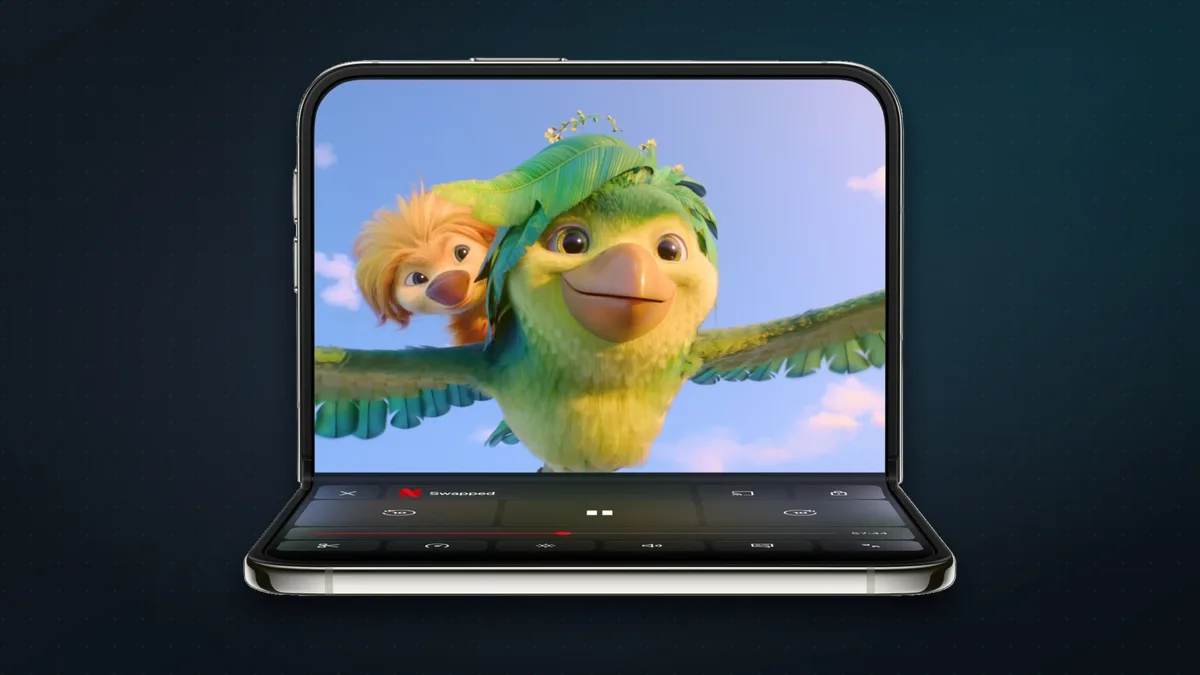
- Netflix (free app, subscription required)
- Scroll short Clips on the outer screen, then unfold to keep watching on the big one.
- Stand it half-open on a table for hands-free viewing, with touch controls on the lower half.
- Prime Video (free app, Prime required): half-folded, the video plays up top while X-Ray (cast, trivia and extras) fills the bottom half.
- MLB (free, with in-app purchases): half-folded, the live game plays on the upright half and real-time stats fill the half lying flat. It also has new scoreboards for every orientation.
Productivity
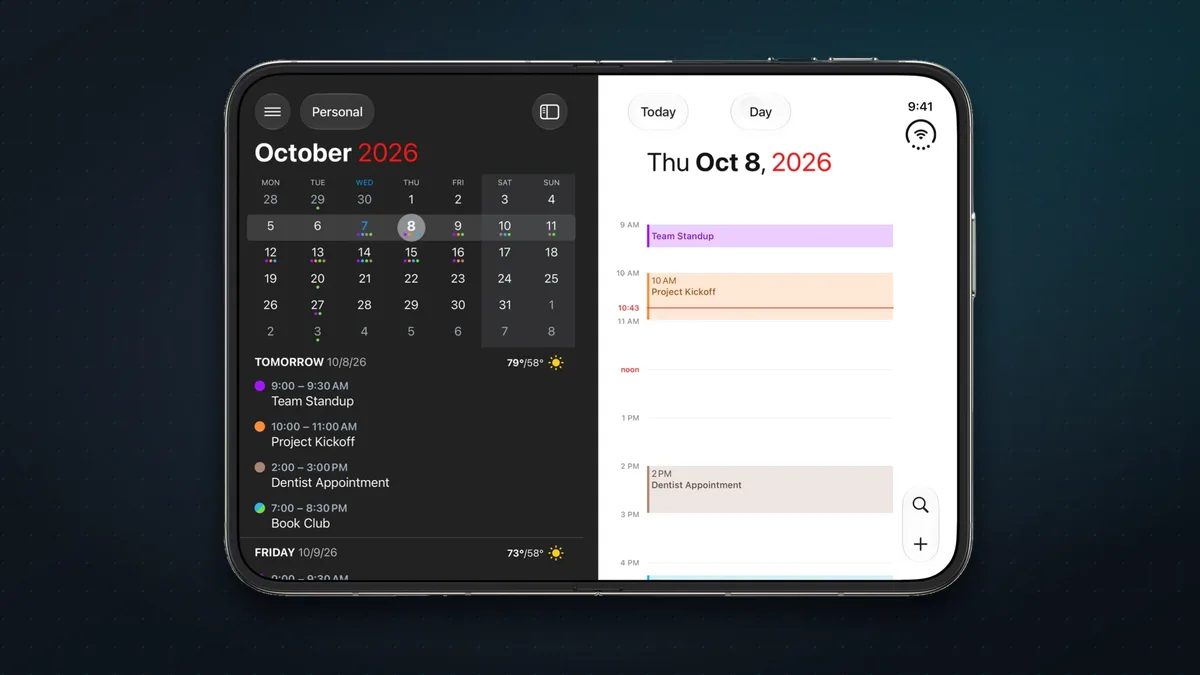
- Fantastical (free; Premium subscription): your calendar, tasks and menus all on one screen. In Split View it pairs neatly with Cardhop, its sister contacts app.
- Things 3 (one-off purchase, $9.99): a layout for every posture. Unfolding adds a sidebar of your lists, and the controls sit in a bar on the right, including the draggable “Magic Plus” button.
- Slack (free): your whole workspace in view, with channels on the left and the conversation on the right.
- Also updated for the Duo:
- Spark and Readdle Calendars, for email and calendar
- Drafts and Notion, for notes
- Timepage and Structured, for planning
Creating and editing
- Detail: AI Video Editor (free; subscription):
- your video and its transcript side by side
- captions, filler-word removal and audio clean-up, all done on the phone
- Edits by Instagram (free): the whole editing studio on one screen (preview, timeline and tools), with no switching back and forth.
- Darkroom (free; subscription): its photo and video editor is redesigned for the bigger screen and the different postures.
- edjing Mix (free, with in-app purchases): a DJ app that really uses the fold.
- Half-open like a laptop, the decks sit under your fingers.
- Folded in landscape, your music library sits beside the decks.
- Stood up like a tent, it runs Automix.
Social
- Instagram (free):
- more posts and Stories on screen at once
- turn the phone sideways and comments load on the right while the post stays on the left
At home: cooking, stargazing and fitness
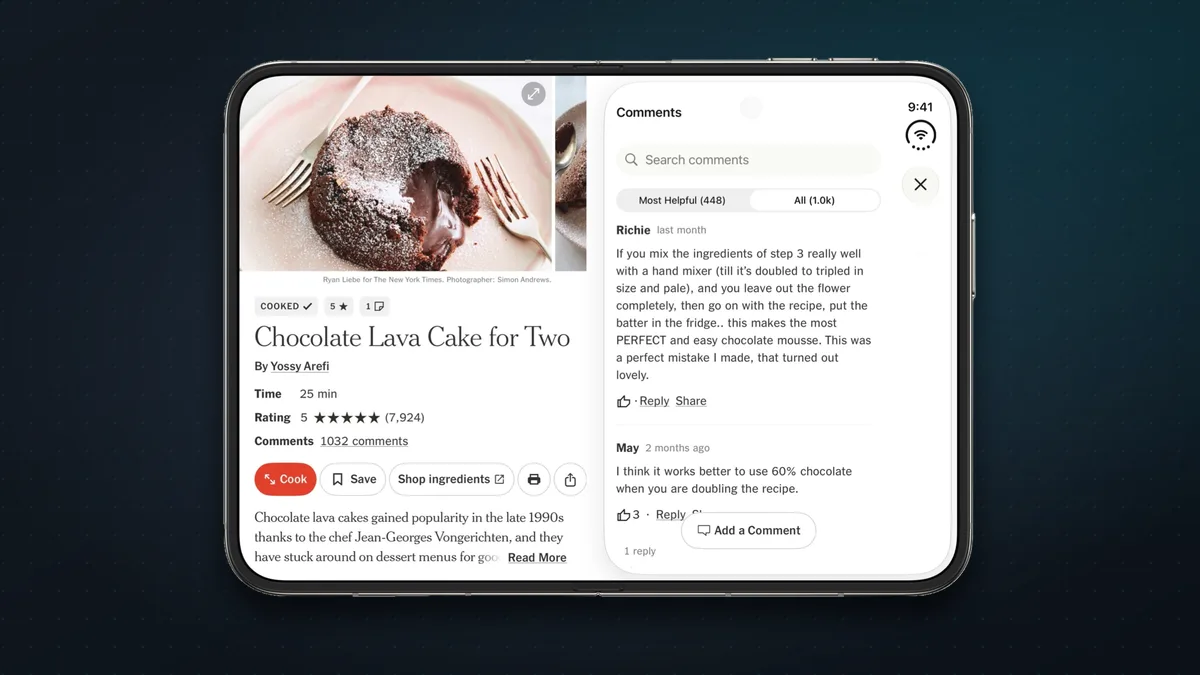
- NYT Cooking (free app; subscription for full recipes): stand the Duo half-open on the counter, and recipes appear with bigger pictures, timers and step-by-step technique videos.
- Sky Guide (free, with in-app purchases): the star map grows as you unfold the screen, edge to edge, for a much more immersive view of the night sky.
- SmartGym (free; subscription): layouts for every posture.
- Folded like a book, your routine sits on one half and the current exercise on the other.
- Half-folded on a bench or the floor, the lower half becomes a live dashboard of heart rate, calories and controls.
Travel
- Flighty (free; Pro subscription): during a flight, stand the Duo up like a tent and follow your progress on the map, hands-free.
- Also updated:
- Citymapper, for getting around cities
- Mercury Weather and The Weather Channel, for forecasts
- Tide Guide, for tides
Games
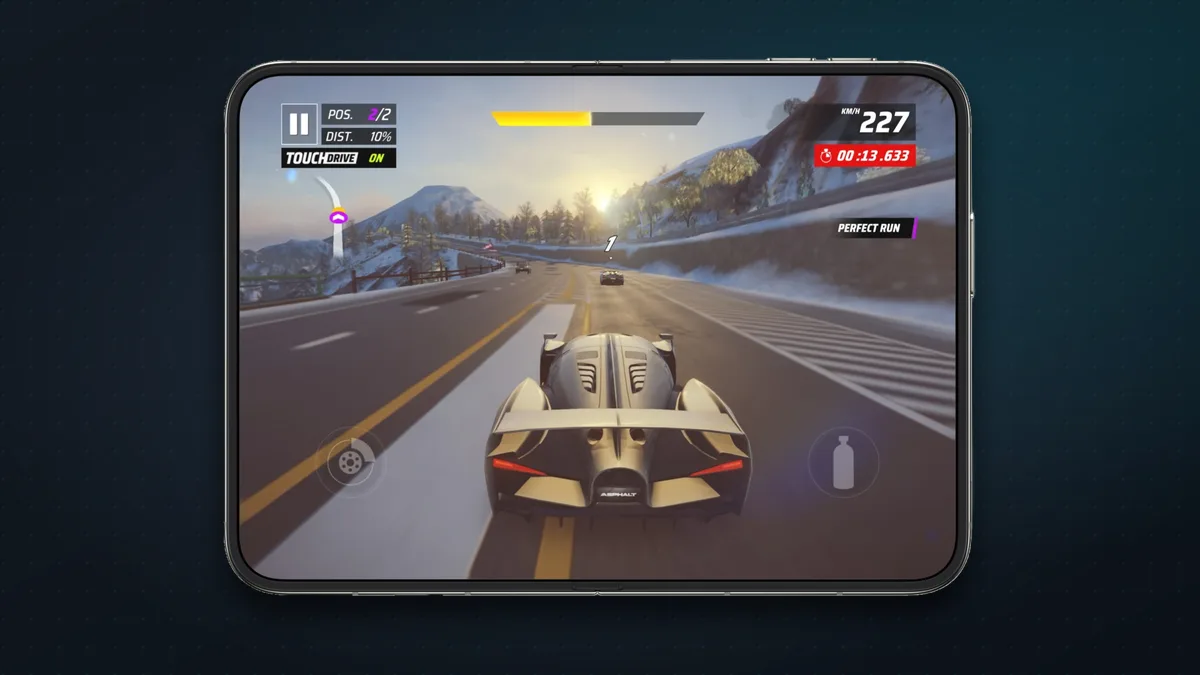
- Asphalt Legends (free, with in-app purchases): Gameloft’s racer fills the whole inner screen.
- Battlefleet Duo (free, with in-app purchases): Battleship rebuilt for the fold. Your fleet lies on the bottom half and the enemy’s waters stand upright in front of you.
- Marbles Unhinged: Folding Maze (free, with in-app purchases): the hinge is the controller.
- Folding tilts the floor into a ramp, and the steeper the fold, the faster the marble rolls.
- Snapping the phone throws the marble across the crease.
- Twofold: Pass & Play (free; $4.99 to unlock): a two-player game where you half-fold the phone to hide your board, then fold it shut to pass the turn.
- Deck-Man: Cassette Player ($4.99): a virtual Walkman.
- Open the phone to pick an album and “insert the tape”, then close it to play.
- It’s an indie developer’s tribute to the Walkman, and TechCrunch suggested it might be the Duo’s first killer app.
- Sneaky Sasquatch and Retrocade (Apple Arcade): immersive when open, quick pick-up-and-play when closed.
Coming soon
Developers have announced Duo versions of:
- Microsoft Word and Outlook, “in the coming weeks”
- Zenless Zone Zero, next month
- the game UnGodly, in November
- DoorDash, later this year
Popular apps that aren’t ready yet
Big names were missing on launch day. According to the community trackers and early reviews, these apps hadn’t been optimised at the time of writing:
| App | How it looks on the inner screen |
|---|---|
| Uber, Discord, Snapchat, Roblox, CapCut, Duolingo, Call of Duty: Mobile | Phone layout with black bars |
| Google Maps, Gmail, Kindle | Partly adapted (fills most of the screen) |
| Spotify, Disney+ | Partly adapted, and usable, but nothing Duo-specific |
This list will shrink quickly as updates roll out, so check Fits Duo or WorksOnDuo for the latest before you decide an app is a dealbreaker. If you read a lot of Kindle books, for example, Apple Books is the better reading experience on the Duo for now.
What to do with an app that isn’t ready
- Put it in Split View. Half the inner screen is about the size of a normal iPhone screen, so a phone-only app looks right at home next to another app. In MacStories’ experience, the difference mostly disappears this way.
- Zoom it. Like iPhone apps on an iPad, you can zoom a non-optimised app to fill more of the screen.
- Rotate it. If the app supports landscape, turn the phone sideways.
- Use the outer screen. For quick tasks, a phone-sized app on the 5.4-inch outer screen works just like it does on any iPhone.
- Keep your apps updated. Most developers are working on Duo versions, and many will arrive in the next few weeks.
The bottom line
For a brand-new kind of iPhone, the Duo launched with a strong app line-up. Apple’s own apps are thoroughly rethought, and the best third-party apps (Netflix, Fantastical, Things, NYT Cooking, edjing Mix) show what the folding screen is really for. A few hinge-based games, such as Marbles Unhinged and Deck-Man, are pure fun. The gaps are some of the most-used apps of all, especially Google’s, so if your day runs on Gmail and Google Maps, check the trackers before buying, or give it a few weeks.
Protect your Duo with our pick of the best iPhone Duo cases and accessories, or read our iPhone Duo pros and cons.
Sources & further reading
- Apple Newsroom — Developers bring incredible new app experiences to iPhone Duo
- Apple Newsroom — Apple unveils iPhone Duo
- Apple — iPhone Duo
- Apple Developer — Prepare your app for iPhone Duo
- MacRumors — How iOS 27 adapts to iPhone Duo
- MacRumors — The 'Made for iPhone Duo' App Store label
- 9to5Mac — iPhone Duo review
- Tom's Guide — Apple iPhone Duo review
- MacStories — A day with the iPhone Duo
- TechCrunch — The iPhone Duo may already have its first killer app
- Fits Duo — Does it work on iPhone Duo?
- WorksOnDuo — Does your app work on iPhone Duo?
Keep reading
The best iPhone Duo cases and accessories (2026)
The best cases for Apple's foldable iPhone Duo, from $30 clear cases to rugged and leather picks, plus the chargers, screen protectors and add-ons worth buying.
Read more →
iPhone Duo: pros, cons, and should you buy Apple's first foldable?
Apple's first foldable iPhone costs $1,999 (₹2,99,900). What reviewers love and don't, how it compares with rival foldables, and who should buy one.
Read more →
AirLan: free AirDrop-style file sharing for iPhone, Android, Mac and Windows
AirLan sends photos, videos and files between iPhone, Android, Mac and Windows over Wi-Fi or a hotspot, with no internet needed. Here's how it works.
Read more →