AirLan: free AirDrop-style file sharing for iPhone, Android, Mac and Windows
AirLan sends photos, videos and files between iPhone, Android, Mac and Windows — over Wi-Fi or a hotspot with no internet at all, or as a link. Here's how it works.
Disclosure: AirLan is made by Image Devices India, the company behind GeekyGoo. It’s our own app, so read this as an introduction from the people who built it, not an independent review. We’ve stuck to what the app actually does, including where another tool might suit you better.
AirDrop is brilliant right up until the other device isn’t an Apple one. Google has started bridging that gap (some recent Pixel and Galaxy phones can now swap files with iPhones over AirDrop), but it only covers certain phones, and a Windows PC still can’t AirDrop at all. So most mixed households end up emailing files to themselves, hunting for a cable, watching WhatsApp squash their photos, or uploading a 4 GB video to the cloud just to download it again a metre away.
AirLan is our answer to that: one free app for iPhone, iPad, Android, Mac and Windows that moves files directly between them, with or without internet. Here’s how it works, what it costs you, and how it stacks up against the alternatives.
What AirLan does
AirLan has two ways to send, and it picks the right one for where the other person is.
Nearby: no internet needed. When both devices are on the same Wi-Fi network, or one is connected to the other’s phone hotspot, files go straight from one device to the other. Nothing is uploaded, no mobile data is used, and it works with the internet switched off entirely, which is handy on a trip, at a site with no signal, or when you’re simply out of data.
- Nearby devices show up on their own; you can also connect by scanning a QR code or typing a short device code.
- The receiver has to tap Accept before anything arrives.
- There’s no size cap on nearby transfers and nothing is compressed: 4K video, whole photo albums and folders arrive exactly as they left.
- The other side doesn’t even need the app: they can open a link or scan a QR code in any web browser to receive.
Link: send to anyone, anywhere. Not on the same network? AirLan creates a download link instead, which you can share in any chat, by email or as a QR code. Links carry files up to 3 GB and expire after 24 hours or two downloads, whichever comes first.
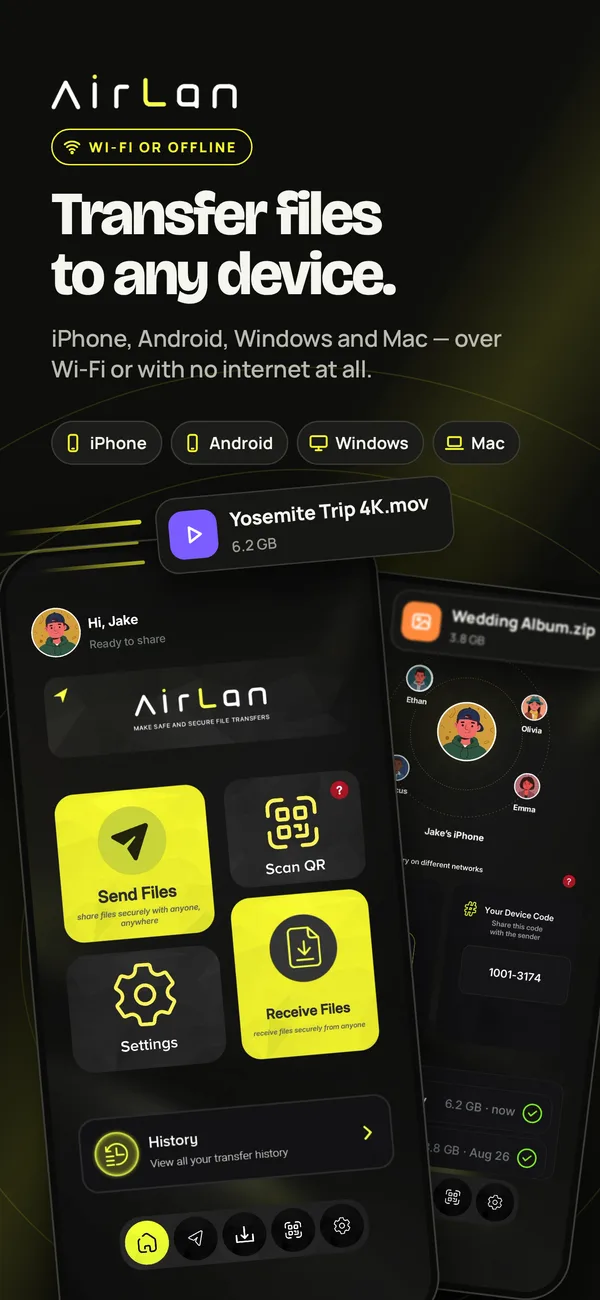
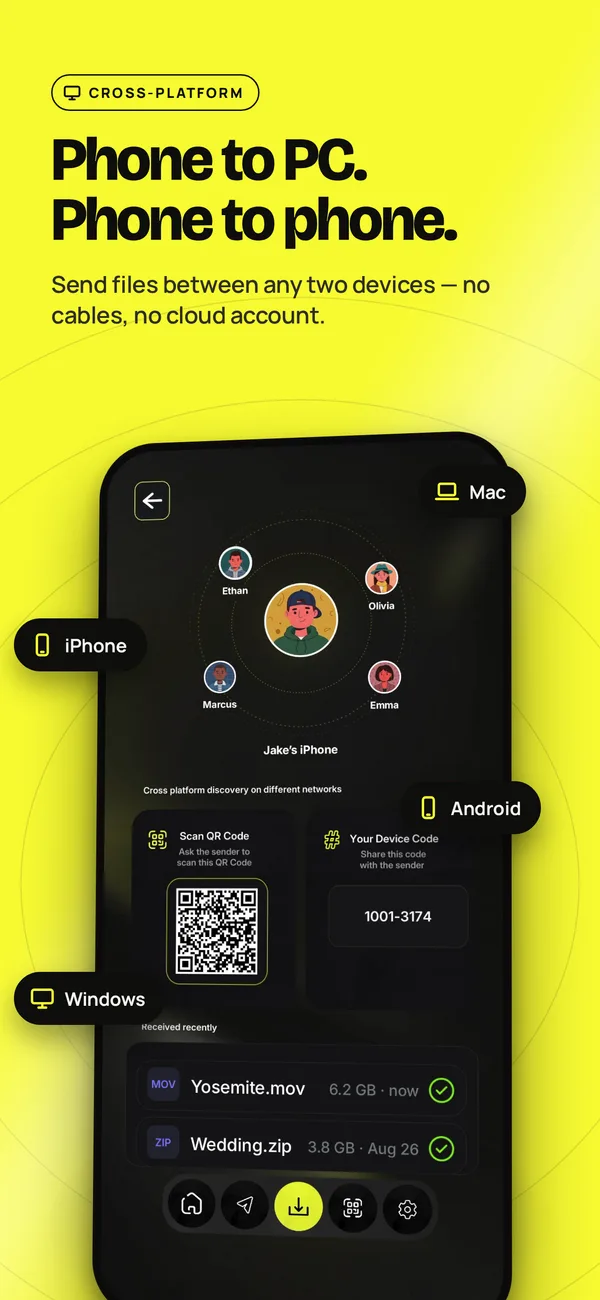
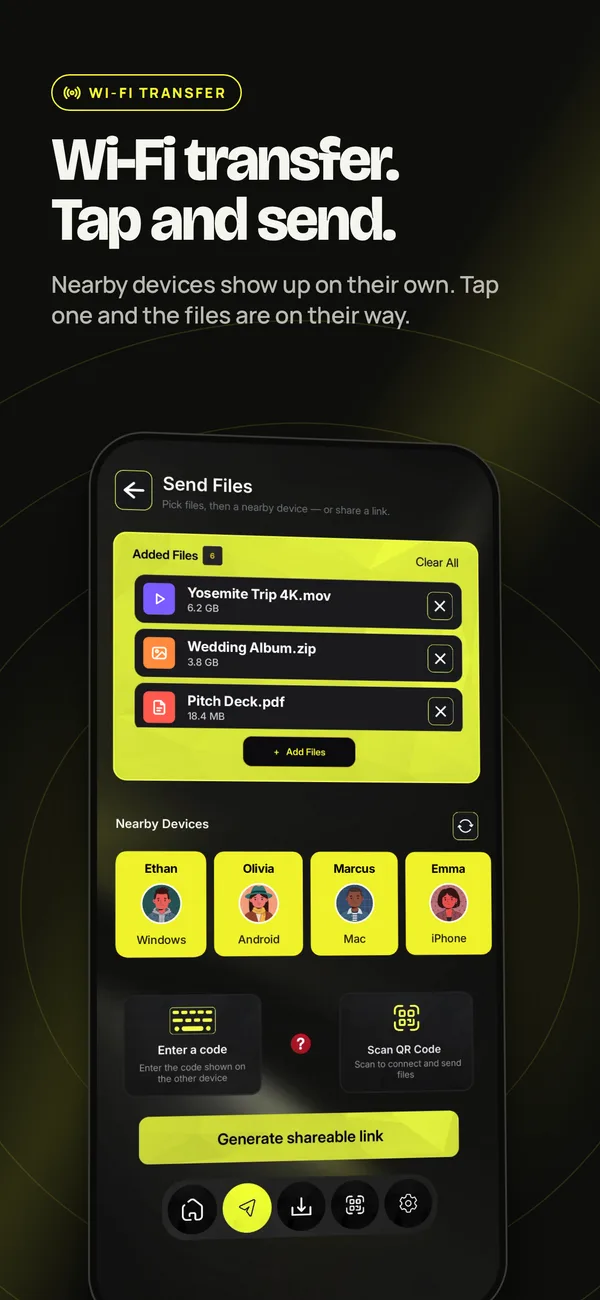
It handles the everyday stuff too: photos, videos, documents, PDFs, ZIPs, text and links. On iPhone you can share straight from Photos, Files or any app via the Share Sheet, and follow progress live on the Lock Screen. A transfer history shows everything you’ve sent and received.
Where it runs
| Platform | Get it from | Needs |
|---|---|---|
| iPhone & iPad | App Store | iOS 15 or later |
| Mac | Mac App Store | macOS 12 or later |
| Android | Google Play | Android phone or tablet |
| Windows | Microsoft Store | Windows 10 or 11 |
Install it on a Windows PC or Mac and it simply appears on your phone as a nearby device. On Windows you can also drag files onto the AirLan window to send them the other way. No USB cable, no drivers.
How to send a file
- Open AirLan on both devices (or, for the receiver, just open the link in a browser).
- Pick the photos, videos or files you want to send.
- Tap the nearby device, or scan its QR code.
- The other person taps Accept. Done.
If the other device isn’t nearby, tap Generate shareable link instead and send the link however you like.
Privacy and cost
- No account, no sign-up. Open it and send.
- Nearby transfers never leave your network. They go device to device over your Wi-Fi or hotspot, not through a server.
- Link transfers do go through AirLan’s relay, which is how they reach someone far away. That’s why they’re capped at 3 GB and expire after 24 hours or two downloads.
- Store privacy labels: Apple’s App Store label reads “Data Not Collected”. Google Play’s data-safety section says no data is shared with third parties and that data is encrypted in transit, and it lists some data types the app may collect.
- Price: AirLan is free on every platform and supported by ads.
How it compares
AirLan isn’t the only way to move files between devices, and for some setups it isn’t the best one. Here’s the honest picture as of October 2026.
| Works between | No internet needed? | Sending to someone far away | Cost | |
|---|---|---|---|---|
| AirLan | iPhone, iPad, Android, Mac, Windows | Yes, on the same Wi-Fi or a hotspot | Link up to 3 GB (expires after 24 h or 2 downloads) | Free, with ads |
| AirDrop | iPhone, iPad, Mac (plus some Android phones via Quick Share) | Yes, within about 10 m | No | Built in |
| Quick Share | Android, Chromebook, Windows (plus iPhone on supported phones) | Yes, when nearby | QR fallback via Google’s servers (up to 10 GB a day) | Built in |
| LocalSend | iPhone, iPad, Android, Mac, Windows, Linux | Yes, on the same network | No | Free, open source, no ads |
| Send Anywhere | All major platforms | No, it’s internet-based (except Android to Android) | 6-digit key or 48-hour link | Free with ads; pay to remove |
Which one should you use?
- Every device you own is Apple? Use AirDrop. It’s built in and you don’t need anything else.
- A recent Pixel or Galaxy phone and an iPhone? Quick Share can now talk to AirDrop directly, as long as the iPhone is set to receive from Everyone for 10 minutes.
- Android phone and a Windows PC? Google’s Quick Share for Windows handles that well.
- Want something free, open source and ad-free? LocalSend is excellent and the closest thing to AirLan. It runs on everything, including Linux, as long as both devices share a network.
- Browser only? PairDrop works in any browser over WebRTC. (The original Snapdrop now belongs to LimeWire.)
- WhatsApp or a cloud drive? Fine in a pinch, but WhatsApp usually compresses photos and videos and caps video at about 100 MB, and both need internet and data at each end.
Where AirLan fits is the mixed setup: iPhone, Android, Mac and Windows in one house or office, where you want one app on all of them that works over a hotspot with no internet, lets someone receive with nothing but a browser, and turns into a link when the other person isn’t nearby.
What to know before you install
- It’s new. AirLan doesn’t have the years of polish (or the user count) of AirDrop or Quick Share yet.
- It shows ads. That’s how it stays free.
- Links need the internet and top out at 3 GB. For bigger files, use a nearby transfer, which has no cap.
- English only for now: that’s the only language the App Store listing shows.
Download AirLan
- iPhone & iPad: App Store
- Mac: Mac App Store
- Android: Google Play
- Windows: Microsoft Store
The bottom line
If everything you own is Apple, AirDrop already has you covered. And if every device always sits on the same network and you’d rather have open source with no ads, LocalSend is a great pick.
AirLan is for everyone in between: the iPhone-and-Windows household, the Android-and-Mac office, the trip where nobody has signal. It’s one free app on all four platforms. Files go straight across over Wi-Fi or a hotspot, with no size cap and no compression, and you can switch to a link when the other person is miles away. Since it costs nothing, the easiest way to judge it is to put it on two of your own devices and send something big.
Sources & further reading
- AirLan on the App Store (iPhone, iPad and Mac)
- AirLan on Google Play (Android)
- AirLan on the Microsoft Store (Windows)
- Apple — Use AirDrop to send items to nearby Apple devices
- Google — Android Quick Share can now work with AirDrop
- Android — Share files between Android and iPhone (supported phones)
- Android Help — Use Quick Share on your Android device
- Android Help — Share files between Android and Windows with Quick Share
- LocalSend on GitHub
- PairDrop FAQ
- Send Anywhere Help — How to send files
- WhatsApp Help — About media quality