iOS 27.2: every new feature, and should you update?
iOS 27.2 brings Siri AI in five more languages, Messages suggestions, Apple TV profiles, Pencil on iPhone Duo and 162 security fixes. Everything new, explained.
Apple released iOS 27.2 on 26 October 2026, the first big feature update since iOS 27 arrived in September. It’s a bigger release than the number suggests. Siri AI gets smarter and learns five more languages, Messages can turn chats into to-dos, the Apple TV app finally gets profiles, and the iPhone Duo gets Apple Pencil support. Apple’s security notes also list 162 fixed vulnerabilities.
A small follow-up, iOS 27.2.1, arrived on 9 November with bug fixes and nine more security patches. So if you update today, that’s the version you’ll get. Here’s everything that’s new, who gets what, and whether you should install it.
The highlights:
- Siri AI remembers past conversations, uses more of your information and speaks French, Japanese, Korean, Portuguese and Spanish.
- Messages suggestions add one-tap buttons to save things from a chat to Calendar, Reminders, Notes or Maps.
- Apple TV profiles let each family member keep their own watch history, with PG limits for kids.
- Shared Albums let people edit captions and comments, and avoid duplicate photos.
- FaceTime Dual Capture in group calls, plus support for sign language interpreters and live captioners.
- iPhone Duo gets Apple Pencil (USB-C) support, Edge Light for video calls and a new Shortcuts trigger.
- 162 security fixes, with nine more in iOS 27.2.1.
Which iPhones get iOS 27.2?
iOS 27.2 runs on every iPhone that supports iOS 27: the iPhone 11 and later, including the iPhone Duo. Not every feature reaches every phone, though:
| Feature | Which iPhones |
|---|---|
| Most of iOS 27.2 | iPhone 11 and later |
| Siri AI upgrades | iPhone 15 Pro, 15 Pro Max, iPhone 16 and later |
| FaceTime Dual Capture | iPhone 17 family, iPhone Air, 18 Pro, Duo |
| Apple Pencil support | iPhone Duo only |
Siri AI also still isn’t available in the EU or mainland China.
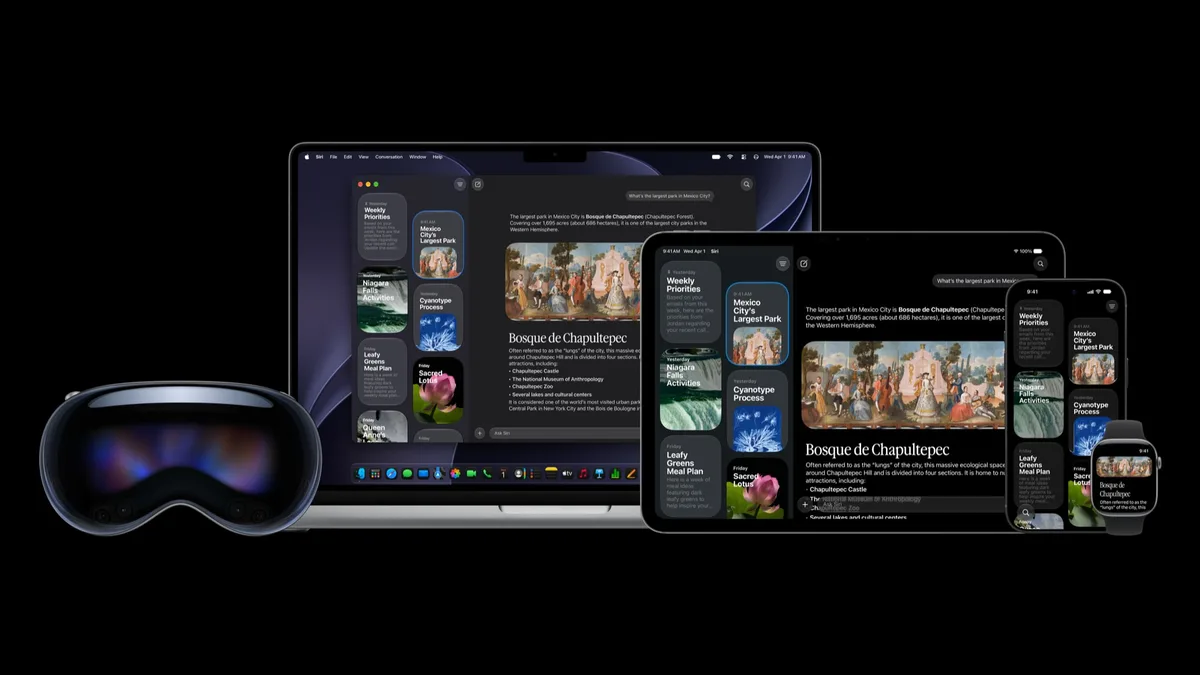
Siri AI gets smarter, and learns five more languages
Siri AI is the conversational Siri that launched with iOS 27. In iOS 27.2 it gets noticeably more useful:
- It remembers past chats. You can ask about something it told you earlier, such as the name of a restaurant it recommended last week.
- It draws on more of your information, including photos people sent you in Messages, who’s coming to your Calendar events, and your voicemails. It’s also better at searching your Safari history and Reading List.
- You decide which apps it can see. A redesigned Excluded Apps setting gathers in one place the apps you don’t want Siri, Search or suggestions to use.
- You can copy part of an answer. You can now select just the bit of a Siri response you need, instead of copying the whole thing.
- Five new languages: French, Japanese, Korean, Portuguese and Spanish, on top of English. Hindi isn’t among them yet.
Messages suggests what to do next
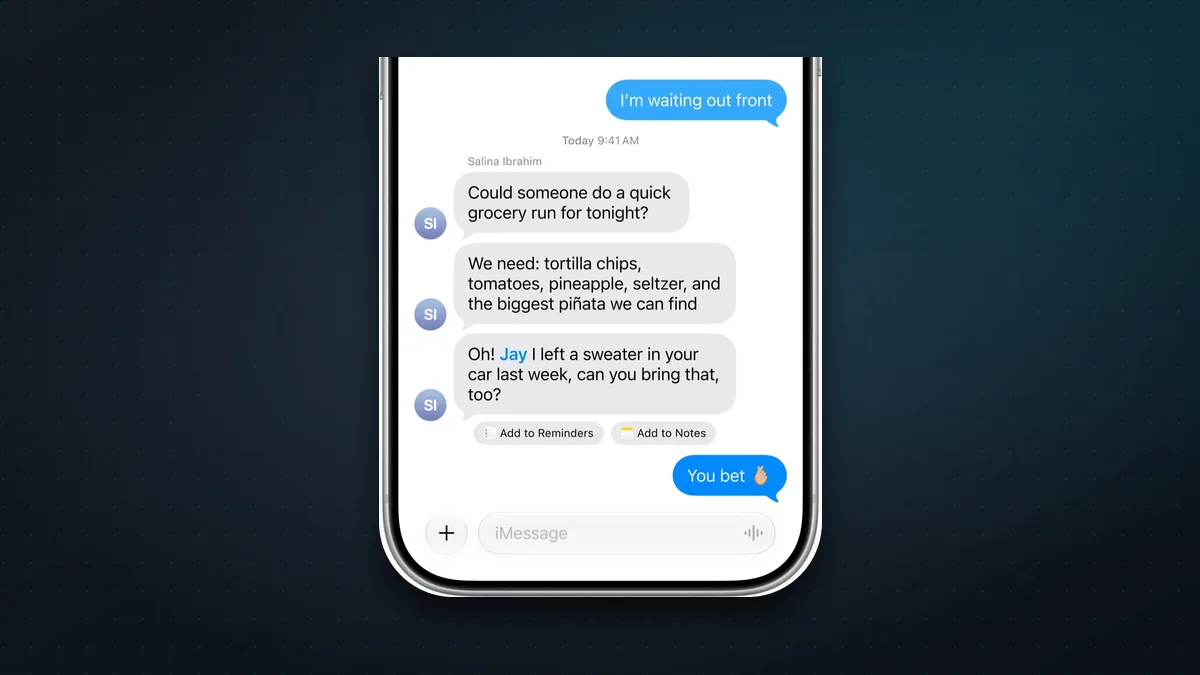
Messages Suggestions, shown at Apple’s developer conference in June and pulled before iOS 27 launched, are now here. When a message mentions a plan, a task or a delivery, small buttons appear underneath, so you can add it to Calendar, Reminders or Notes, open a place in Maps, or track a flight or package with a tap. In Settings you can choose which kinds of suggestion you want to see.
Photos: better Shared Albums and AI labels
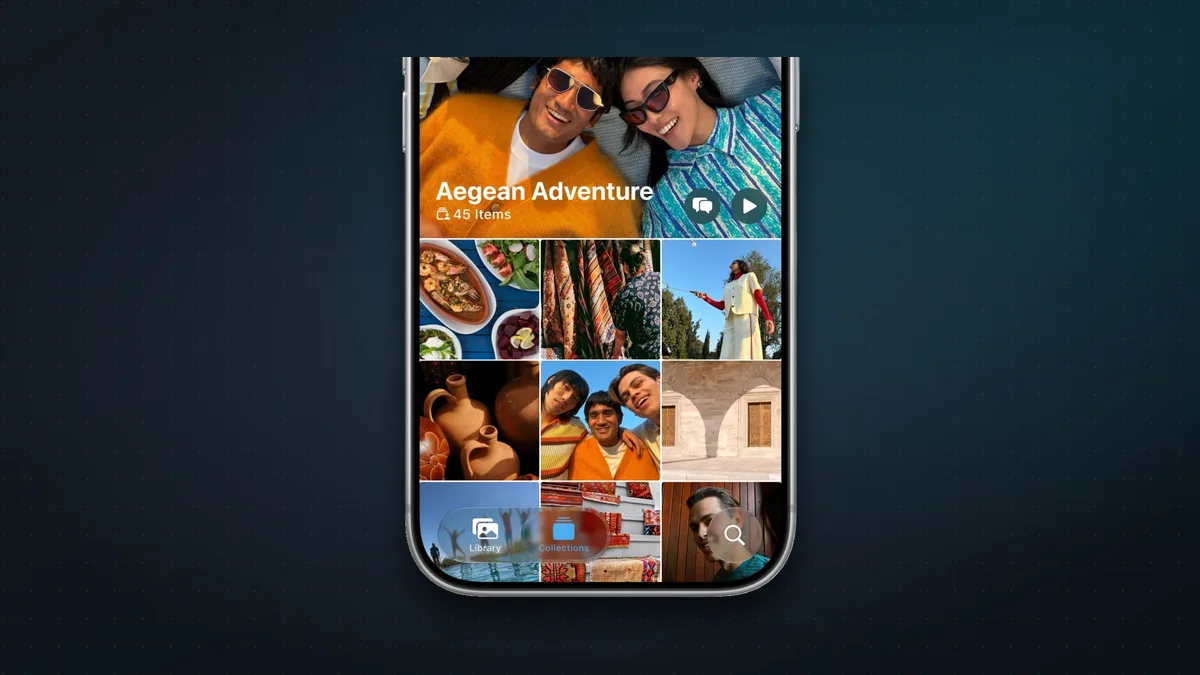
Shared Albums get three welcome fixes: people can edit captions and comments after posting, you can avoid adding duplicate photos, and you get a reminder before an album expires.
iOS 27.2 also adds SynthID, Google’s invisible watermark for AI-made images. Pictures created in Image Playground, and Photos edits that add or change a lot of the image (Extend, Reframe and bigger Clean Up changes), are now marked. That means anyone can check them with Google’s SynthID Detector.
Apple TV: profiles and Multiview
The Apple TV app on iPhone and iPad can now hold separate profiles, so the family’s viewing history and recommendations stop getting mixed up. Each profile has a name and an age rating, and you can mark it as a child profile. Those default to PG, and you can adjust the movie and TV ratings.
Multiview also comes to iPhone. You can watch up to four live streams at once for supported events in your subscription, such as Major League Soccer, Formula 1 in the US, and Friday Night Baseball doubleheaders.
FaceTime and calls
- Dual Capture in group FaceTime. Flip the camera and you can show your face and what’s in front of you at the same time. This needs an iPhone 17, 17 Pro or Pro Max, iPhone Air, iPhone 18 Pro or Pro Max, or iPhone Duo.
- Interpreters and captioners. You can now add a third-party sign language interpreter or live captioner to a FaceTime call.
- Call Context in the Phone app can remind you of a contact’s anniversary during a call, if it’s saved in Contacts.
What’s new for iPhone Duo
The foldable gets three useful additions:
- Apple Pencil support. Apple promised this for “later this year” at launch, and it arrived early. Only the Apple Pencil (USB-C) works; Pencil Pro isn’t supported. You can write, sketch and mark up on either screen.
- Edge Light lights up your face during video calls.
- A new Shortcuts trigger runs an automation when you open or close the Duo.
Weighing one up? See whether the iPhone Duo is worth $2,000 and the best iPhone Duo apps.
Smaller changes worth knowing
- Apple Music has a new black-and-white icon, and blue replaces red as the highlight colour. Music widgets now have black backgrounds.
- Podcasts: the Home tab splits New Episodes from Continue Playing.
- Games: the Friends tab explains friend suggestions and shows what your friends played recently.
- Home: compatible smart locks can lock automatically after the door closes and warn you if a door is left open.
- HomePod: a new Lock Controls setting stops accidental touches from starting music, while keeping timer and alarm controls. Update both your iPhone and HomePod to use it.
- Shortcuts: the Workout trigger now works with the Fitness app, and you can rename shortcuts and change their icons straight from the library.
- Clock: smaller a.m./p.m. labels in the alarm list.
- EU only: a new, expanded tracking-permission prompt in some countries, and apps can ask again once a year.
Security fixes
Apple’s security notes for iOS 27.2 list 162 vulnerabilities fixed, most of them in WebKit (the engine behind Safari) and the kernel, plus fixes in Safari, Siri and Apple Intelligence. iOS 27.2.1 adds nine more. Apple doesn’t say that any of them were being actively exploited. Still, this is the main reason to update promptly.
What isn’t in iOS 27.2
The redesigned Health app appeared in early iOS 27.2 betas but was removed before release. It’s still expected later this year. iOS 27.3 is already in beta testing, with more Siri AI abilities across Apple’s own apps.
How to update to iOS 27.2
- Back up your iPhone to iCloud or your computer.
- Connect to Wi-Fi and make sure you have at least 50% battery, or plug in.
- Open Settings > General > Software Update.
- Tap Update Now. You’ll get iOS 27.2.1, which includes everything in 27.2.
Tip: turn on Automatic Updates on the same screen and your iPhone will install future updates overnight.
Should you update?
Yes. iOS 27.2 is a genuinely useful update: smarter Siri AI, handy Messages suggestions, profiles in the Apple TV app and, if you have one, Pencil support on the iPhone Duo. With 162 security fixes, and nine more in 27.2.1, there’s no good reason to stay on an older version.
FAQ
When was iOS 27.2 released? On 26 October 2026. iOS 27.2.1, a bug-fix and security update, followed on 9 November.
Which iPhones can get iOS 27.2? The iPhone 11 and later. The Siri AI upgrades need an iPhone 15 Pro, 15 Pro Max or any iPhone 16 or later.
Does Siri AI speak Hindi in iOS 27.2? No. The new languages are French, Japanese, Korean, Portuguese and Spanish.
Can I use Apple Pencil on any iPhone now? No. Pencil support is only for the iPhone Duo, and only with the Apple Pencil (USB-C).
Can I go back to iOS 27.1 or 27.0? Usually not for long. Apple normally stops allowing older versions to be installed within a couple of weeks of a new release.
More iPhone help: 12 iPhone tips and tricks for 2026 and which iPhone to buy.
Watch: this guide in 3 minutes
More short videos
Sources & further reading
- Apple — About the security content of iOS 27.2 and iPadOS 27.2
- Apple — About the security content of iOS 27.2.1 and iPadOS 27.2.1
- Apple — Security releases
- Apple Newsroom — Major updates for Apple’s software platforms are now available
- 9to5Mac — Apple releases iOS 27.2, here’s what’s new (with release notes)
- MacRumors — iOS 27.2 features: everything new
- 9to5Mac — iOS 27.3 expands Siri AI with many new capabilities
Keep reading
Why does my iPhone stop charging at 80%? The 4 reasons, and how to fix each
An iPhone stuck at 80% is usually doing it on purpose: Optimized Battery Charging, a charge limit, heat or Clean Energy Charging. How to tell which, and fix it.
Read more →
iPhone Duo screen cracked at the hinge, or a white line? What to do (and what it costs)
Some iPhone Duo inner screens are cracking at the hinge. Apple is replacing affected phones, even without AppleCare+. What to do, and what repairs cost.
Read more →
The best iPhone Duo apps, and the big ones that aren't ready yet
Which apps make the most of the iPhone Duo's folding screen, from Netflix and Fantastical to games that use the hinge, plus popular apps that aren't ready yet.
Read more →