The best mouse for work in 2026: our top pick and the alternatives (US and India)
The Logitech MX Master 4 is the work mouse to beat. Who should buy it, the cheaper MX Master 3S, and the best compact, vertical and budget work mice.

Disclosure: This article may contain affiliate links. If you buy through them we may earn a small commission at no extra cost to you. It never influences our editorial opinion. As an Amazon Associate, GeekyGoo earns from qualifying purchases.
If you spend most of the day in spreadsheets, documents, code or a browser full of tabs, your mouse is the gadget you touch most. A good one won’t make you a better worker, but a bad one makes long days more tiring than they need to be.
For work, one family keeps coming out on top: Logitech’s MX Master. The newest, the MX Master 4, is our pick. It’s big, comfortable, quiet, and has the best scroll wheel you can buy. But it isn’t for everyone: it’s right-handed only, it’s large, and it isn’t cheap. So here are the best alternatives too, for small hands, sore wrists, travel and tighter budgets.
Prices were checked on 27 November 2026, during Black Friday week. US prices are from Logitech’s own store (many are on sale right now); India prices are Amazon.in, including GST. Prices change often, so check the buy button before you order. We haven’t tested every mouse here; the picks are based on makers’ specs and pricing.
The quick picks:
| Best for | Pick | US price | India price |
|---|---|---|---|
| Best overall | Logitech MX Master 4 | $109.99 ($119.99 list) | ₹11,995 |
| Best value | Logitech MX Master 3S | $75.99 ($99.99 list) | ₹5,795 |
| Small hands and travel | Logitech MX Anywhere 3S | $69.99 ($89.99 list) | ₹8,549 |
| Wrist pain, small to medium hands | Logitech Lift (vertical) | $54.14 ($79.99 list) | ₹5,995 |
| Wrist pain, bigger hands | Logitech MX Vertical | $99.99 ($119.99 list) | ₹4,945 |
| Best budget work mouse | Logitech Signature M650 | from $24.99 ($39.99 list) | ₹2,849 |
| Comfort on a budget (India) | Logitech Signature Comfort Plus M850 L | – | ₹3,608 |
1. Logitech MX Master 4: the best mouse for work
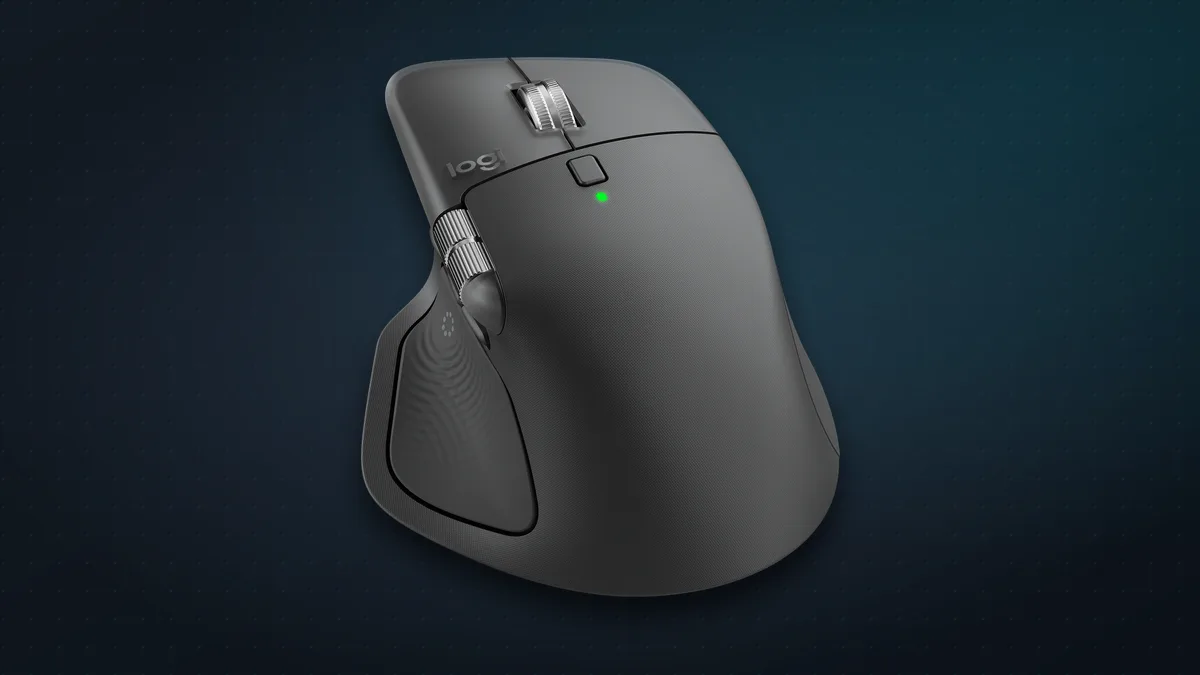
The MX Master 4 does the basics brilliantly and then adds the extras that matter when you’re working all day:
-
A scroll wheel worth the price on its own. The steel MagSpeed wheel spins freely to fly through a 200-page document or a huge spreadsheet, then clicks line by line when you slow down. A thumb wheel scrolls sideways through timelines and wide tables.
-
Three computers, one mouse. Pair it with up to three devices and switch with a button. With Logitech Flow you can move the cursor from your laptop to your desktop, and even copy and paste between them.
-
Haptics and the Actions Ring. New on the 4: a panel under your thumb that vibrates to confirm things (a window snapping into place, objects lining up in a slide), and opens a pop-up ring of shortcuts for the app you’re in.
-
A finish that should age better. Older MX Masters used a soft rubbery coating that can turn sticky after a year or two. The 4 switches to hard textured plastic with silicone grips.
-
Long battery and quick charging: up to 70 days per charge over USB-C, and a USB-C receiver in the box.
-
Specs: 8,000 DPI sensor (works on glass) · MagSpeed wheel + thumb wheel · 8 buttons · haptic thumb panel · 3 devices · up to 70 days per charge · 150 g · right-handed
-
Price: $109.99 sale, $119.99 list (US) · ₹11,995 (India)
-
Skip it if: you’re left-handed, have small hands, or want to spend less. The 3S below does most of the same for much less.
-
Buy: Amazon US · Amazon India
Torn between the 4 and the older 3S? Our MX Master 3S vs MX Master 4 comparison goes through every difference.
2. Logitech MX Master 3S: the best value
The MX Master 3S has the same shape, the same MagSpeed wheel, the same 8,000 DPI sensor and the same three-computer switching. What it lacks is the haptic thumb panel and Actions Ring, and its soft coating is the one that can get sticky with age. In return it’s a lot cheaper, especially in India, where it’s about half the price of the 4.
One thing to check: Logitech now sells a cheaper Bluetooth Edition with no USB receiver in the box. That’s fine for most laptops, but pick a version with a receiver (or buy one separately) for a desktop PC without good Bluetooth.
- Specs: 8,000 DPI (works on glass) · MagSpeed wheel + thumb wheel · quiet clicks · 3 devices · up to 70 days per charge · 141 g · right-handed
- Price: $75.99 sale, $99.99 list for the Bluetooth Edition (US) · ₹5,795 for the Bluetooth Edition (India)
- Skip it if: you want the latest features or a finish that won’t get tacky.
- Buy: Amazon US (with receiver) · Amazon India (Bluetooth Edition)
3. Logitech MX Anywhere 3S: best for small hands and travel
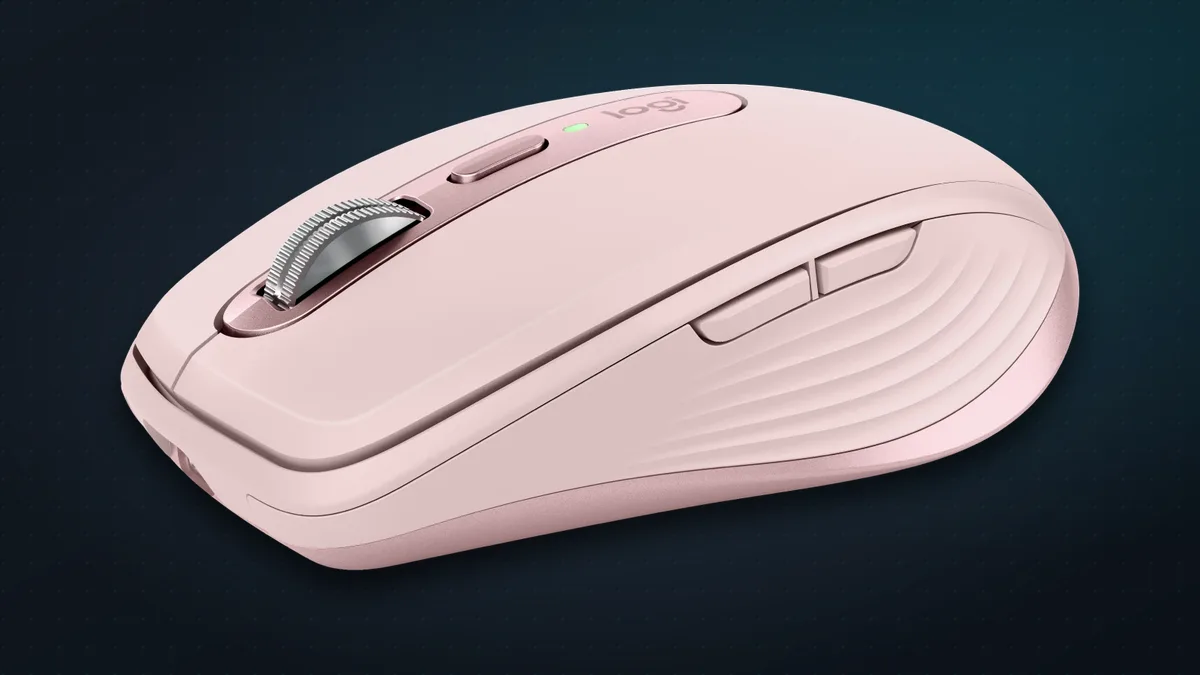
The MX Anywhere 3S packs the MX Master’s best bits, the MagSpeed wheel, the 8,000 DPI sensor that tracks on almost anything including glass, quiet clicks and three-device switching, into a small mouse that slips into a laptop bag. It’s also the better fit if the MX Master feels too big in your hand. It skips the thumb wheel and the sculpted thumb rest.
- Specs: 8,000 DPI (works on glass) · MagSpeed wheel · quiet clicks · 3 devices · USB-C rechargeable · compact
- Price: $69.99 sale, $89.99 list (US) · ₹8,549 (India)
- Skip it if: you want a full-size mouse to rest your whole hand on.
- Buy: Amazon US · Amazon India
4. Logitech Lift: best for wrist pain (small to medium hands)
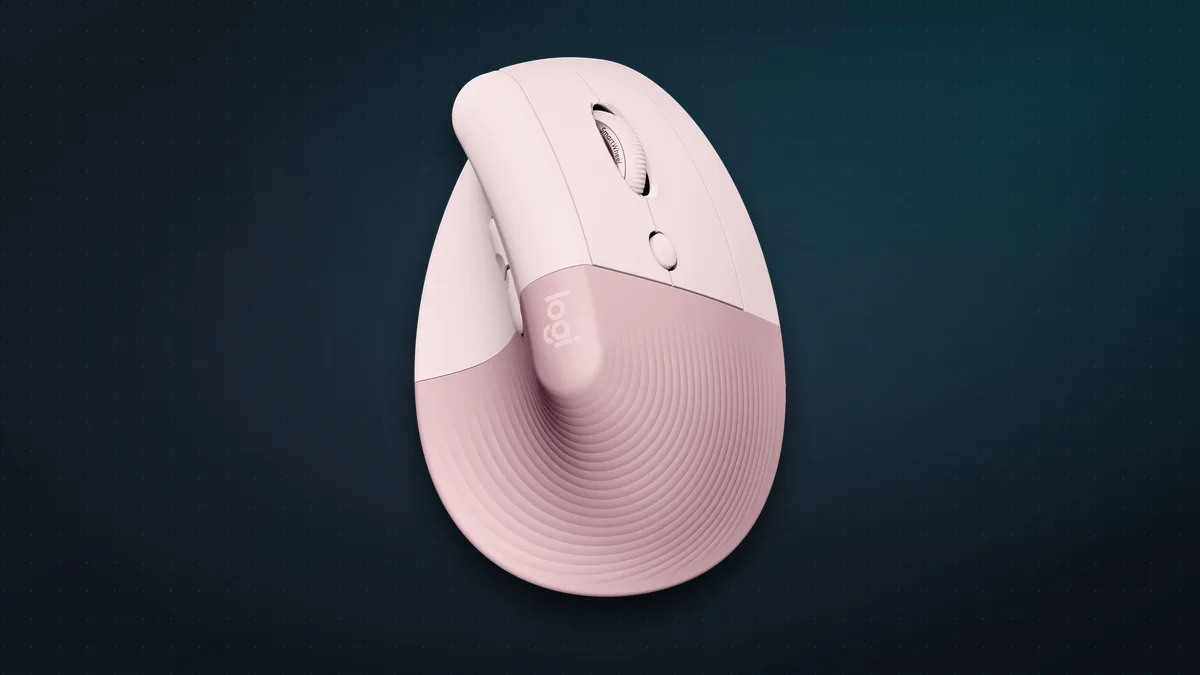
A vertical mouse holds your hand in a handshake position instead of palm-down, which keeps your forearm from twisting. If your wrist aches by the end of the day, it’s worth trying. The Lift tilts your hand to 57°, has a soft grip and thumb rest, and is made for small to medium hands. There’s also a Lift Left for left-handers. It takes a day or two to get used to.
- Specs: vertical (57°) · quiet clicks · Bluetooth or Logi Bolt receiver · runs on one AA battery · Lift Left version available
- Price: $54.14 sale, $79.99 list (US) · ₹5,995 (India)
- Skip it if: you have large hands; look at the MX Vertical instead.
- Buy: Amazon US · Amazon India
5. Logitech MX Vertical: vertical mouse for bigger hands
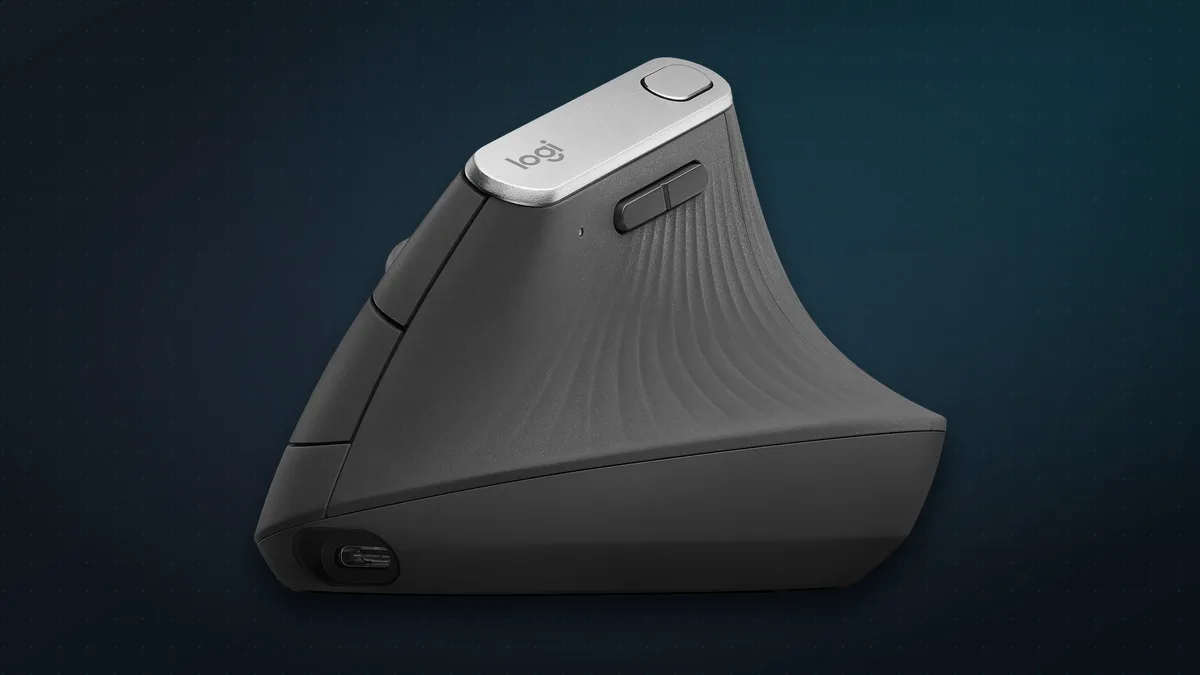
The MX Vertical is Logitech’s larger, older vertical mouse, also at a 57° angle. It’s rechargeable rather than battery-powered, and better suited to bigger hands than the Lift. It’s a particularly good deal in India right now, where it costs less than the Lift.
- Specs: vertical (57°) · rechargeable · multi-device switching · right-handed
- Price: $99.99 sale, $119.99 list (US) · ₹4,945 (India)
- Skip it if: you have small hands, or want the newer design and quieter clicks of the Lift.
- Buy: Amazon US · Amazon India
6. Logitech Signature M650: best budget work mouse
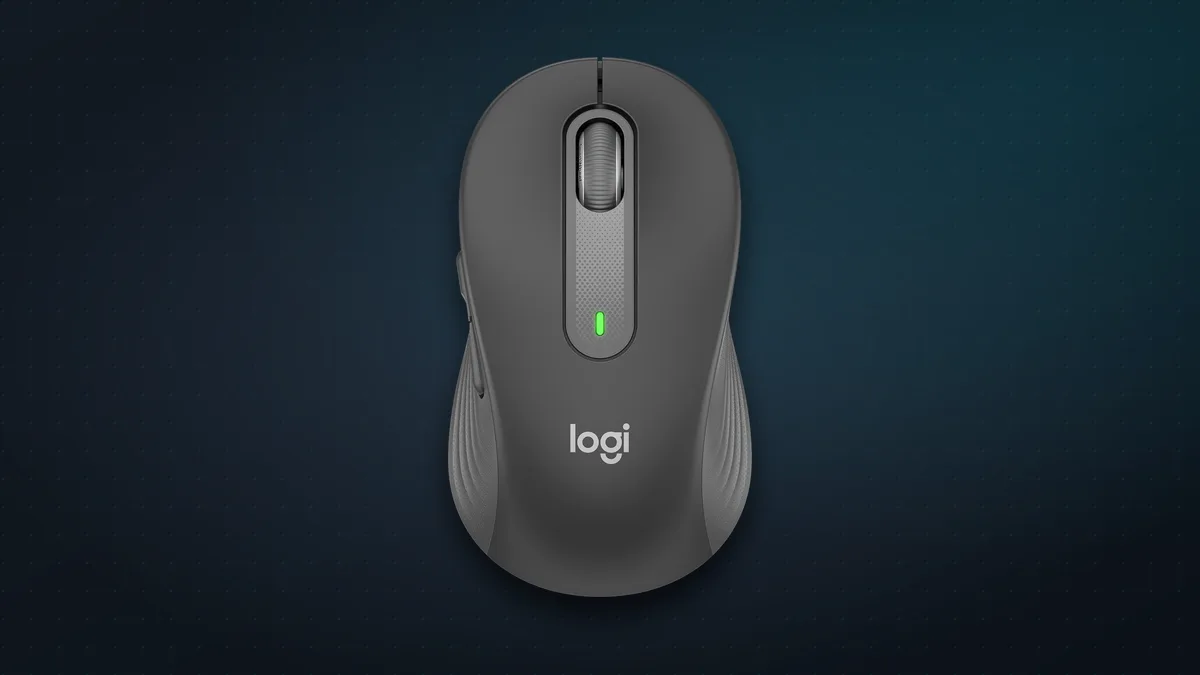
If you don’t need multi-computer tricks, the Signature M650 gets you most of what makes a work mouse comfortable for a fraction of the price: quiet clicks, a smart wheel that switches between precise and fast scrolling, a comfortable contoured shape, and long battery life. It comes in three sizes: M650 (small to medium hands), M650 L (large hands) and M650 L Left for left-handers.
- Specs: quiet clicks · SmartWheel scrolling · Bluetooth or Logi Bolt receiver · AA battery · three sizes, including left-handed
- Price: from $24.99 on sale, $39.99 list (US) · ₹2,849 (India)
- Skip it if: you want rechargeable, or to control several computers.
- Buy: Amazon US · Amazon India
Want something even cheaper? Our guide to everyday mice under $50 covers basic wired and wireless picks from Logitech, Dell and Lenovo.
7. Logitech Signature Comfort Plus M850 L: comfort on a budget
Logitech’s newest comfort mouse adds something the others don’t have: a built-in palm cushion. It’s a full-size, right-handed mouse with quiet clicks, a SmartWheel and customisable buttons, and Logitech rates the battery at up to 24 months. It’s a good middle ground in India between the M650 and the MX range.
- Specs: palm cushion · quiet clicks · SmartWheel · customisable buttons · up to 24 months’ battery · right-handed
- Price: ₹3,608 (India). In the US, Logitech lists the business version at $59.99.
- Skip it if: you’re left-handed.
- Buy: Amazon India
Left-handed?
The MX Master 4 and 3S are right-handed only, and so are the MX Vertical and the M850 L. Your best bets are the Lift Left (vertical) and the Signature M650 L Left, both made specifically for the left hand. A symmetrical mouse also works for either hand, but you’ll usually give up the comfortable sculpted shape.
Working on a Mac?
Every Logitech mouse here works with macOS, and Logitech also sells an MX Master 4 for Mac. Apple’s own Magic Mouse is slim and great for swipe gestures, but it’s flat, which many people find tiring over a long day, and it charges through a port on its underside, so you can’t use it while it’s plugged in. If you love gestures, Apple’s Magic Trackpad is the more comfortable Apple option, and many Mac users pair one with a regular mouse.
How to choose a work mouse
- Fit first. Size matters more than features. Big hands suit the MX Master; small hands are happier with the MX Anywhere 3S, the Lift or the standard M650.
- The scroll wheel. If you scroll long documents or spreadsheets all day, a free-spinning wheel like Logitech’s MagSpeed (or SmartWheel on cheaper models) is the single biggest upgrade.
- More than one computer? MX models switch between three devices with a button, and Logitech Flow lets one mouse control two computers side by side.
- Bluetooth or receiver. Bluetooth keeps a USB port free; a receiver is often steadier on desktop PCs. Check what’s in the box, as some editions skip the receiver.
- Wrist pain? Try a vertical mouse. Give it a few days; it feels odd at first.
- Quiet clicks are worth having in a shared office or on video calls.
- Software. Logitech’s free Logi Options+ app lets you set different button shortcuts for each app. The mice work without it, but you’ll miss the clever bits.
FAQ
What is the best mouse for work? For most people who can afford it, the Logitech MX Master 4: comfortable for long days, a superb scroll wheel, and three-computer switching. The MX Master 3S is the best value if you want the same core for less.
Is the MX Master 4 worth it over the MX Master 3S? Only if you want the haptic thumb panel, the Actions Ring and the harder-wearing finish. The 3S does the basics just as well for much less. See our 3S vs 4 comparison.
Is a vertical mouse better for your wrist? It holds your hand in a more natural handshake position, which many people with wrist or forearm discomfort find more comfortable. It isn’t a medical fix, so if the pain persists, see a doctor.
Is there a left-handed MX Master? No. For left-handers, look at the Logitech Lift Left or the Signature M650 L Left.
Can I use a work mouse for gaming? For casual games, yes. For fast competitive games, a gaming mouse is lighter and quicker; see our best budget gaming mice.
Do these mice work with Mac and iPad? Yes, all of them connect over Bluetooth to Mac, Windows, ChromeOS and iPad. Logi Options+ customisation is for Windows and Mac.
Building out your desk? See our Elgato Stream Deck MK.2 guide and which Mac to buy.
Sources & further reading
- Logitech — MX Master 4
- Logitech — Introducing MX Master 4 (press release, Sept 2025)
- Logitech — MX Master 3S
- Logitech — MX Anywhere 3S
- Logitech — Lift Vertical Ergonomic Mouse
- Logitech — MX Vertical Advanced Ergonomic Mouse
- Logitech — Signature M650 (M650, M650 L, M650 L Left)
- Amazon India — Logitech Signature Comfort Plus M850 L listing
Keep reading

Logitech MX Master 3S vs MX Master 4: which productivity mouse should you buy?
Logitech's MX Master 3S is now cheaper than ever, and the MX Master 4 adds haptics. Features, prices in the US and India, the catches, and which one to buy.
Read more →
Logitech M90 vs B100, and the best everyday mice under $50 (wired and wireless)
The Logitech M90 and B100 are the same mouse in different boxes. What really differs, and the best wired and wireless mice for everyday use under $50.
Read more →
The best protective phone cases in 2026: rugged picks for iPhone, Galaxy and Pixel
The best drop-proof phone cases of 2026, from heavy-duty OtterBox and UAG to slim budget picks, with what drop ratings really mean. US and India prices.
Read more →