Logitech MX Master 3S vs MX Master 4: which productivity mouse should you buy?
Logitech's MX Master 3S is now cheaper than ever, and the MX Master 4 adds haptics. Features, prices in the US and India, the catches, and which one to buy.

Disclosure: This article may contain affiliate links. If you buy through them we may earn a small commission at no extra cost to you. It never influences our editorial opinion.
For years, the Logitech MX Master has been the mouse people recommend to anyone who spends their day in spreadsheets, code, design apps or browser tabs. The MX Master 3S, launched in 2022, is still one of the best-rated mice on Amazon. Then, in late 2025, Logitech launched the MX Master 4, which adds haptic feedback and a new shortcut menu under your thumb.
So which should you buy now? The answer has changed, because the 3S has quietly become much cheaper, especially in India. Here’s what each mouse does, what they cost, the catches, and our pick.
We haven’t tested these mice ourselves. This guide is based on Logitech’s official specs, verified Amazon listings and independent reviews.
The short answer
- Buy the MX Master 3S if you want the best value. It costs roughly half as much in India and about $20–40 less in the US, it’s lighter, and reviewers still rate it as highly as the new one.
- Buy the MX Master 4 if you want the newest features (haptic feedback and the Actions Ring shortcut menu), a harder-wearing finish, and a USB-C receiver in the box.
MX Master 3S: what you get
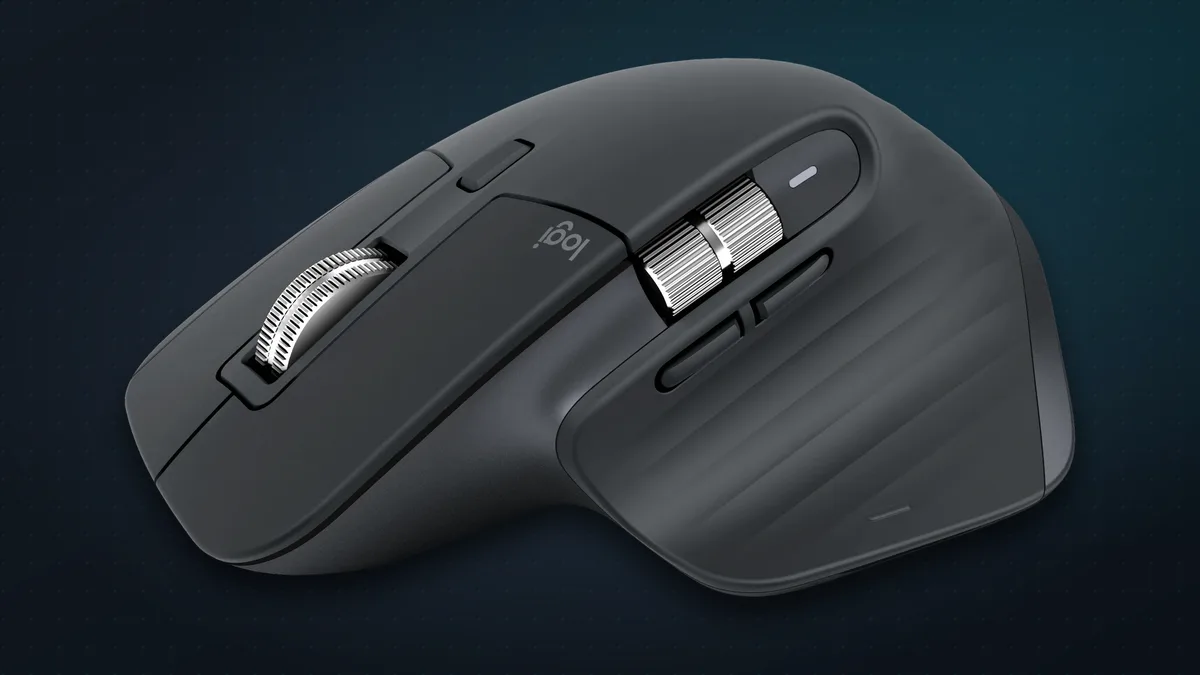
- An 8,000 DPI “Darkfield” sensor that tracks on almost anything, including glass (at least 4 mm thick). The default is 1,000 DPI, adjustable from 200 to 8,000.
- Quiet clicks, which Logitech says are 90% quieter than the MX Master 3’s.
- The MagSpeed scroll wheel. It’s made of machined steel and moved by magnets, so it can scroll 1,000 lines a second, fast enough to fly through a long document, or click line by line for precision. SmartShift switches between the two automatically.
- A thumb wheel for scrolling sideways through timelines and wide spreadsheets.
- Seven buttons plus a gesture button. With the free Logi Options+ app you can assign different shortcuts in each app, with ready-made presets for Photoshop, Premiere, Final Cut, Chrome, Zoom, Teams and Office.
- Three computers at once. Easy-Switch pairs it with up to three devices. Logitech Flow lets you move the cursor from one computer to the next, and even copy and paste text, images and files between them.
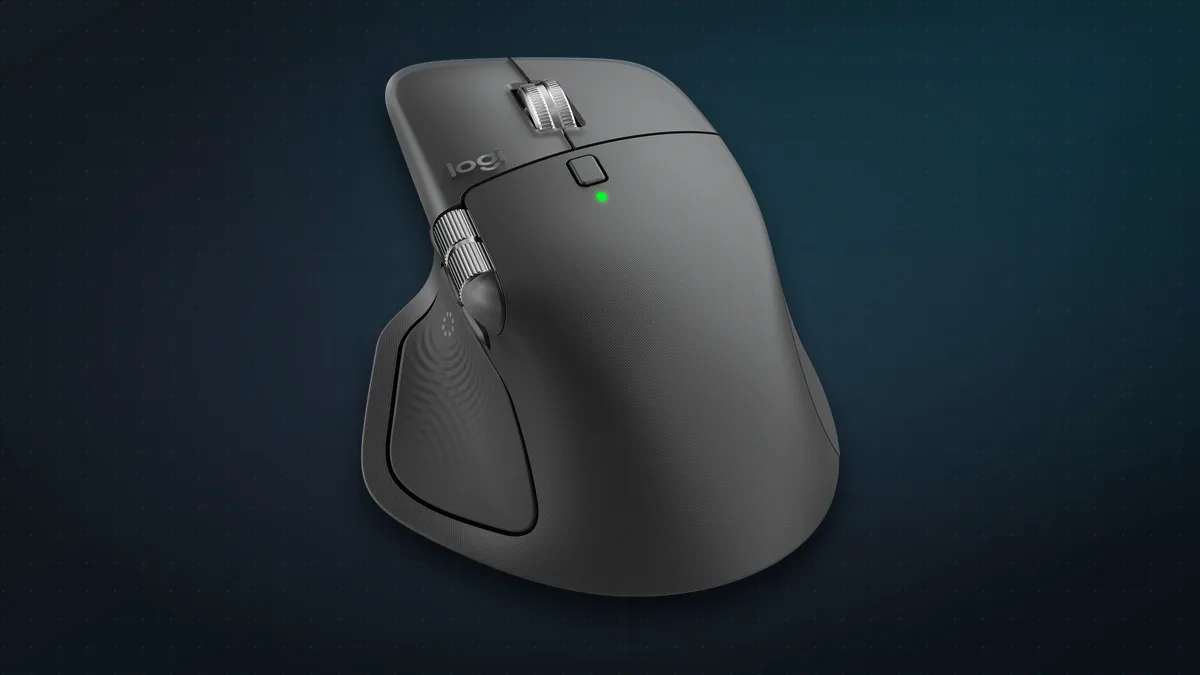
- Up to 70 days of battery from a full charge, with USB-C. One minute of charging gives about three hours of use.
- Works with nearly everything: Windows, macOS, Linux, ChromeOS, iPadOS and Android. (Options+ customisation is Windows and Mac only.)
- Size: 141 g; 124.9 × 84.3 × 51 mm. Right-handed only.
Watch out: Standard vs Bluetooth Edition
This is the most important thing to know before buying a 3S today. Logitech now sells two versions:
| Standard | Bluetooth Edition | |
|---|---|---|
| In the box | Mouse, Logi Bolt USB receiver, USB-A to USB-C charging cable | Mouse only (no receiver, no cable) |
| Connects by | Bluetooth or the receiver | Bluetooth only (a Bolt receiver can be bought separately) |
| Where | Older stock; Amazon US | Logitech’s US store, and both 3S listings on Amazon India |
The Bluetooth Edition is cheaper, and it’s perfectly good if your computer has Bluetooth, which nearly all laptops do. But a receiver can be steadier with desktop PCs that lack good Bluetooth, and it works in a PC’s BIOS before Windows loads. If you need one, buy a Logi Bolt receiver separately, or pick the MX Master 4, which includes one. You’ll also need your own USB-C cable to charge the Bluetooth Edition.
MX Master 4: what’s new
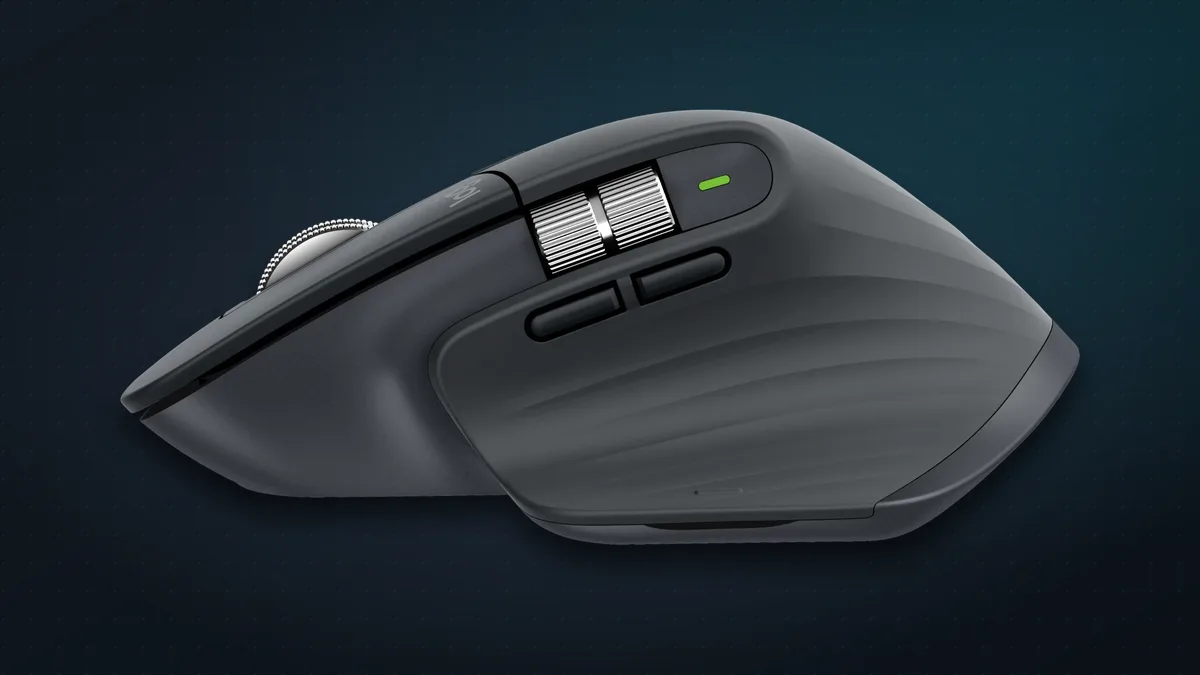
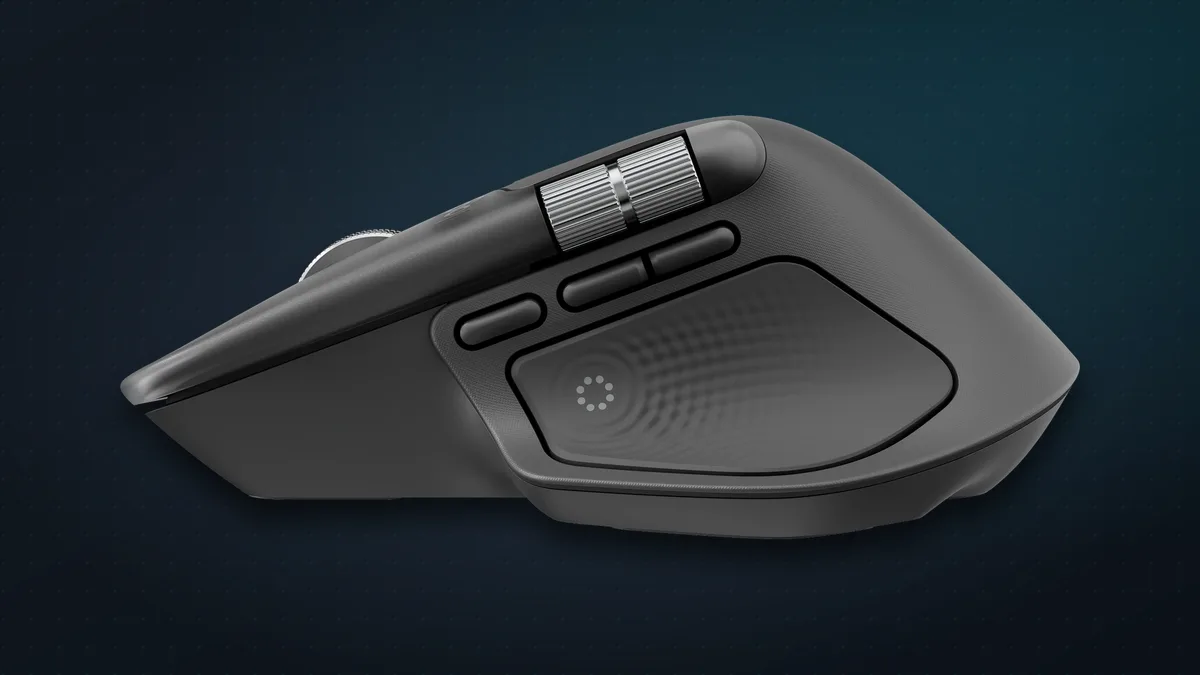
The MX Master 4 keeps everything above (the sensor, MagSpeed wheel, thumb wheel, Flow and three-device switching) and adds:
- A Haptic Sense Panel under your thumb, replacing the old gesture button. It vibrates to give you feedback: a tick when a window snaps into place on Windows 11, or when objects line up in PowerPoint.
- The Actions Ring, a pop-up menu of shortcuts you open from the thumb panel. Logitech says that in its own study of 37 people it cut mouse movements by up to 63% and saved up to a third of the time on common tasks.
- A USB-C Logi Bolt receiver in the box (the standard model), which Logitech says gives a connection twice as strong as the 3S’s.
- A bigger battery (650 mAh vs 500 mAh), still rated at up to 70 days, with the same one-minute-for-three-hours quick charge.
- A tougher finish. Hard textured plastic with silicone grips replaces the 3S’s soft-touch rubber, which is known to get sticky with age. At least 48% of the plastic is recycled, and the thumb wheel is aluminium.
- Eight buttons in total.
- Bigger and heavier: 150 g, 128 × 88 × 51 mm.
Things to know:
- No charging cable in the box.
- Over Bluetooth it needs Windows 11 or macOS 13 or later. On Windows 10, use the included receiver.
- There’s also an MX Master 4 for Mac (Space Black or White Silver), which Logitech says ships without a receiver, and an MX Master 4 for Business with Logitech’s remote management.
Side by side
| MX Master 3S | MX Master 4 | |
|---|---|---|
| Launched | May 2022 | September 2025 |
| US price | $99.99 list for the Bluetooth Edition (often on sale); around $120 for the receiver version | $119.99 |
| India price | ~₹5,800–6,000 on Amazon (Bluetooth Edition) | ₹15,995 launch price; ~₹10,500 on Amazon in recent deals |
| Weight | 141 g | 150 g |
| Sensor | 8,000 DPI, tracks on glass | 8,000 DPI, tracks on glass |
| Haptics / Actions Ring | No | Yes |
| Battery | 500 mAh, up to 70 days | 650 mAh, up to 70 days |
| Receiver in box | Standard yes; Bluetooth Edition no | Yes (USB-C), except the Mac version |
| Finish | Soft-touch rubber | Hard textured plastic, silicone sides |
| Amazon US rating | 4.6★ (8,900+ ratings) | 4.3★ (2,100+ ratings) |
Prices and ratings at the time of writing; Amazon prices change often.
What reviewers say
MX Master 3S:
- Tom’s Hardware (4.5/5) praised the magnetic wheel, deep customisation and three-device switching. It disliked the device-switch button being underneath, and the softer click feel.
- Tom’s Guide (4.5/5, Editor’s Choice) loved the premium ergonomic build and controls. Its downsides were the price and that it’s right-handed only.
MX Master 4:
- TechRadar (4.5/5) liked the ergonomics, wheel and battery. It found it heavy, the buttons hard to tell apart by touch, and the thumb wheel cheap-feeling.
- Tom’s Guide (4.5/5, Editor’s Choice) called it the best MX mouse for newcomers, but advised 3S owners not to upgrade. It found the haptics a bit gimmicky.
- PCWorld (4/5) praised the ergonomics and battery. It criticised the weight, limited macros and a slightly loose free-spin wheel.
- TechRadar later went further in a follow-up piece, arguing that the older 3S is the better buy for most people.
The catches
- The 3S’s soft coating can get sticky. Tom’s Guide’s own 3S turned slightly tacky after about 18 months, a common owner complaint. The MX Master 4’s harder finish should avoid this.
- Logi Options+ is heavier than it needs to be. Logitech has added extras such as an AI prompt tool, and some users complain about the app’s size and memory use. You need it for the clever customisation, but the mouse works without it.
- Both are right-handed only, and both are big. If you have small hands, look at the MX Anywhere 3S below.
- Neither is a gaming mouse. For games, see our guide to the best budget gaming mice.
Alternatives
- Logitech MX Anywhere 3S (about $70–90): the same 8K sensor and MagSpeed wheel in a compact 99 g travel mouse.
- Logitech Lift (about $70–80): a vertical mouse that keeps your wrist in a handshake position, for people with wrist pain. It runs up to two years on one AA battery.
- Logitech Signature M650 (about $35–40): a quiet, comfortable everyday mouse at a third of the price, if you don’t need the MX extras.
Which should you buy?
Buy the MX Master 3S if you want the most mouse for your money, especially in India, where it’s around ₹6,000 against ₹10,500 or more for the MX Master 4. It’s lighter, just as highly rated, and every core feature that made the MX Master famous is here. Just check whether the listing includes a receiver.
Buy the MX Master 4 if you’re buying new, want the latest haptics and Actions Ring, or prefer a finish that won’t get sticky over time, and the extra cost doesn’t bother you.
Already own a 3S? Keep it. Tom’s Guide, for one, says the MX Master 4 isn’t worth the upgrade.
The bottom line
The MX Master 4 is the better mouse on paper, but the MX Master 3S is the better deal. At today’s prices, the 3S is one of the best upgrades you can make to a work setup for the money: fast scrolling, multi-computer control and a comfortable shape. The MX Master 4 is for people who want the latest and are happy to pay for it.
Building your desk setup? See our Elgato Stream Deck MK.2 guide and which Mac to buy.
Sources & further reading
- Logitech — MX Master 3S
- Logitech India — MX Master 3S
- Logitech — MX Master 4
- Logitech — Introducing MX Master 4 (press release, Sept 2025)
- Logitech — MX Master 3S launch (press release, May 2022)
- Business Today — MX Master 4 launches in India at Rs 15,995
- 9to5Mac — Logitech raises prices as tariffs kick in
- Tom's Hardware — Logitech MX Master 3S review
- Tom's Guide — Logitech MX Master 3S review
- Tom's Guide — Logitech MX Master 4 review
- TechRadar — Logitech MX Master 4 review
- TechRadar — The MX Master 3S is the better buy
- PCWorld — Logitech MX Master 4 review
Keep reading
The best budget gaming mice under $50 (2026): wired and wireless picks
Five gaming mice under $50 that punch well above their price, wired and wireless, plus how to choose: weight, hand size, DPI myths and whether wireless lags.
Read more →
The best gaming microphones under $50 (2026): sound like a streamer on a budget
Five USB mics under $50 that make you sound far better than a headset on Discord, streams and calls, plus where to put your mic and when to go dynamic.
Read more →
Elgato Stream Deck MK.2: the 15-button gadget that speeds up everything you do
15 tiny screen-keys that launch apps, run shortcuts and control your stream, calls and music in one tap. What the Elgato Stream Deck does and who it's for.
Read more →