The best budget gaming mice under $50 (2026): wired and wireless picks
Five gaming mice under $50 that punch well above their price, wired and wireless, plus how to choose: weight, hand size, DPI myths and whether wireless lags.
Disclosure: This article may contain affiliate links. If you buy through them we may earn a small commission at no extra cost to you. It never influences our editorial opinion.
You don’t need to spend $150 on a gaming mouse. The budget end of the market is better than it has ever been: today’s $25–50 mice have accurate optical sensors that are more than good enough for competitive play, and some wireless models are now as responsive as a cable. Here are the five we’d buy, wired and wireless, plus a quick guide to choosing.
We haven’t tested these ourselves. Our picks are based on lab measurements from RTINGS, independent reviews, and Amazon ratings from tens of thousands of buyers.
The quick picks
- Best overall → Logitech G305 LIGHTSPEED: wireless with no lag, for about $30.
- Best wireless with Bluetooth → Razer Basilisk V3 X HyperSpeed: comfortable and runs for months on one battery.
- Best wired, and best for big hands → Logitech G502 HERO: the most buttons and the best scroll wheel.
- Best lightweight → Razer Cobra: just 58 g for fast aiming.
- Best ultra-budget → Logitech G203 LIGHTSYNC: a great mouse for about $25.
| Mouse | Type | Weight | Best for | US price* | India price* |
|---|---|---|---|---|---|
| Logitech G305 | Wireless (2.4GHz) | 99 g | Most people | ~$30 | ~₹2,600 (as G304) |
| Razer Basilisk V3 X | Wireless (2.4GHz + Bluetooth) | 110 g | Comfort, bigger hands | ~$45–50 | ~₹5,800 |
| Logitech G502 HERO | Wired | 121 g | Big hands, MMOs, extra buttons | ~$38 | ~₹3,300 |
| Razer Cobra | Wired | 58 g | Fast shooters, small to medium hands | ~$30–35 | ~₹2,200 |
| Logitech G203 | Wired | 85 g | Tightest budget | ~$25 | ~₹1,200 (as G102) |
*Typical prices in October 2026; Amazon prices change often, so check the current price below.
Logitech G305 LIGHTSPEED: best overall
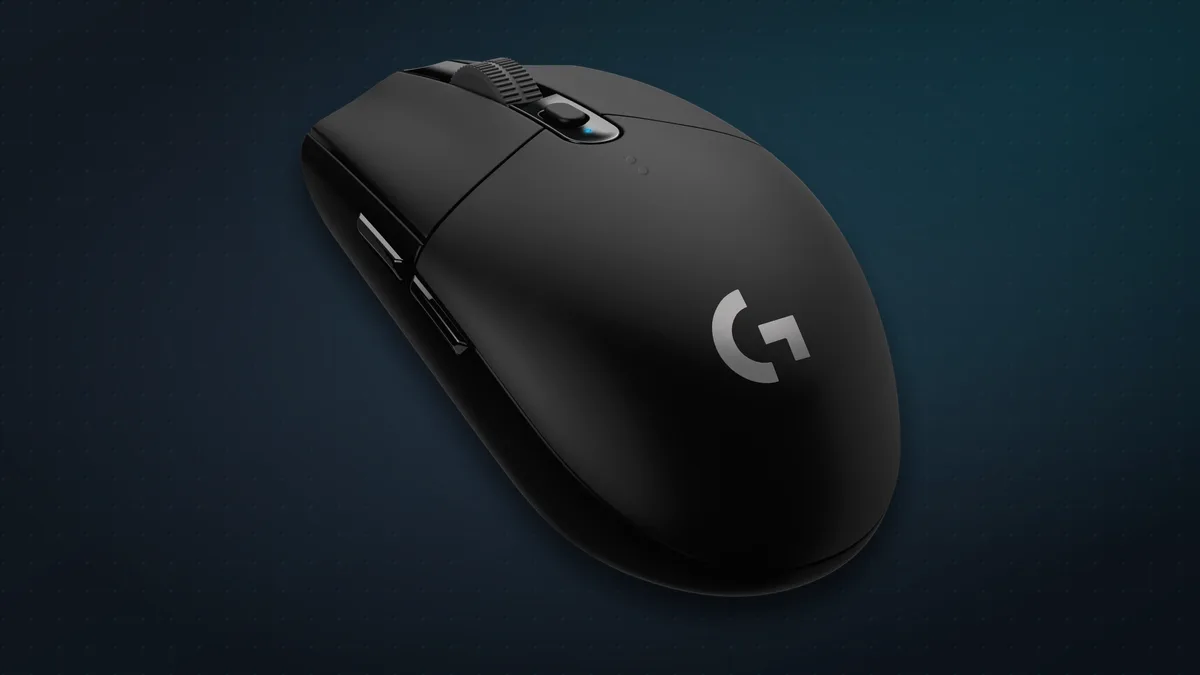
The G305 is the budget mouse to beat. It’s wireless, but uses Logitech’s LIGHTSPEED 2.4GHz connection, which RTINGS measured as lower-latency than some wired mice at the same price. One AA battery lasts around 250 hours, or up to nine months in its power-saving mode. It has a 12,000 DPI HERO sensor, six programmable buttons and a simple, comfortable shape.
- Downsides: at 99 g it’s heavy for its size, it takes an AA rather than charging, there’s no Bluetooth, and it’s small for very large hands.
- In India, the identical mouse is sold as the Logitech G304.
Razer Basilisk V3 X HyperSpeed: best wireless with Bluetooth
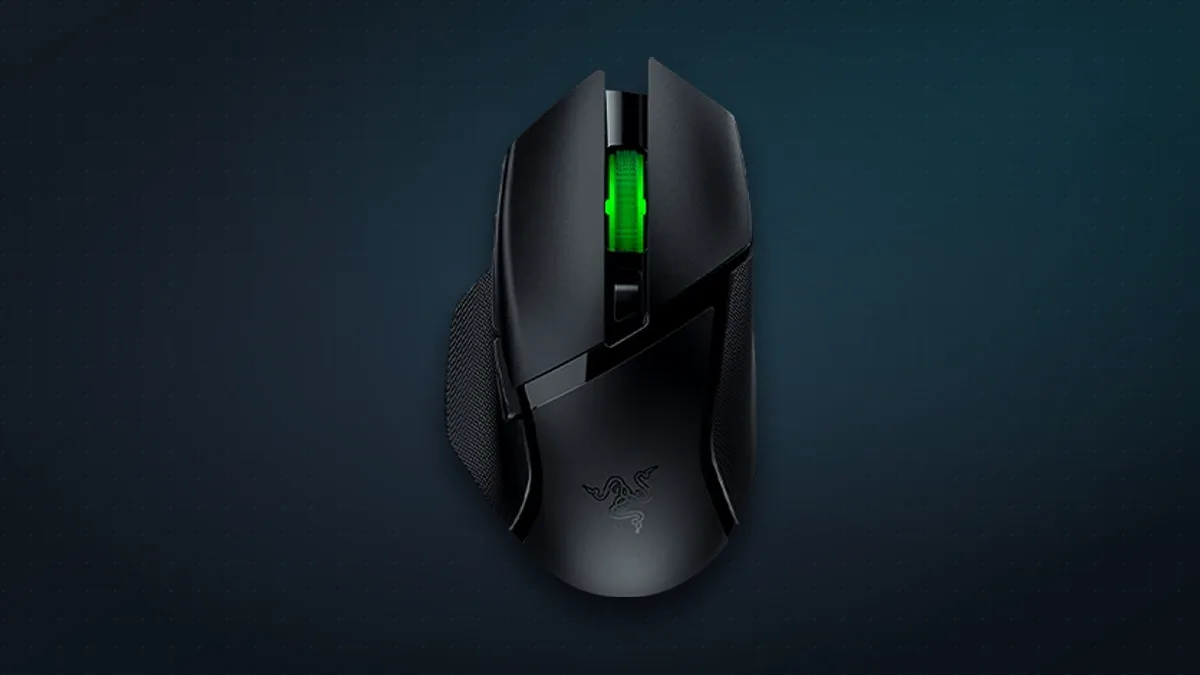
The Basilisk V3 X has a sculpted, right-handed shape with a thumb rest that suits bigger hands, and it connects two ways: Razer’s HyperSpeed 2.4GHz dongle for gaming, or Bluetooth for your laptop. Battery life on a single AA is excellent: up to 285 hours on the dongle and 535 hours on Bluetooth. RTINGS found it impressive for shooters.
- Downsides: it’s heavy at about 110 g, there’s no wired mode, the scroll wheel has no free-spin or tilt, and the price swings a lot; wait for it near $45.
Logitech G502 HERO: best wired, and best for big hands
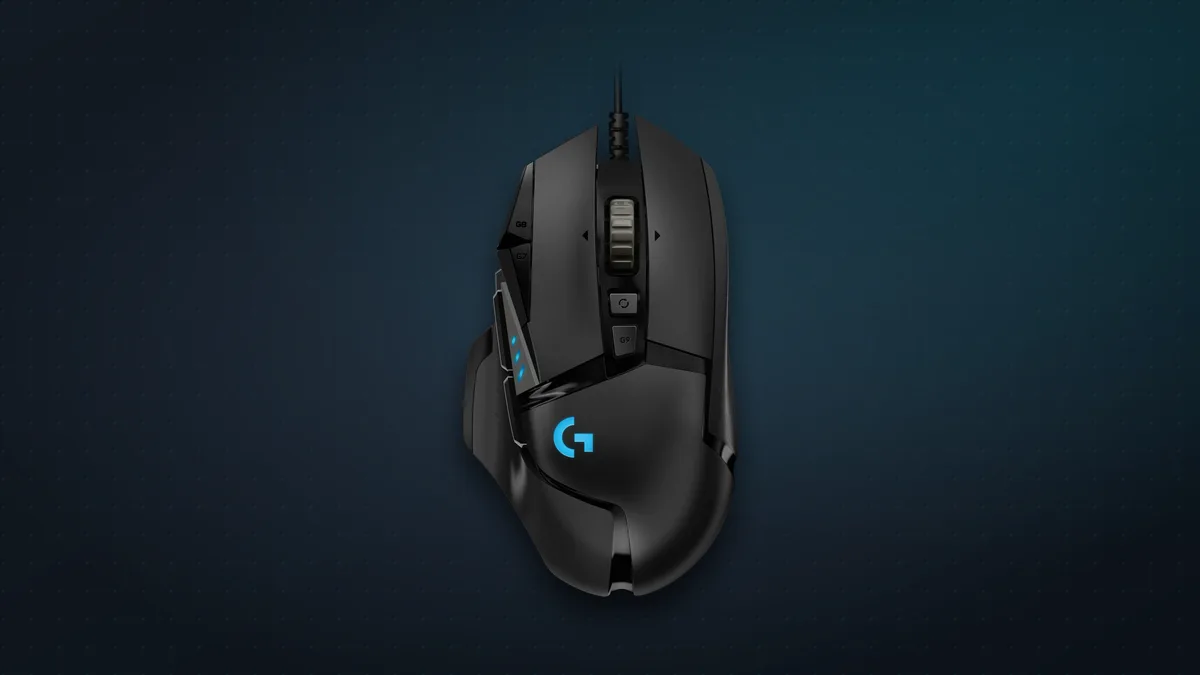
The G502 HERO is a classic for a reason. It has 11 programmable buttons, a scroll wheel that tilts and can free-spin, a 25,600 DPI sensor, five onboard profiles and adjustable weights. RTINGS calls it an excellent MMO mouse, and its big, sculpted shape is very comfortable for large palms.
- Downsides: it’s heavy at 121 g, the cable is fairly stiff, it’s too big for small hands, and the design dates from 2018.
Razer Cobra: best lightweight
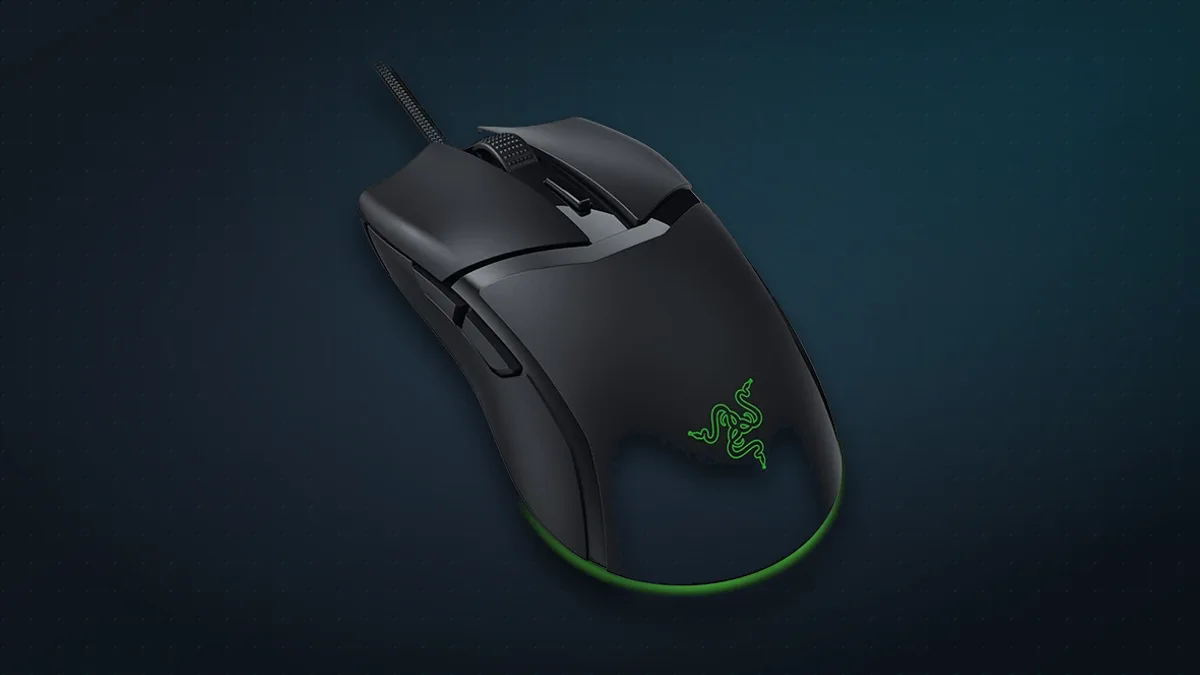
If you play fast shooters, a light mouse makes quick flicks easier, and the Razer Cobra weighs just 58 g without the cable. It has a soft, flexible cable that barely drags, optical switches rated for 90 million clicks, smooth PTFE feet and very low latency. RTINGS calls it an excellent FPS mouse.
- Downsides: it’s best for small to medium hands, the scroll wheel doesn’t tilt, and RTINGS noticed slight flex in the shell.
Logitech G203 LIGHTSYNC: best ultra-budget
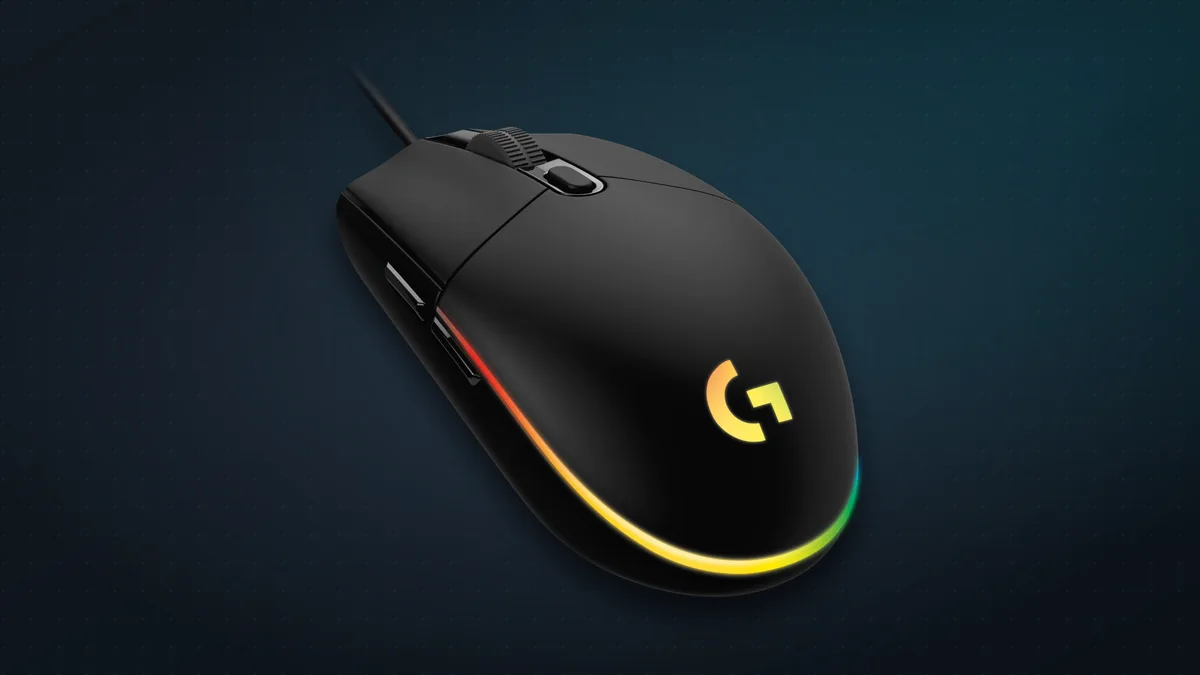
For around $25, the G203 is hard to fault. It shares the G305’s comfortable shell but is wired and lighter at 85 g, with RGB lighting, six programmable buttons and low latency. RTINGS rates it its best cheap gaming mouse, and Tom’s Guide calls it one of the best bargains in gaming mice.
- Downsides: the rubber cable is stiff, and the 8,000 DPI sensor is basic, though more than enough for real games.
- In India, it’s sold as the Logitech G102.
Wired vs wireless in 2026
The old rule, “wired for gaming, wireless for the office”, doesn’t hold any more.
- Modern 2.4GHz wireless is as fast as wired. RTINGS measured the wireless G305 with lower click latency than some wired mice at its price.
- Use the dongle, not Bluetooth, for games. Bluetooth is the battery-saving mode: on the Basilisk V3 X it nearly doubles battery life but isn’t designed for low-latency gaming.
- Wireless adds weight. The G305 and G203 share the same shell, but the wireless one is 14 g heavier, mostly because of its AA battery.
- Wired wins on price and simplicity: no batteries, no charging, and usually less money for the same features.
Our take: if you game on a desk and don’t mind a cable, a wired mouse gives you the most for your money. If you want a clean desk or use a laptop on the go, a 2.4GHz wireless mouse like the G305 costs you nothing in performance.
How to choose
- Match the mouse to your hand. RTINGS groups hand length (wrist crease to fingertip) roughly as small up to 17.5 cm, medium 17–19.5 cm, large 19–20.5 cm, and extra-large above that. Big palms suit the G502 and Basilisk; small to medium hands suit the Cobra, G203 and G305.
- Think about your grip. A relaxed palm grip suits larger, sculpted mice; a claw or fingertip grip suits smaller, lighter ones.
- Ignore huge DPI numbers. Of 824 Counter-Strike 2 pros tracked by CSDB, almost all play at just 400 or 800 DPI. Every mouse here has far more than you’ll use.
- 1000Hz polling is plenty. All five picks report to your PC 1,000 times a second. Faster rates exist on pricier mice, but RTINGS found the real in-game benefit minimal.
- Weight matters most for fast shooters. For everything else, comfort beats grams.
The bottom line
For most people, the Logitech G305 is the one to buy: wireless, lag-free and about $30. Want the most buttons and a big comfortable shape? Get the G502 HERO. Play competitive shooters? The featherweight Razer Cobra. On the tightest budget, the G203 at about $25 is still a genuinely good gaming mouse.
Kitting out your setup? See our picks for the best gaming microphones under $50 and the best headphones of 2026.
Sources & further reading
- RTINGS — The best budget and cheap gaming mice
- RTINGS — Logitech G305 LIGHTSPEED review
- Tom's Hardware — Logitech G305 LIGHTSPEED review
- RTINGS — Razer Basilisk V3 X HyperSpeed review
- RTINGS — Logitech G502 HERO review
- RTINGS — Razer Cobra review
- Tom's Guide — Logitech G203 LIGHTSYNC review
- RTINGS — Mouse ergonomics and hand size
- CSDB — CS2 pro player settings
Keep reading

The best gaming microphones under $50 (2026): sound like a streamer on a budget
Five USB mics under $50 that make you sound far better than a headset on Discord, streams and calls, plus where to put your mic and when to go dynamic.
Read more →
Elgato Stream Deck MK.2: the 15-button gadget that speeds up everything you do
15 tiny screen-keys that launch apps, run shortcuts and control your stream, calls and music in one tap. What the Elgato Stream Deck does and who it's for.
Read more →
iPhone Duo: pros, cons, and should you buy Apple's first foldable?
Apple's first foldable iPhone costs $1,999 (₹2,99,900). What reviewers love and don't, how it compares with rival foldables, and who should buy one.
Read more →