Elgato Stream Deck MK.2: the 15-button gadget that speeds up everything you do
15 tiny screen-keys that launch apps, run shortcuts and control your stream, calls and music in one tap. What the Elgato Stream Deck does and who it's for.
Disclosure: This article may contain affiliate links. If you buy through them we may earn a small commission at no extra cost to you. It never influences our editorial opinion.
Some gadgets are flashy. The Elgato Stream Deck is the opposite: a small box of 15 buttons that quietly saves you hundreds of clicks a day. Each button is a tiny screen, so it shows exactly what it does, and one press can open an app, mute your mic in a Zoom call, start a recording, skip a song or fire off a whole sequence of shortcuts at once.
It started as a tool for Twitch streamers, but it’s become a cult favourite with video editors, developers and anyone working from home. It’s also one of the best-rated gadgets on Amazon: 4.8 stars from more than 10,000 ratings in the US and 4.7 stars from 10,000+ in India, at the time of writing.
We haven’t tested the Stream Deck ourselves. This guide is based on Elgato’s official specs, verified Amazon ratings and independent reviews.
What it is
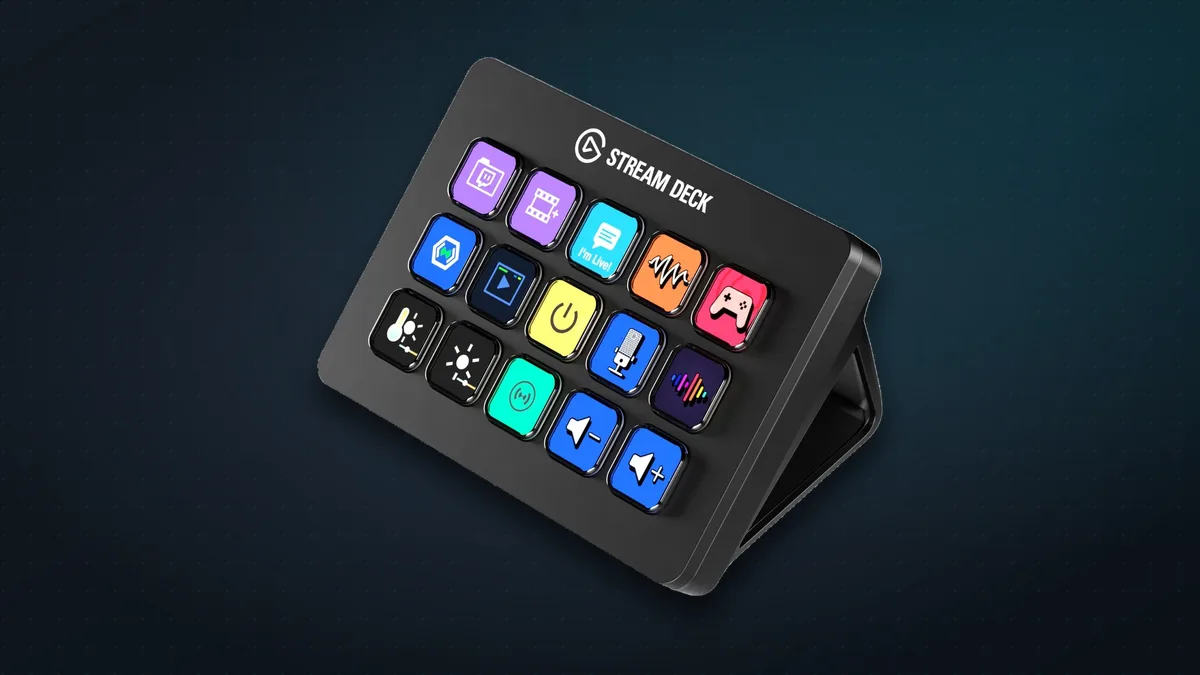
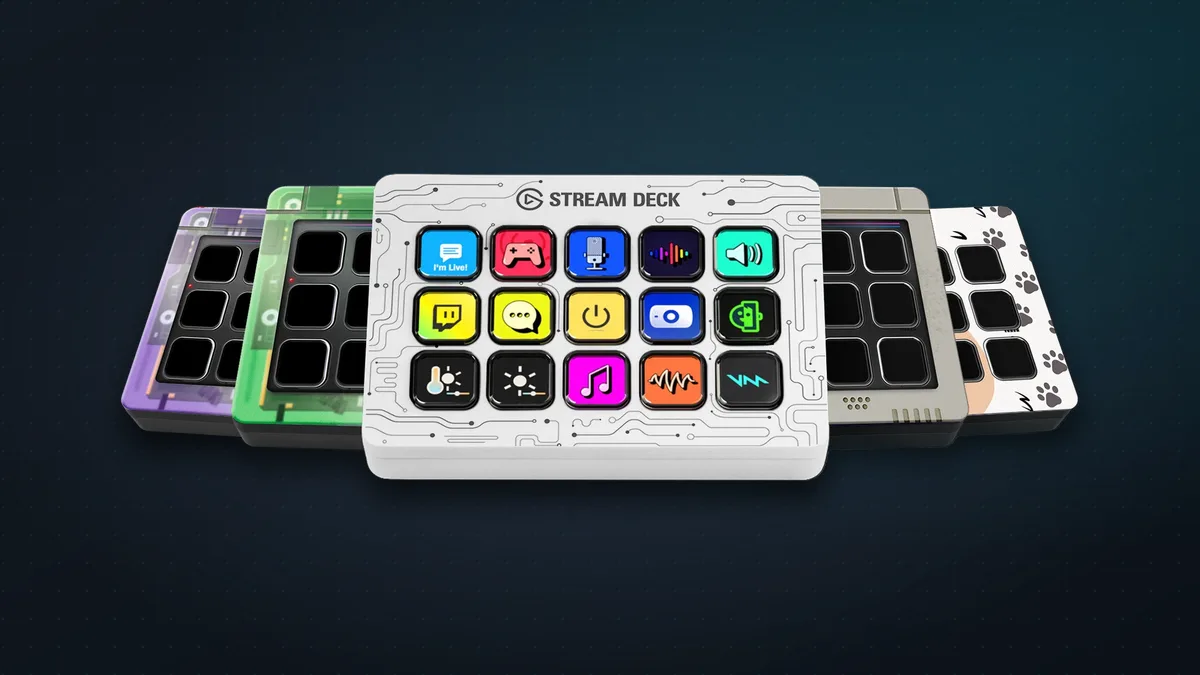
The Stream Deck is a 118 × 84 mm control pad with 15 keys in a 5 × 3 grid. Behind them sits a single LCD, so every key can show its own icon, label or even an animated GIF, and the icons change as you switch apps.
- Detachable USB-C cable and a removable stand that holds it at a fixed 45° angle.
- Magnetic, swappable faceplates, so you can change its look (extra plates are $14.99).
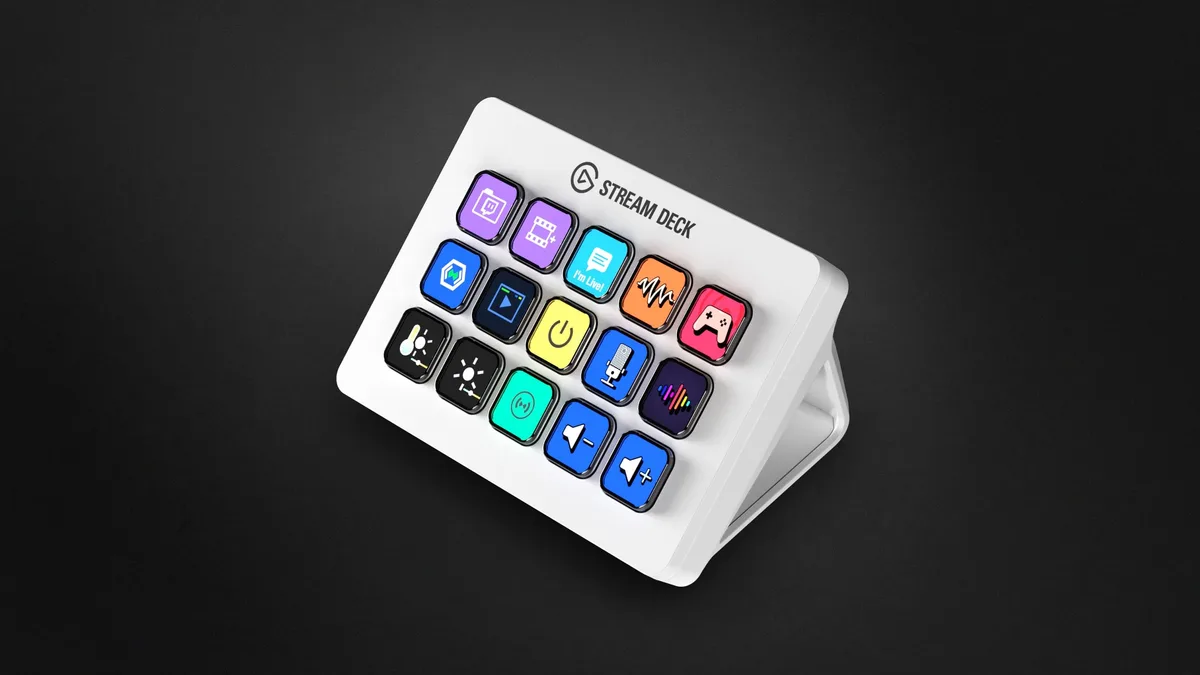
- Black or white, plus a run of special editions in colours like pink, green and lavender.
- Works with Windows 11 and macOS 13 or newer. It doesn’t support Linux.
A quick note on the name: Elgato now sells it simply as the Stream Deck, its classic 15-key model, but it’s still widely known (and listed on Amazon) as the MK.2, the 2021 refresh that added the swappable faceplates and USB-C.
What you can make it do
This is where it shines. Elgato’s free Stream Deck app lets you drag actions onto keys:
- Open apps, files or websites, type text snippets, or trigger any keyboard shortcut.
- Multi Actions: one press runs a whole sequence, like start recording, switch scene, mute music, post “I’m live!”.
- Smart Profiles: the keys change automatically depending on which app you’re using: editing shortcuts in Photoshop, meeting controls in Zoom, transport keys in Spotify.
- Folders and pages (up to 10 pages per profile), so 15 keys can hold far more than 15 actions.
- Key Logic: one key can do different things on a press, a double-press and a press-and-hold.
Then there’s the Elgato Marketplace, with more than 1,600 plugins, about 1,000 of them free, at the time of writing. Elgato highlights official integrations with OBS Studio, Twitch, YouTube, Streamlabs, Discord, Zoom, Microsoft Teams, Slack, Spotify, PowerPoint, Photoshop, Visual Studio Code and Philips Hue lights. Anything without a plugin can still be controlled with keyboard shortcuts.
Who it’s actually for
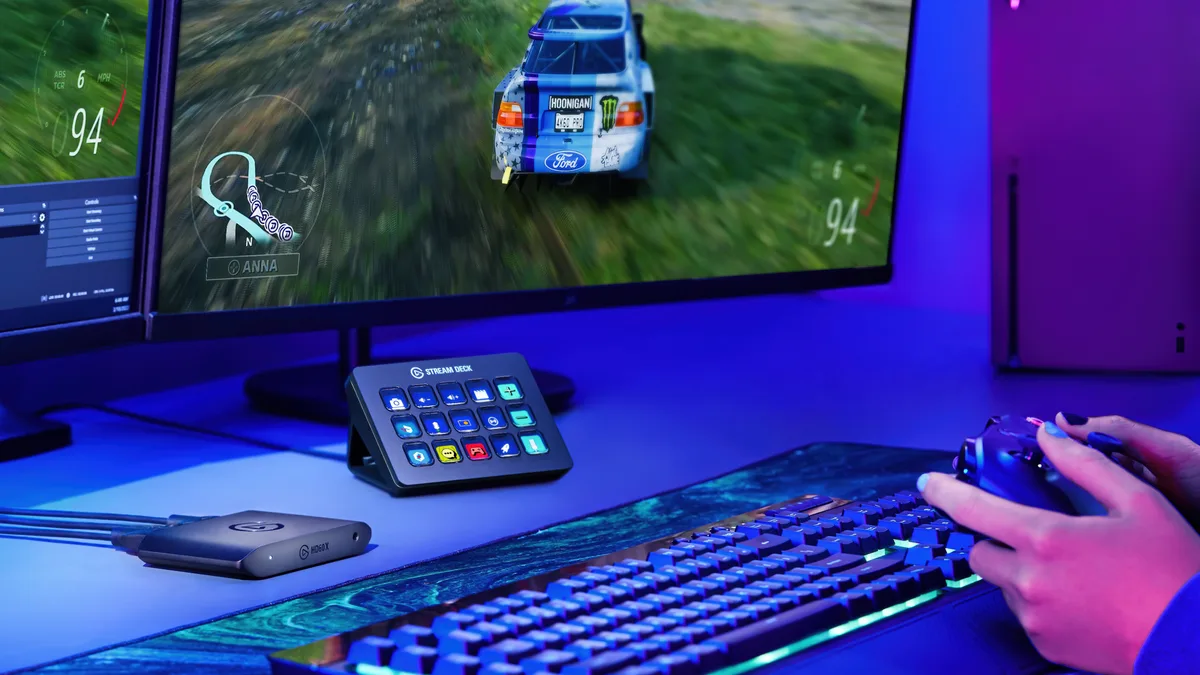
- Streamers and YouTubers: switch scenes, start and stop streams, play sound effects and run your chat, without alt-tabbing mid-game. This is what it was built for.
- Video and photo editors: put your most-used Premiere, DaVinci or Photoshop shortcuts on labelled keys instead of memorising key combos.
- Work-from-home professionals: one-tap mute and camera toggles for Zoom and Teams, quick-launch your daily apps, and control your desk lights.
- Developers: run builds, tests and Git commands, or launch your dev environment in one press.
- Anyone who repeats the same clicks every day: if you can describe it as a shortcut or a sequence, the Stream Deck can probably do it.
Price, and which Stream Deck to get
The 15-key Stream Deck costs $149.99 (about ₹15,499 on Amazon India), with a two-year warranty. Elgato makes a whole family, so it’s worth checking you’re buying the right size:
| Model | Controls | US price |
|---|---|---|
| Stream Deck Mini | 6 keys | $59.99 |
| Stream Deck Neo | 8 keys, plus a small info bar and two touch buttons | $99.99 |
| Stream Deck (MK.2) | 15 keys | $149.99 |
| Stream Deck + | 8 keys, 4 dials and a touch strip | $179.99 |
| Stream Deck XL | 32 keys | $249.99 |
The 15-key model is the sweet spot for most people: enough keys to be genuinely useful, small enough for any desk. Pick the Neo or Mini if you only want a handful of shortcuts, the Stream Deck + if you edit audio or video and want physical dials, and the XL if you’re a full-time streamer. Not sure yet? Stream Deck Mobile turns your phone into a free six-key version to try the idea first.
What reviewers and buyers say
- Tom’s Hardware gave it 4/5 and called it “a streamer’s best friend”, wishing only for a dial.
- Laptop Mag gave it 4/5 and a must-buy for streamers, with the price and the short key labels as its downsides.
- Amazon buyers rate it 4.8 stars in the US and 4.7 in India from well over 10,000 ratings each, which is remarkable for a gadget that’s been on sale since 2021.
The catches
- It isn’t cheap next to basic macro keypads, though none of those have screens on every key or anything like Elgato’s software.
- Key labels are short: there’s room for about ten characters, so you’ll lean on icons.
- It needs a fairly recent computer: Windows 11 or macOS 13 and later, and no Linux.
- It’s only as useful as your setup. Spend half an hour building your profiles; if you never do, it will sit there looking pretty.
Should you buy one?
Buy it if you stream, edit, code or spend your workday in meetings and repetitive apps. Once your favourite actions are one press away, it’s genuinely hard to go back. It’s also a brilliant gift for the gamer, creator or desk-setup enthusiast in your life.
Skip it if you only use a couple of shortcuts. The free Stream Deck Mobile app, or the cheaper Neo, will do the job.
The bottom line
The Stream Deck MK.2 is one of those rare gadgets that almost everyone who buys it ends up loving, and its ratings prove it. It’s simple hardware made brilliant by excellent software and a huge plugin library. If your day involves the same clicks over and over, $150 buys you back a surprising amount of time.
Building your setup? See our guides to the best headphones of 2026 and which Mac to buy.
Sources & further reading
Keep reading
The best budget gaming mice under $50 (2026): wired and wireless picks
Five gaming mice under $50 that punch well above their price, wired and wireless, plus how to choose: weight, hand size, DPI myths and whether wireless lags.
Read more →
The best gaming microphones under $50 (2026): sound like a streamer on a budget
Five USB mics under $50 that make you sound far better than a headset on Discord, streams and calls, plus where to put your mic and when to go dynamic.
Read more →
Plaud Note Pro: the credit-card AI recorder that writes your meeting notes
A credit-card-thin AI recorder that transcribes and summarises your meetings and calls. What the Plaud Note Pro does, what it really costs, and who should buy one.
Read more →