Dropped your iPhone in water? What to do first (and what not to do)
Dropped your iPhone in water? Apple's steps: tap the water out, wait before charging and skip the rice. Plus water-resistance ratings and repair costs.
Your iPhone just went into the sink, the pool or the toilet. Don’t panic: every iPhone from the iPhone 12 onwards is rated to survive 6 metres of water for 30 minutes, so a quick dunk is usually fine. What you do in the next few hours matters more than the drop itself, because charging a wet iPhone is what can cause lasting damage.
Here’s what Apple says to do, what to avoid (yes, including rice), and what it costs if the worst happens.
Do this right now:
- Get it out and unplug everything: cables, chargers and accessories.
- Wipe it dry with a soft, lint-free cloth.
- Tap it gently against your hand with the charging port facing down, to get water out.
- Leave it somewhere dry with some airflow. A fan blowing cool air into the port helps.
- Don’t charge it with a cable for a while. Apple says to wait at least 5 hours. Wireless charging is fine once the back is dry.
What NOT to do
- Don’t put it in rice. Apple specifically says not to: small bits of rice can get into the phone and damage it. Rice doesn’t dry a phone faster than open air anyway.
- Don’t use heat. No hair dryer, heater, oven or sunny dashboard.
- Don’t use compressed air, and don’t poke a cotton bud or paper towel into the port.
- Don’t open the SIM tray until the phone is completely dry.
- Don’t plug in a cable while the port is wet. Charging with liquid in the port can corrode the pins and cause permanent damage.
If you see “Liquid Detected”
Since the iPhone XS and XR, an iPhone can tell when there’s liquid in its charging port. Plug in a cable too soon and you’ll see an alert such as “Liquid Detected in USB-C Connector” or “Charging Not Available”, and the phone blocks charging and accessories until the port is dry.
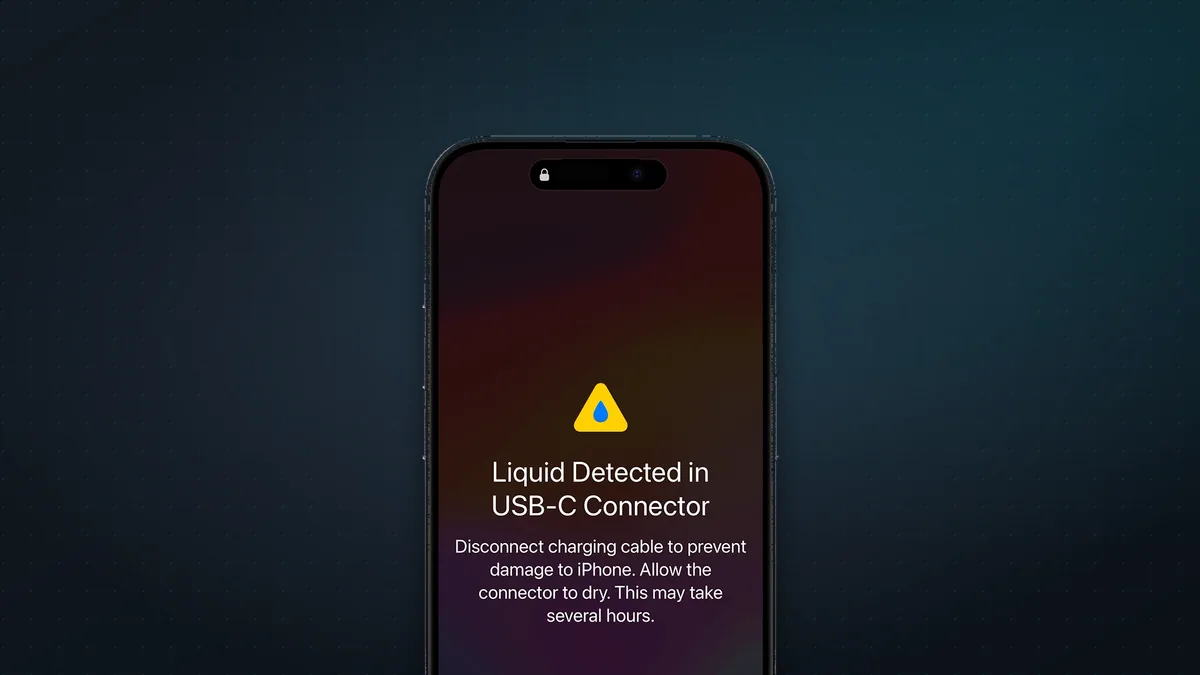
What Apple says to do:
- Unplug the cable from both the phone and the adapter.
- Tap the phone gently against your hand, port facing down, and leave it to dry somewhere with airflow.
- Try a cable again after at least 30 minutes. If the alert comes back, the port is still wet, so keep waiting. It can take up to 24 hours.
In a real emergency, you can reconnect and choose to override the alert and charge anyway. Do that only if you really must: it risks the corrosion the alert is there to prevent. A Qi or MagSafe wireless charger is the safer option, as long as the back of the phone is dry.
Salt water, pool water and drinks
- Sea water, pool water and soapy water are harder on your phone than tap water. Apple’s India support page advises rinsing the affected area with tap water if a liquid other than water gets on it, then drying it as above. Apple’s newer US page just says to wipe it and let it dry.
- Drinks: current iPhones are designed to resist accidental spills of soda, beer, coffee, tea and juice. Wipe off sticky residue promptly so it doesn’t gum up the buttons, speakers or port.
- Lotion, sunscreen and oil can also weaken the seals, so clean them off quickly.
Muffled speaker? Lay the phone speaker side down on a lint-free cloth so the water can drain. Sound should return as it dries.
How water-resistant is your iPhone?
| iPhone | Rating |
|---|---|
| iPhone 12 and later, including 17, Air, 18 Pro and Duo | IP68, 6 m for 30 min |
| iPhone 11 Pro and 11 Pro Max | IP68, 4 m for 30 min |
| iPhone 11, XS and XS Max | IP68, 2 m for 30 min |
| iPhone X, XR, 8, 7, SE (2nd and 3rd gen) | IP67, 1 m for 30 min |
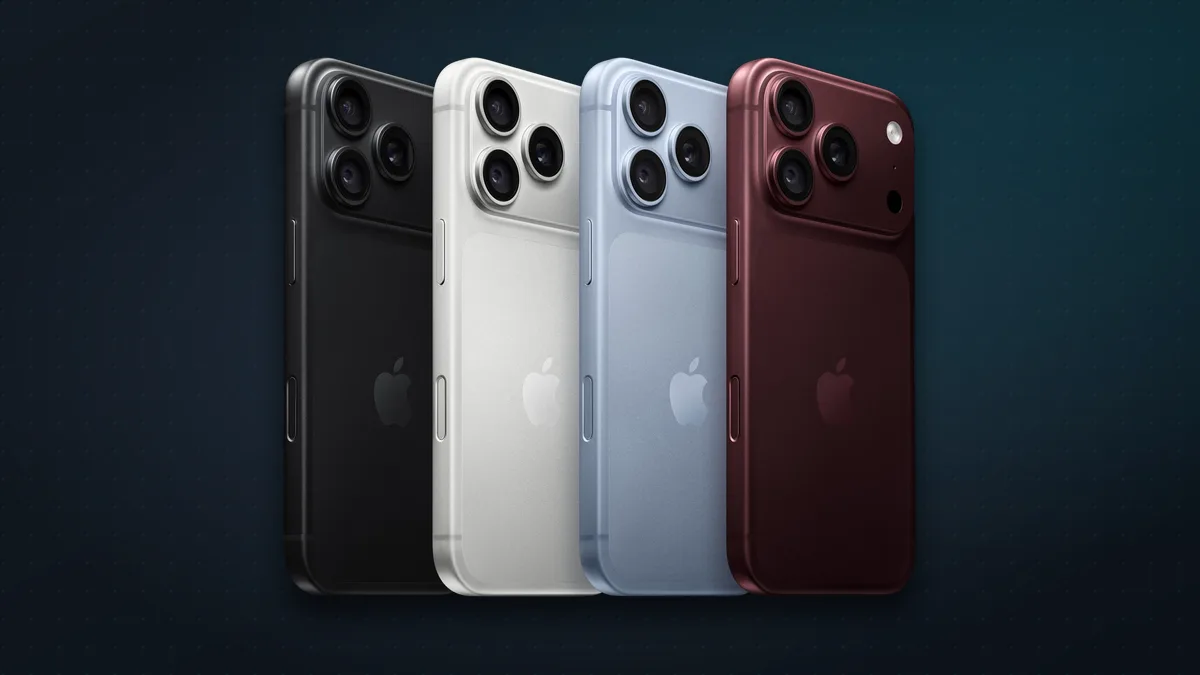
But “water-resistant” isn’t “waterproof”. Apple’s caveats are important:
- The ratings come from lab tests in still fresh water.
- Resistance isn’t permanent. It can wear down over time and after drops or repairs.
- Apple says to avoid swimming, bathing, showers, water sports, saunas and steam rooms, and intentionally putting your iPhone underwater. Pressurised or fast-moving water, heat and soap are all harder on the seals than a quick dunk.
Is water damage covered?
- Under the standard warranty: no. Apple’s one-year limited warranty doesn’t cover liquid damage, though Apple notes you may still have rights under consumer law.
- With AppleCare+: yes, for a fixed service fee of $99 in the US or ₹8,900 in India.
Without AppleCare+, a badly damaged phone gets expensive. Apple’s current out-of-warranty estimates for “other damage” (major damage beyond the screen, back glass or battery) are:
| iPhone | US | India |
|---|---|---|
| iPhone 17e | $529 | ₹59,900 |
| iPhone 17 | $679 | ₹82,900 |
| iPhone Air | $799 | ₹1,01,900 |
| iPhone 17 Pro / 18 Pro | $849 | ₹1,10,900 |
| iPhone 17 Pro Max / 18 Pro Max | $899 | ₹1,17,900 |
| iPhone Duo | $1,499 | ₹2,24,900 |
Apple confirms the final price after inspecting the phone. Technicians also check a Liquid Contact Indicator inside the phone, which turns red after contact with water. Apple says humidity and normal temperature changes won’t trigger it, and that a red indicator on its own isn’t a diagnosis.
Signs it needs a repair
Most iPhones dry out and carry on as normal. Get it checked by Apple or an Authorised Service Provider if:
- The “Liquid Detected” alert keeps appearing even with a dry Apple cable. Apple says this may mean the phone needs service.
- Sound stays muffled after a day or two of drying.
- The camera fogs up inside, the screen flickers or shows lines, or the phone won’t charge or switches off on its own.
Back it up to iCloud as soon as you can, in case things get worse.
FAQ
Does putting a wet iPhone in rice work? No. Apple advises against it, because rice particles can get into the phone. Leave it somewhere dry with airflow instead.
How long should I wait before charging my iPhone? Apple says to allow at least 5 hours before charging with a cable. If you see the Liquid Detected alert, wait at least 30 minutes before trying again, and up to 24 hours if it keeps appearing. Wireless charging is fine once the back is dry.
Can I take underwater photos with my iPhone? Apple says not to put your iPhone underwater on purpose, and to avoid swimming with it. The ratings are there to survive accidents.
My iPhone fell in the sea. Is it covered? Not by the standard warranty. With AppleCare+, liquid damage is covered for a $99 (₹8,900) service fee.
Is my iPhone Duo water-resistant? Yes. It’s rated IP68, to 6 metres for 30 minutes, like other recent iPhones. Also keep sand and grit away from its hinge. See what to do if your Duo’s screen cracks.
More iPhone help: why your iPhone stops charging at 80% and 12 iPhone tips and tricks for 2026.
Watch: this guide in 2 minutes
More short videos
Sources & further reading
- Apple — If you see a liquid-detection alert on your iPhone
- Apple — About splash, water and dust resistance of iPhone 7 and later
- Apple India — About splash, water and dust resistance of iPhone
- Apple — iPhone User Guide: important handling information
- Apple — Water and other liquid damage to iPhone isn’t covered by warranty
- Apple — iPhone service and repair costs (US)
- Apple India — iPhone service and repair costs
- Apple — AppleCare+
Keep reading
5 iPhone security settings to turn on now: stop thieves, spam calls and scammers
Five iPhone settings that stop thieves, spam calls and scammers: Stolen Device Protection, iOS 27's Impersonation Risk Detection, call screening and more.
Read more →
How does AirDrop work without the internet? Bluetooth, Wi-Fi and the 10-minute rule, explained
AirDrop finds nearby devices over Bluetooth, then sends files over a direct Wi-Fi link with no internet. How it works, fixes, and which Androids work with it.
Read more →
Why does my iPhone stop charging at 80%? The 4 reasons, and how to fix each
An iPhone stuck at 80% is usually doing it on purpose: Optimized Battery Charging, a charge limit, heat or Clean Energy Charging. How to tell which, and fix it.
Read more →