The new Claude desktop app ("Claude 2.0"): everything that changed
Chat and Cowork merged, Docs and Slides, split view, cloud sessions, /goal and mods: what's new in the rebuilt Claude desktop app, and how to use it.
If you’ve opened the Claude desktop app recently, it may look like a different program. Over the past few months Anthropic has rebuilt it piece by piece. The changes add up to so much that some YouTubers have started calling it “Claude 2.0”.
That isn’t an official name. It also has nothing to do with the old Claude 2 model from 2023. But the nickname fits: the app now does a lot more than chat. Below is everything that changed, in plain English, with where to find each feature and what’s worth trying first.
The short version:
- Chat and Cowork are now one conversation. You no longer pick a mode; Claude decides which tools a task needs.
- Artifacts grew up. Ask for a Doc, a Slides deck or a Design in any chat. Dashboards and Motion are in beta. Everything is saved in an Artifacts tab.
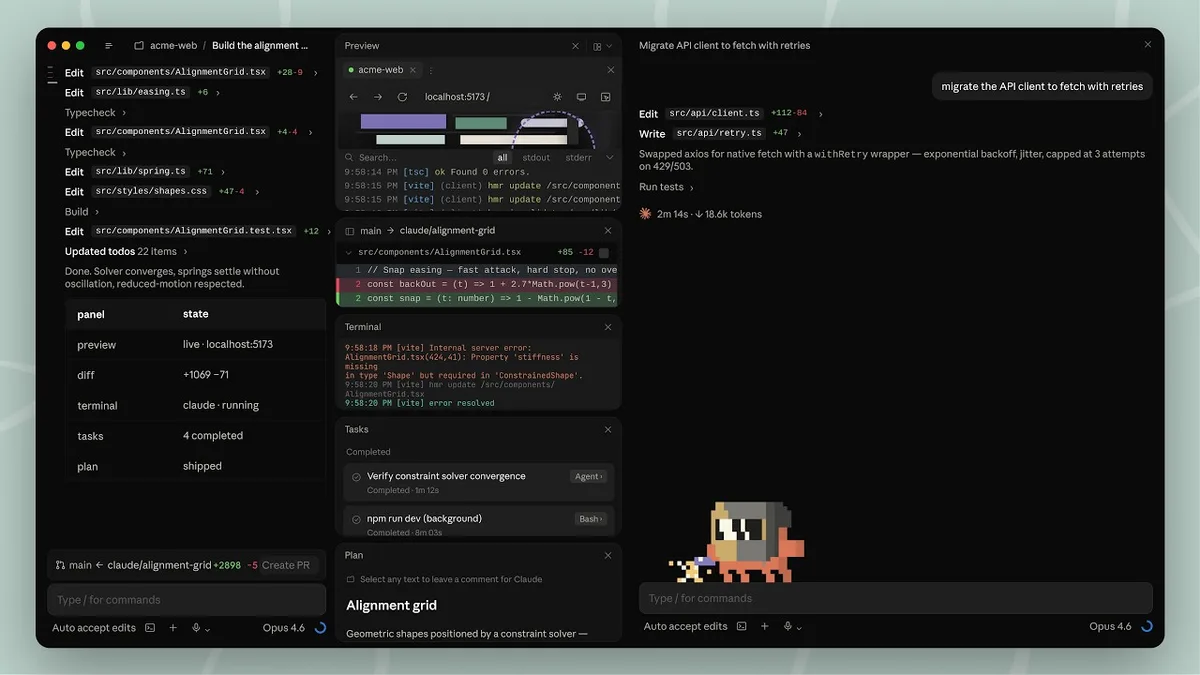
- The Code tab runs many sessions side by side. It has a session sidebar, split view, side chats, and a terminal, file editor and browser built in.
- Work carries on when you walk away. Cloud sessions keep running with your laptop shut. Remote Control lets you steer a session from your phone.
- Claude can manage its own work. /goal keeps it going until a job is done. Suggested tasks spin off into new sessions, and sessions can message each other.
- Mods let you change the app itself, from new panes to custom commands.
Is “Claude 2.0” an official update?
No. Anthropic hasn’t shipped anything called Claude 2.0. The nickname covers a string of updates that landed through 2026 and are still rolling out in stages:
| When | What changed |
|---|---|
| 14 April 2026 | The Code tab was redesigned for running many sessions at once |
| 18 June 2026 | Claude Code can publish its work as live, shareable artifacts |
| 16 September 2026 | Cowork comes to every chat; new Docs, Slides and Design artifacts |
| More recently | Mods, /goal, sessions that message each other, Projects (beta) |
Because the rollout is staged, two people on the same plan can see different versions of the app. If something below is missing for you, update the app and give it time.
1. Chat and Cowork are now one conversation
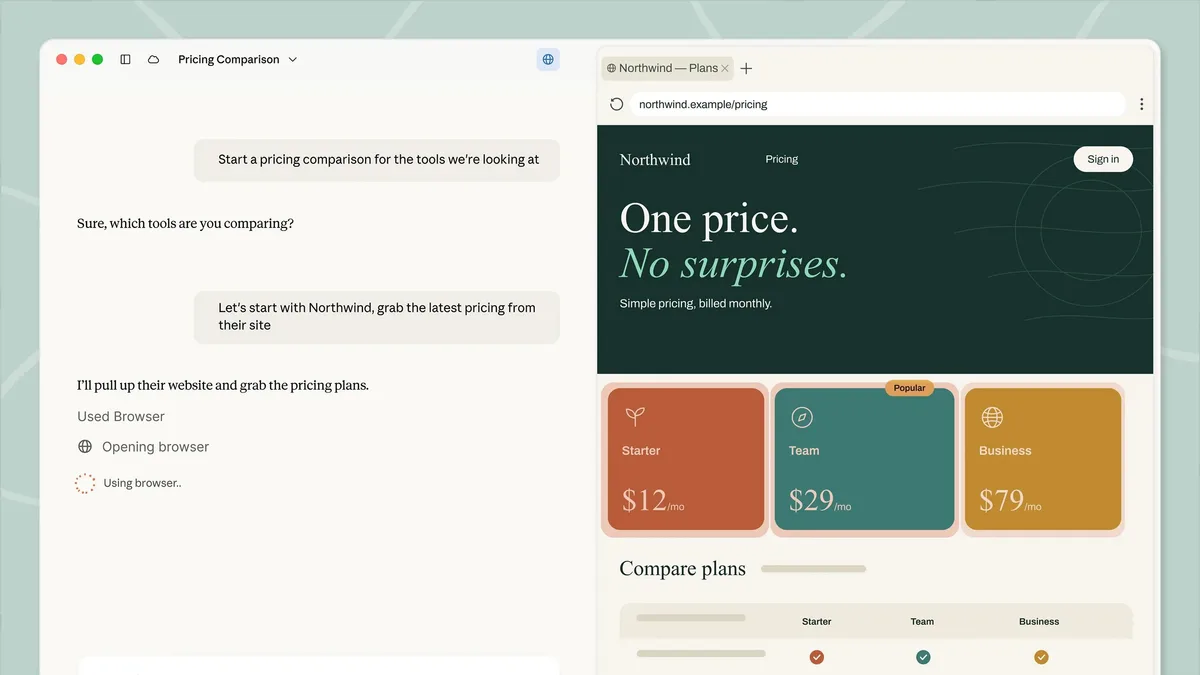
The old app made you choose between a normal chat and Cowork, the mode for longer, agent-style tasks. In the new app they’re merged into a single conversation. You just ask, and Claude picks the right tools.
A quick question still gets a quick answer. A bigger job comes back as finished files you can edit: research, a report, a spreadsheet or a presentation. Claude searches the web, reads your files and runs code along the way. You can also have several tasks running at once.
Longer tasks keep running in the cloud even if you close your laptop or the page. The result is waiting in the conversation when you return. Tasks that need files or apps on your own computer still need the desktop app to be open.
Who gets it: Pro, Max and Ultra plans first, on web, desktop and mobile. On Team plans it’s in beta. On Enterprise it appears once an admin turns on “Chat and Cowork unified”.
How to tell if you have it: if your message box still shows separate “Chat” and “Cowork” options, your account hasn’t moved over yet. Once it does, your chats, projects and settings come with you, and you can’t switch back.
2. Docs, Slides, Designs and dashboards: artifacts grow up
Anthropic now describes an artifact as anything Claude makes that you’d put in front of someone: a design, a deck, a document, a dashboard or a small interactive tool. It opens beside the conversation, and you can edit it, come back to it later and share it.
There are three ways to start one:
- Ask in any chat, for example “turn these notes into a two-page brief for the sales team”.
- Choose “Output” in the message box, or type /docs for a doc.
- Pick a template from the Artifacts tab in the sidebar.
Everything you make is saved in that Artifacts tab, so you can find it from any conversation.
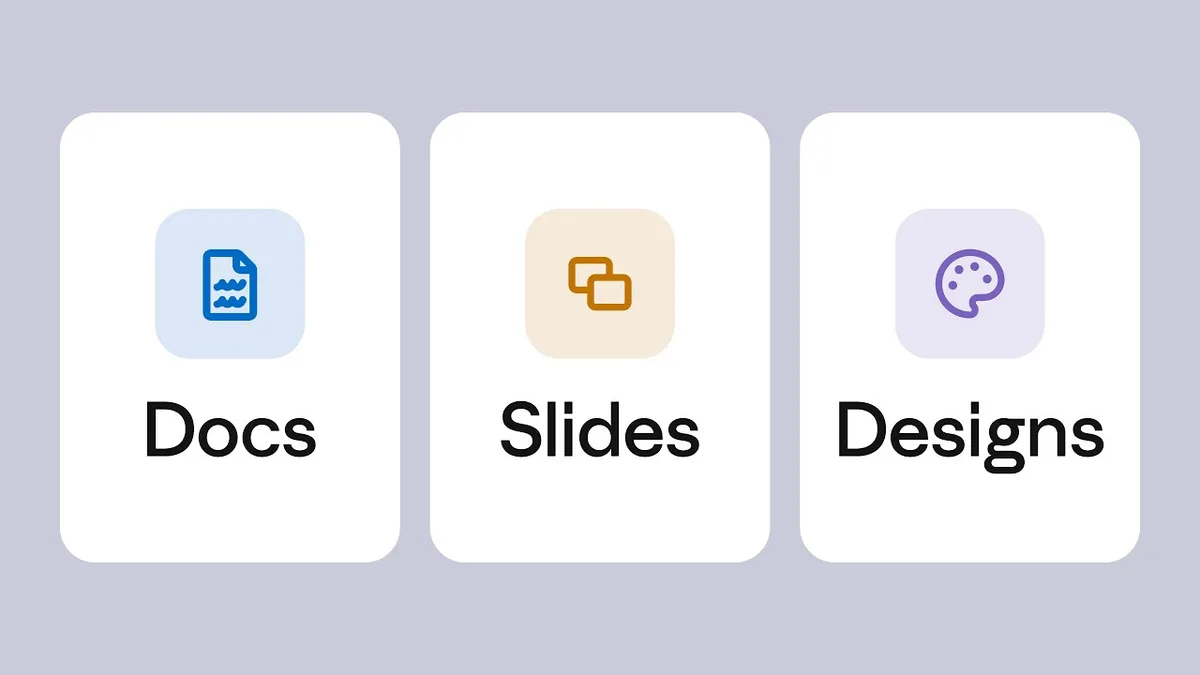
| Template | Plans |
|---|---|
| Docs, Slides, Designs | Every plan, including Free |
| Dashboards (beta) | Pro, Max, Ultra, Team, Enterprise |
| Motion (beta) | Team and Enterprise |
A few details are worth knowing:
- Docs are living documents you can write with Claude and your team in real time. They can have several tabs, like sections of a notebook.
- Slides and Designs can use a design system, so new work picks up your colours, fonts and components.
- Artifacts need file creation turned on. Switch on “Cloud code execution and file creation” in Settings > Capabilities (it may be called “Create and edit files” in newer layouts).
- Old artifacts still work. Ones made before 16 September 2026 keep working and can still be shared, but new ones use the new system.
- Phones can view and edit. On iPhone and Android you can open and edit artifacts, but you change sharing settings on the web or desktop.
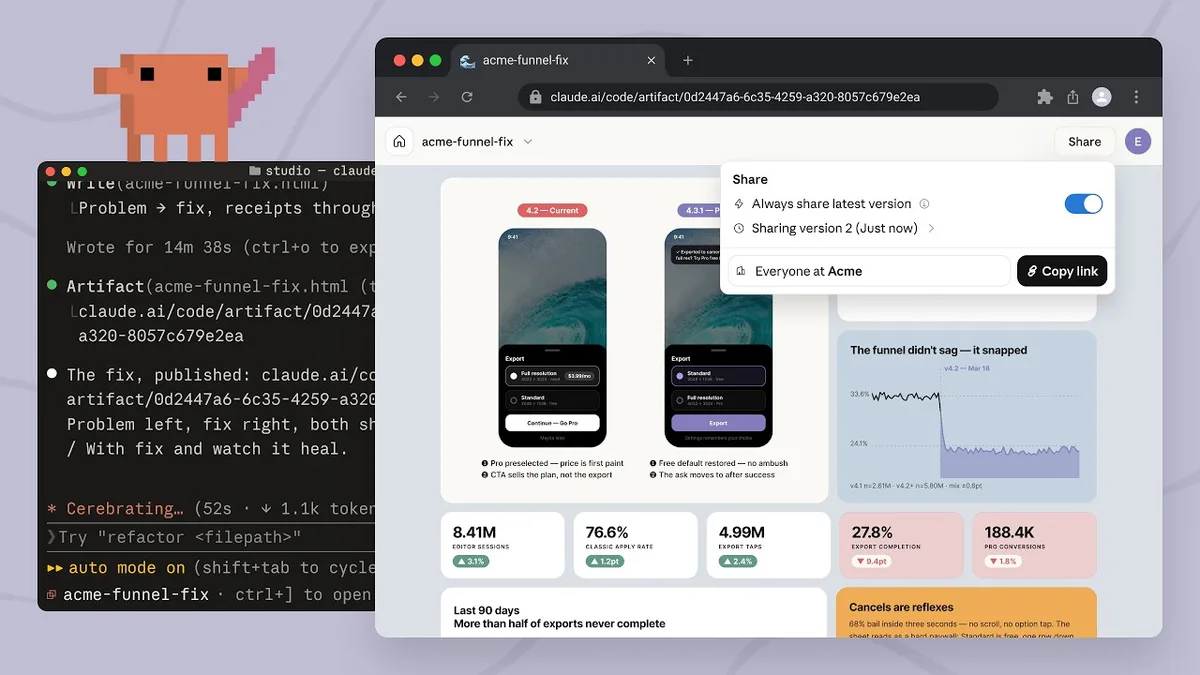
In Claude Code, artifacts become live reports. A coding session can publish its work as a live page at a private link that updates as the session continues. Examples are a pull-request walkthrough, a dashboard built from session data or an investigation timeline. Each publish is a new version at the same link, with history you can roll back to.
3. The Code tab: many sessions at once
The Code tab is where Claude Code lives in the desktop app. You need a paid plan with Claude Code: Pro, Max, Ultra, Team or Enterprise. The tab was rebuilt in April around one idea: you’ll often have several coding sessions running at the same time.
- The session sidebar lists every active and recent session. You can filter or group it by project, status or environment. A session can archive itself once its pull request is merged or closed.
- Panes you can drag around. Chat, the diff of Claude’s changes, a built-in browser for previewing your app, a terminal, a file editor, the plan and background tasks can be arranged in whatever grid suits you.
- Split view puts two sessions side by side. Hold Option (Mac) or Alt (Windows) and click a session in the sidebar. Or right-click it and choose Open in > Split view.
- Side chats let you ask a quick question without derailing the main task. Press Cmd+; (Mac) or Ctrl+; (Windows), or type /btw. A side chat can read the main conversation, but nothing you say in it goes back into the main thread. Side chats aren’t saved once you close the app.
- The context breakdown shows how full Claude’s memory of the session is, by category. Look at the Context card in the session details panel, or type /context.
- Built-in tools: a terminal (Ctrl+`), a file editor for quick fixes, a faster diff viewer and an in-app browser. Cmd+/ or Ctrl+/ shows every shortcut.
4. Work keeps going when you walk away
This is the biggest shift in how the app feels. You no longer have to sit and watch Claude work.
- Cloud sessions run on Anthropic’s servers instead of your computer. They carry on if you close the app or shut your laptop, and you can check on them at claude.ai/code or in the Claude phone app. They count toward your plan’s usage, with no separate compute charge. To hand off a session that’s already running on your computer, open its menu and choose Open in > Cloud; the conversation carries over as a summary.
- Remote Control lets you continue a session that’s running on your own computer from your phone, a tablet or any browser. Your files and tools stay on your machine; the phone is just a window into the session. Turn it on with the Remote Control switch in the session’s details, or type /remote-control. Your computer has to stay on: if it sleeps, the session reconnects when it wakes.
- Projects (public beta on Pro, Max and Ultra, rolling out gradually) are one ongoing conversation where Claude coordinates a stream of related work. You paste in bug reports or a to-do list, and Claude starts a separate session for each task. These usually run in the cloud and share the same repositories, instructions and memory.
- Scheduled tasks handle recurring jobs, like a weekly report.
5. Claude that manages its own work
A few newer features let Claude keep itself busy, so you don’t have to type “continue” over and over.
- /goal sets a finish line. Type something like
/goal all tests pass after the API migration. Claude keeps working turn after turn, and after each turn a model checks whether the goal has been met. It stops when the goal is met or judged impossible, or when an error needs you to step in. - Suggested tasks. When Claude spots side work, such as a flaky test it noticed while fixing something else, it can offer a card. Start runs the task in a new session, Do it here keeps it in the current one, and Start all launches several at once. Started sessions appear under the current one in the sidebar.
- Sessions that talk to each other. Claude can list, read and message your other Code tab sessions. If a change in one session breaks something another is building, Claude can warn that session before you notice.
6. Mods: change the app itself
The most unusual addition is mods. A mod is a plugin that changes how Claude Code looks and behaves, and mods work in the desktop app’s Code tab as well as the command line and VS Code. A mod can:
- Draw a pane beside the conversation, or a band above the message box, with buttons and text fields.
- Restyle parts of the app’s own interface.
- Add instant /commands that run your own code without waiting for Claude.
- Step in before a tool runs, for example to ask you first or block something risky.
You don’t need to write code to get one. Describe what you want in a session (“a pane that charts how many tokens each request uses”) and Claude can write the mod for you. You can also install one from a plugin marketplace. One warning from Anthropic’s own docs: a mod runs with your permissions and can read files and reach the internet, so only install mods from people you trust.
What to try first
If you’re new to all this, here’s where we’d start:
- Ask for a Doc or a Slides deck from a chat you already have. It’s the quickest way to see how far artifacts have come, and it works on the Free plan.
- Hand Claude a longer task and close the laptop. Ask for research or a comparison and check back later; it keeps running in the cloud.
- If you code, open two sessions in split view and use a side chat for quick questions mid-task.
- Try /goal on a job with a clear finish line, such as “every page passes the accessibility check”.
How to get the new app
Download it from claude.com/download. There are versions for Mac (Intel and Apple Silicon), Windows (x64 and ARM) and, in beta, Linux (Ubuntu and Debian). On Mac and Windows the app updates itself when it launches. To check your version, choose Claude > About Claude on a Mac or Help > About Claude on Windows.
The catches
- It’s a staged rollout. Not everyone sees every feature yet, even on the same plan.
- Lots of it is beta. That includes Dashboards, Motion and Projects, and Docs, Slides and Designs on Enterprise plans.
- Parallel work uses up your limits faster. Cloud tasks and multiple sessions all count toward your plan’s usage.
- Some things vanish. Side chats aren’t saved after you close the app.
- Mods and plugins are real code running with your permissions, so be choosy.
FAQ
Is “Claude 2.0” a new AI model? No. It’s a nickname for the redesigned app. The models behind it are Anthropic’s current Claude models, such as Opus 5.5 and Sonnet 5.5.
Is the new Claude app free? The app is free to download, and Docs, Slides and Design artifacts work on the Free plan. The merged chat-and-Cowork experience is reaching paid plans (Pro, Max and Ultra) first, and the Code tab needs a paid plan that includes Claude Code.
Can I go back to separate Chat and Cowork? No. Once your account moves to the new experience, it stays there.
Does Claude keep working if I close my laptop? Cloud tasks and cloud sessions do. Remote Control sessions and tasks that use files or apps on your computer need the computer to stay on and the app to stay open.
Want to go further? See our guides to the best Claude connectors and what MCP is. If you code, read our Claude Code vs GitHub Copilot vs Cursor comparison. For background agents, see Claude Duet. And if you’re still choosing an assistant, here are the best ChatGPT alternatives.
Watch: this guide in 4 minutes
More short videos
Sources & further reading
- Anthropic Help Center — Claude Cowork and chat are one Claude
- Anthropic Help Center — What are artifacts and how do I use them?
- Anthropic Help Center — Get started with Claude Docs
- Anthropic Help Center — Claude release notes
- Anthropic — Redesigning Claude Code on desktop for parallel agents (14 April 2026)
- Anthropic — Claude Code now supports artifacts (18 June 2026)
- Claude Code docs — Desktop application
- Claude Code docs — Continue local sessions from any device with Remote Control
- Claude Code docs — Let Claude coordinate ongoing work with Projects
- Claude Code docs — Keep Claude working toward a goal (/goal)
- Claude Code docs — Message your other Claude Code sessions
- Claude Code docs — Mods overview
- Anthropic — Download Claude
Keep reading
How to build your first AI agent in Claude Code (no coding needed)
A plain-English, step-by-step guide to making your own AI agent in the Claude desktop app: CLAUDE.md rules, plan mode, subagents, a dashboard and approvals.
Read more →
The best ChatGPT alternatives in 2026: free and paid AI assistants compared
Claude, Gemini, Copilot, Perplexity and more: which ChatGPT alternative fits how you work, what each costs in the US and India, and the privacy catches.
Read more →
The best Claude connectors in 2026: 12 worth turning on (and which work in India)
Claude connectors link Gmail, Spotify, Zomato, Notion and 1,000+ more apps to Claude. The 12 worth adding, what each can and can't do, and how to stay safe.
Read more →