iOS 27.2: the two new CarPlay features, and everything else that's new
iOS 27.2 brings a smarter Siri AI and a redesigned Podcasts screen to CarPlay, plus Excluded Apps, Messages suggestions and more. What's new and how to update.
Apple released iOS 27.2 on 26 October 2026. It’s mostly a Siri AI update, but two of its changes show up every time you get in the car. Because CarPlay runs from your iPhone, you get them as soon as you update your phone; there’s nothing to install in the car.
The two CarPlay upgrades
1. Siri AI remembers what you asked earlier
Siri AI can now recall your past conversations. Ask about a café or a route before you set off, and later in the drive you can say something like “what was that café you suggested?” without starting over.
It can also pull answers from more places on your iPhone:
- your voicemails
- Safari history and your Reading List
- who’s invited to a Calendar event
- photos attached in Messages
That makes hands-free questions far more useful on the road, such as “who’s coming to tonight’s dinner?” or “what did that voicemail from the garage say?”
What you need: Siri AI runs on the iPhone 15 Pro and 15 Pro Max, and iPhone 16 or later. iOS 27.2 also adds French, Japanese, Korean, Portuguese and Spanish to the languages it supports. Siri AI still isn’t available in the EU or mainland China.
2. A better Podcasts home screen
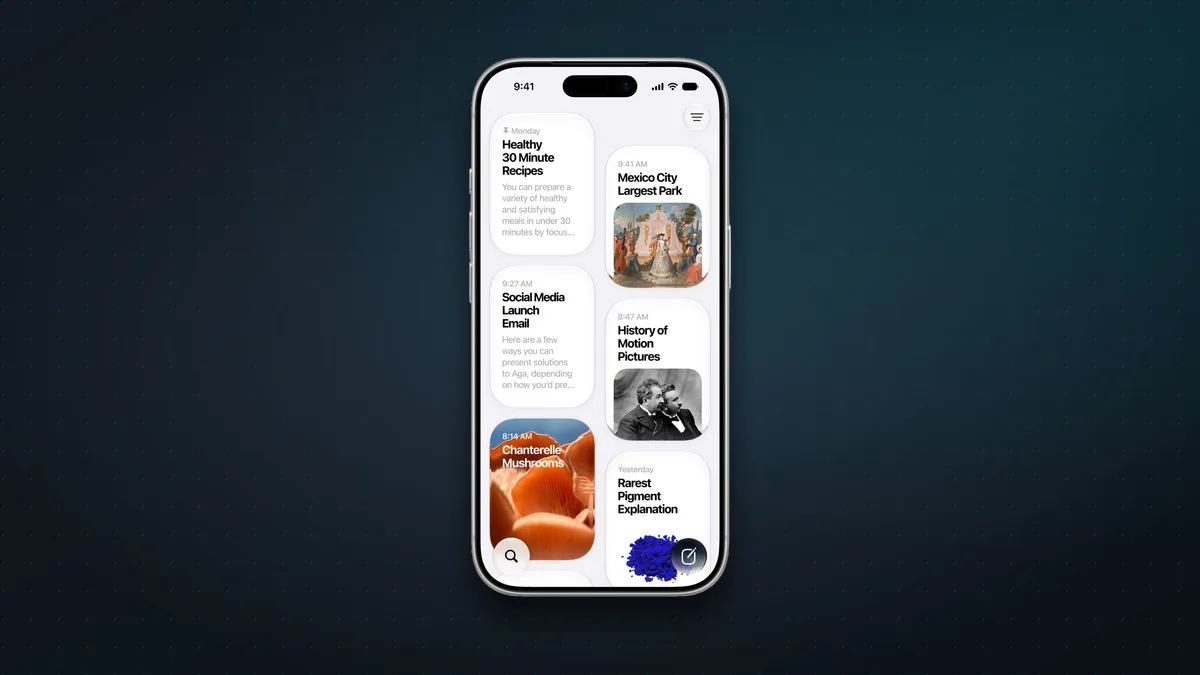
The Podcasts app’s Home tab now has two clear sections:
- New Episodes: the latest episodes from shows you follow.
- Continue Playing: episodes you’ve started, so you can pick up where you left off.
These replace the old Up Next list. In the car, that means fewer taps to find either a fresh episode or the one you were halfway through on the commute in.
Everything else in iOS 27.2
- Excluded Apps: one setting to choose which apps Siri, Search and suggestions are allowed to look at.
- Smarter Siri answers: you can now select and copy just part of a Siri AI response.
- Messages suggestions: your iPhone spots plans in a conversation, such as a dinner, and offers to add them to Calendar or Reminders.
- Photos: shared albums get editable captions and comments, avoid duplicate photos, and remind you before they expire. Photos and Image Playground also add support for SynthID watermarks, which mark AI-generated images.
- Games: friend suggestions, and you can see the games your friends have played recently.
- Apple TV app: simple profiles, so each person in the house gets their own recommendations.
- FaceTime: you can add a third-party sign language interpreter or live captioner to a call.
- A new Apple Music icon: it’s now monochrome, white with a black note in light mode and the reverse in dark mode, instead of red.
- Bug fixes and security updates.
How to update
On your iPhone, go to Settings > General > Software Update and install iOS 27.2. Then connect to your car as usual, by cable or wirelessly, and the new Siri and Podcasts features will be there.
Should you update? Yes. As well as the new features, iOS 27.2 includes security fixes, which are reason enough on their own.
More iPhone tricks: see our iPhone tips and tricks, or, if you’re shopping, which iPhone to buy.
Sources & further reading
- Apple Support — About iOS 27 Updates (iOS 27.2 release notes)
- Apple Support — Security content of iOS 27.2 and iPadOS 27.2
- Apple Newsroom — Apple introduces Siri AI
- 9to5Mac — iOS 27.2 has two CarPlay improvements
- 9to5Mac — iOS 27.2 now available: everything new
- Cult of Mac — Everything new in iOS 27.2
Keep reading
12 iPhone tips and tricks worth knowing in 2026
A dozen genuinely useful iPhone features Apple buries a menu too deep, from a physical camera shutter to disposable email. Most take a minute to set up.
Read more →
The best iPhone Duo apps, and the big ones that aren't ready yet
Which apps make the most of the iPhone Duo's folding screen, from Netflix and Fantastical to games that use the hinge, plus popular apps that aren't ready yet.
Read more →
The best iPhone Duo cases and accessories (2026)
The best cases for Apple's foldable iPhone Duo, from $30 clear cases to rugged and leather picks, plus the chargers, screen protectors and add-ons worth buying.
Read more →