MacBook Pro with PROLED XDR: Apple's first OLED touchscreen Mac. Should you buy it?
Apple's first OLED touchscreen MacBook Pro, from $2,899 (₹3,49,900) with M5 Pro or M5 Max: what's new, how it compares with the regular Pro and who should buy.
Disclosure: This article may contain affiliate links. If you buy through them we may earn a small commission at no extra cost to you. It never influences our editorial opinion.
Apple has finally put an OLED screen, and a touchscreen, on a Mac. The MacBook Pro with PROLED XDR Display, announced on 28 October 2026, comes in 14-inch and 16-inch sizes with M5 Pro or M5 Max, and starts at $2,899 (₹3,49,900). Pre-orders are open now, and it arrives on 6 November in the US and 9 November in India.
The important detail: it doesn’t replace the regular MacBook Pro. Apple still sells the mini-LED (Liquid Retina XDR) models, including the new 14-inch with M6, and the PROLED version costs $400 (₹50,000) more than the regular MacBook Pro with the same chip. So the real question is whether the screen, touch and lighter body are worth that.
We haven’t used the new MacBook Pro yet. This guide is based on Apple’s announcement and spec sheets; performance and battery figures are Apple’s own claims.
At a glance
| 14-inch | 16-inch | |
|---|---|---|
| Price | From $2,899 (M5 Pro), $4,499 (M5 Max) · ₹3,49,900 | From $3,399 (M5 Pro), $4,799 (M5 Max) · ₹4,09,900 |
| Screen | 14.2-inch tandem OLED, 3024 × 1986 | 16.3-inch tandem OLED, 3472 × 2266 |
| Brightness | 1,000 nits full-screen, 2,000 nits peak; 1-nit minimum | Same |
| Refresh rate | 10–120Hz ProMotion | Same |
| Touch | Yes, plus a Dynamic Island | Same |
| Chip | M5 Pro (15- or 18-core CPU) or M5 Max (up to 40-core GPU) | M5 Pro (18-core CPU) or M5 Max |
| Memory | 24GB to 128GB | Same |
| Storage | 1TB to 4TB (M5 Pro), 2TB to 16TB (M5 Max) | Same |
| Battery | Up to 22 hours of video (M5 Pro) | Up to 24 hours of video (M5 Pro) |
| Weight | 1.38 kg (3.0 lb) | 1.82 kg (4.0 lb) |
| Ports | 3 × Thunderbolt 5, HDMI, SD card slot, MagSafe 3, headphone jack | Same |
| Colours | Space black, silver | Same |
What’s new
1. The PROLED XDR screen
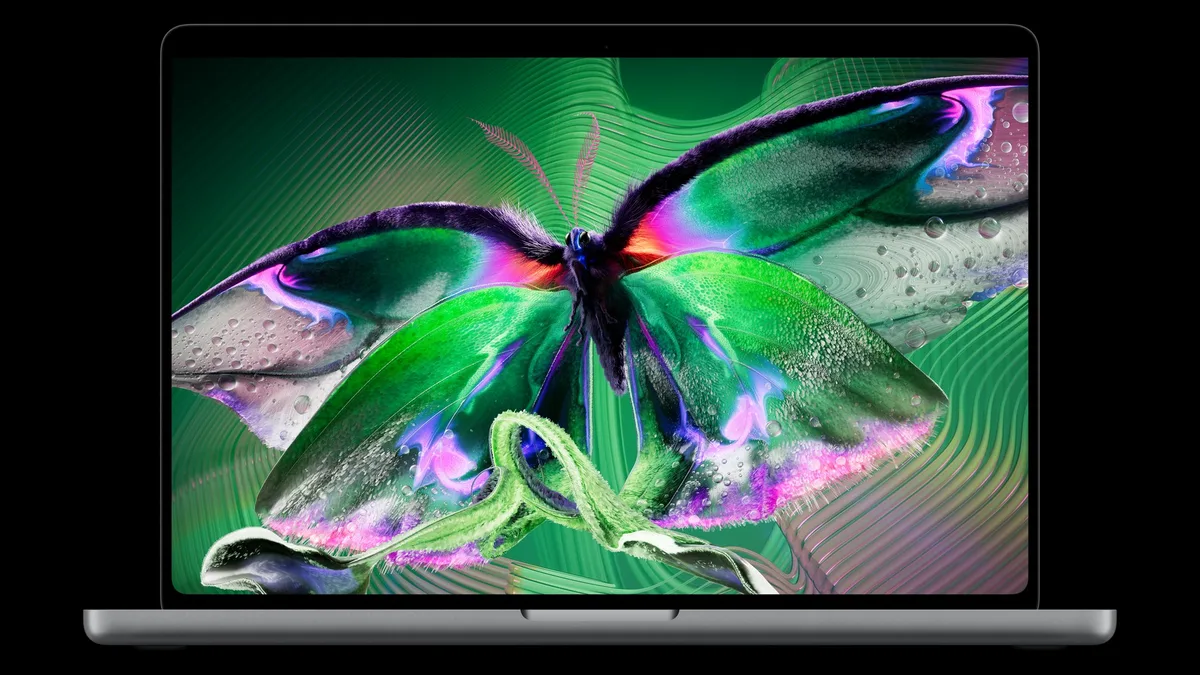
PROLED is Apple’s name for a tandem OLED panel: two self-lit pixel layers stacked on top of each other, the approach Apple first used in the iPad Pro. What that means in practice:
- True blacks and no halos. Every pixel lights itself, so bright text and highlights on a dark background don’t glow at the edges, as they sometimes can on mini-LED. Apple quotes a 10,000,000:1 contrast ratio.
- Brighter: up to 2,000 nits at peak for HDR, and for everyday content outdoors. The regular MacBook Pro manages 1,600 nits for HDR and 1,000 for everything else.
- More colour: both P3 and Adobe RGB, which matters if you edit photos for print, and over 80% of the Rec. 2020 range used for HDR video grading.
- Kinder on the battery and your eyes: the refresh rate drops as low as 10Hz when nothing is moving, and brightness goes down to 1 nit for reading in the dark.
- Pro extras: Apple’s display calibrator, reference modes for film, photography and print, medical-imaging presets for non-diagnostic use, and genlock for on-set video work with compatible gear.
- Nano-texture, improved: the optional anti-glare finish is now etched into the cover glass.
2. Touch, for the first time on a Mac
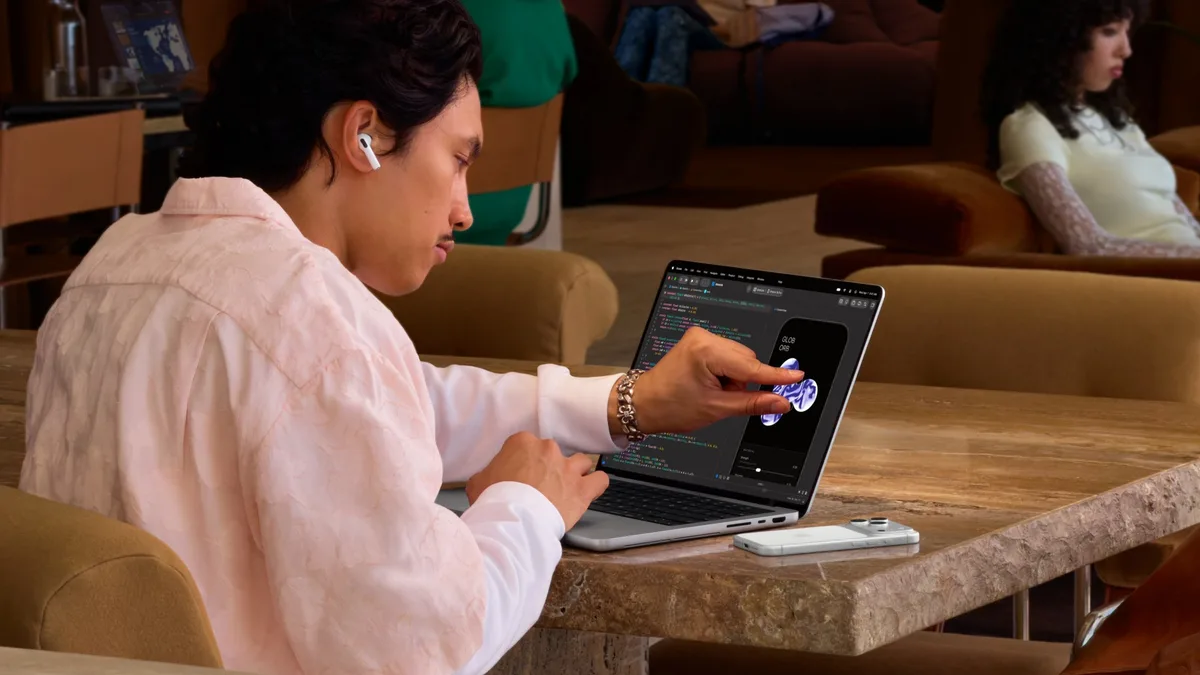
You can now scroll, pinch to zoom, drag and tap directly on the screen, double-tap a window to fill the screen, or flick it to one side to tile it. The touch sensor is built into the display panel rather than layered on top, which Apple says reduces lag.
Most apps work straight away, because macOS treats a tap as a click. Apple’s own apps are already optimised: you can play a multi-touch keyboard in Logic Pro, trim clips with your finger in Final Cut Pro and draw directly in Pixelmator Pro. Apps such as Microsoft Word, Excel and PowerPoint, Adobe Lightroom, DaVinci Resolve, Blender, Notion, Canva and Zoom will add proper touch support later this year. A redesigned hinge keeps the screen steady when you tap it.
The keyboard and trackpad are unchanged, so touch is an extra, not a replacement. Apple hasn’t announced Apple Pencil support.
3. A Dynamic Island on the Mac
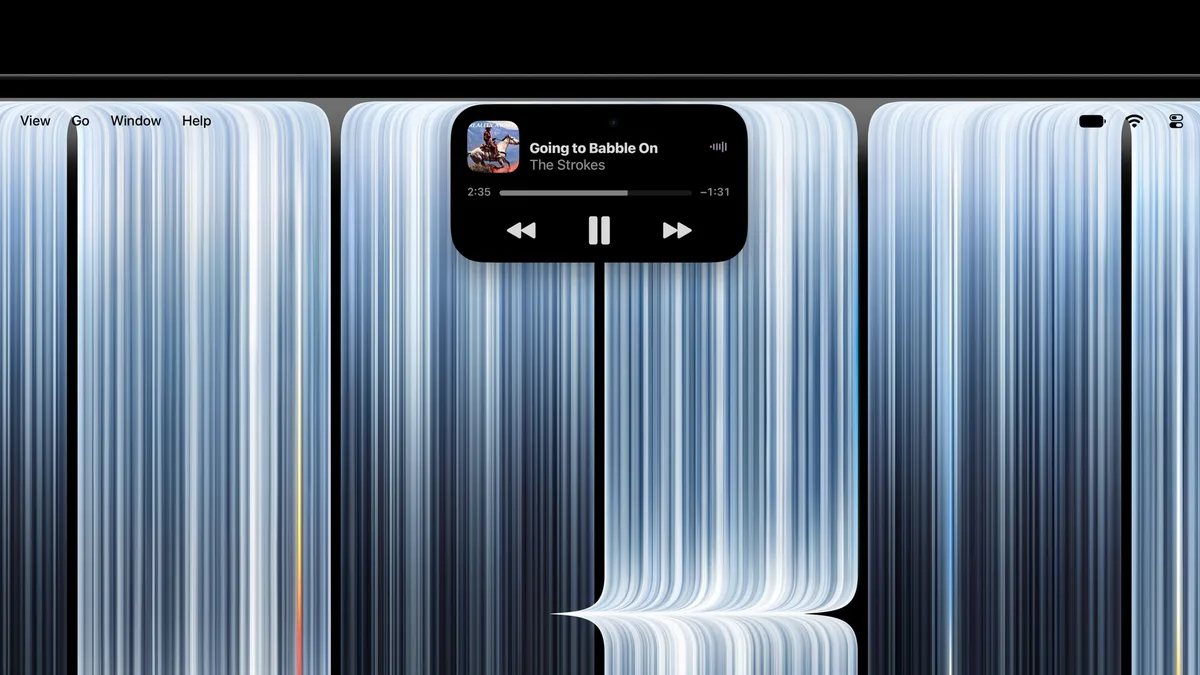
The pill-shaped Dynamic Island from the iPhone comes to the top of the screen. It shows Live Activities such as music, calls and AirDrop requests, which you can tap to control, and it becomes the home for Spotlight search and Siri AI. Note that Spotlight only moves into the Dynamic Island when Siri AI is available and switched on.
4. Thinner and much lighter
OLED needs fewer layers than mini-LED, and Apple has used the space well. The 14-inch model weighs 1.38 kg, about 220 g less than the regular 14-inch with M5 Pro, and the 16-inch weighs 1.82 kg, 0.7 lb (about 320 g) lighter than before. Both are slightly thinner, and slimmer borders stretch the 16-inch screen to 16.3 inches.
5. Everything else
- Better sound: new woofers with 50% deeper bass, and tuning for when the lid is closed and you’re using an external monitor.
- Up to 16TB of storage with M5 Max.
- Three Thunderbolt 5 ports, with up to three external displays on M5 Pro or four on M5 Max.
- Wi-Fi 7 and Bluetooth 6 from Apple’s N1 chip, a 12MP Center Stage camera and Touch ID.
PROLED vs the regular MacBook Pro
| 14-inch MacBook Pro (M5 Pro) | 14-inch with PROLED XDR (M5 Pro) | |
|---|---|---|
| Price | $2,499 · ₹2,99,900 | $2,899 · ₹3,49,900 |
| Screen | Mini-LED (Liquid Retina XDR) | Tandem OLED (PROLED XDR) |
| Peak brightness | 1,600 nits HDR, 1,000 nits SDR | 2,000 nits HDR and SDR (outdoors) |
| Colour | P3 | P3 and Adobe RGB |
| Touch and Dynamic Island | No | Yes |
| Weight | 1.60 kg | 1.38 kg |
| Thickness | 15.5 mm | 15.0 mm |
| Chip, memory, storage | M5 Pro, from 24GB and 1TB | Same |
| Battery | Up to 22 hours of video | Same |
In short: the chip, memory, storage and battery life are identical. The extra $400 (₹50,000) buys you the screen, touch, the Dynamic Island and a lighter body. The 16-inch works the same way: $2,999 (₹3,59,900) for the regular model, $3,399 (₹4,09,900) for PROLED.
The catches
- The price. At $2,899, the 14-inch PROLED is $900 more than the 14-inch MacBook Pro with M6 and $400 more than the regular M5 Pro model.
- No M6 option. The PROLED models use M5 Pro and M5 Max; the newer M6 chip is only in the cheapest mini-LED model. That’s not a performance problem, since M5 Pro and M5 Max have more cores, more memory bandwidth and far more memory than M6, but the newest generation isn’t here.
- Touch apps are still arriving. Many of the third-party touch updates are due “later this year”. Until then, most apps simply treat your finger as a mouse click.
- It’s first-generation. This is the first OLED Mac and the first touchscreen Mac. Expect fingerprints, although there’s an oil-resistant coating. OLED panels can age unevenly with heavy use; Apple says its display engine tracks each pixel’s use over time to preserve image quality, but only years of use will tell.
- Siri AI is still in beta in macOS 27.2, and the smartest Dynamic Island features depend on it.
- No battery gain. The 14-inch PROLED is rated at up to 22 hours of video, two hours less than the cheaper M6 model.
- Fast charging needs a bigger charger on the base 14-inch model: it comes with a 70W adapter, but fast charging needs 96W or more.
Who should buy it?
Buy it if you’re a photographer, video editor, colourist or designer who wants a reference-quality screen you can carry anywhere; if you’d use touch for drawing, music or 3D work; or if you carry your laptop all day and the lighter body matters.
Buy the regular MacBook Pro if you want M5 Pro or M5 Max performance but don’t need touch. You’ll save $400 (₹50,000) and get the same chip, memory and battery life.
Buy the 14-inch MacBook Pro with M6 if you want a pro laptop for less. At $1,999 (₹2,39,900), it handles most pro work. Our MacBook Pro M6 guide explains who it suits.
Upgrading? From an Intel or M1-series MacBook Pro, it’s a huge jump. From an M4 Pro or M5 Pro, only if the screen and touch will genuinely change how you work.
Buying in India
| Model | US | India |
|---|---|---|
| 14-inch, M5 Pro | $2,899 | ₹3,49,900 |
| 16-inch, M5 Pro | $3,399 | ₹4,09,900 |
| 14-inch, M5 Max | $4,499 | ₹5,49,900 |
| 16-inch, M5 Max | $4,799 | ₹5,89,900 |
Pre-orders are open on Apple India’s store, with deliveries from 9 November, three days after the US. Education pricing starts at ₹3,31,900. Apple India is also offering no-cost EMI and up to ₹15,000 instant cashback on selected Macs with eligible bank cards; check the current terms before you order.
The bottom line
The MacBook Pro with PROLED XDR is the biggest change to the MacBook Pro in years: a stunning OLED screen, touch, a Dynamic Island and a much lighter body. For photographers, video editors and designers, it’s the MacBook Pro to get. For everyone else it’s a luxury: the regular MacBook Pro has the same chips and battery life for $400 less, and the M6 model handles most pro work for $1,999.
Choosing a Mac? Our Which Mac should you buy? guide compares every model.
Sources & further reading
Keep reading
New iMac with M6: what's new, which model to buy, and is it worth upgrading?
Apple's new iMac gets the M6 chip, Wi-Fi 7 and faster storage from $1,499 (₹1,74,900). What's new versus M4, which model to get, and who should skip it.
Read more →
14-inch MacBook Pro with M6: what's new, who it's for, and should you get the OLED model instead?
The 14-inch MacBook Pro gets Apple's M6 chip, Wi-Fi 7 and 24-hour battery life from $1,999 (₹2,39,900). What's new versus M5, and M6 vs the new OLED model.
Read more →
Which Mac should you buy in 2026?
MacBook Neo, Air, Pro, Mac mini, iMac or Studio? How to pick the right Mac for what you do, with late-2026 prices and the one spec that matters most.
Read more →