14-inch MacBook Pro with M6: what's new, who it's for, and should you wait?
The 14-inch MacBook Pro gets Apple's M6 chip, Wi-Fi 7 and 24-hour battery life from $1,999 (₹2,39,900). What's new versus M5, who should buy, and why to wait.

Disclosure: This article may contain affiliate links. If you buy through them we may earn a small commission at no extra cost to you. It never influences our editorial opinion.
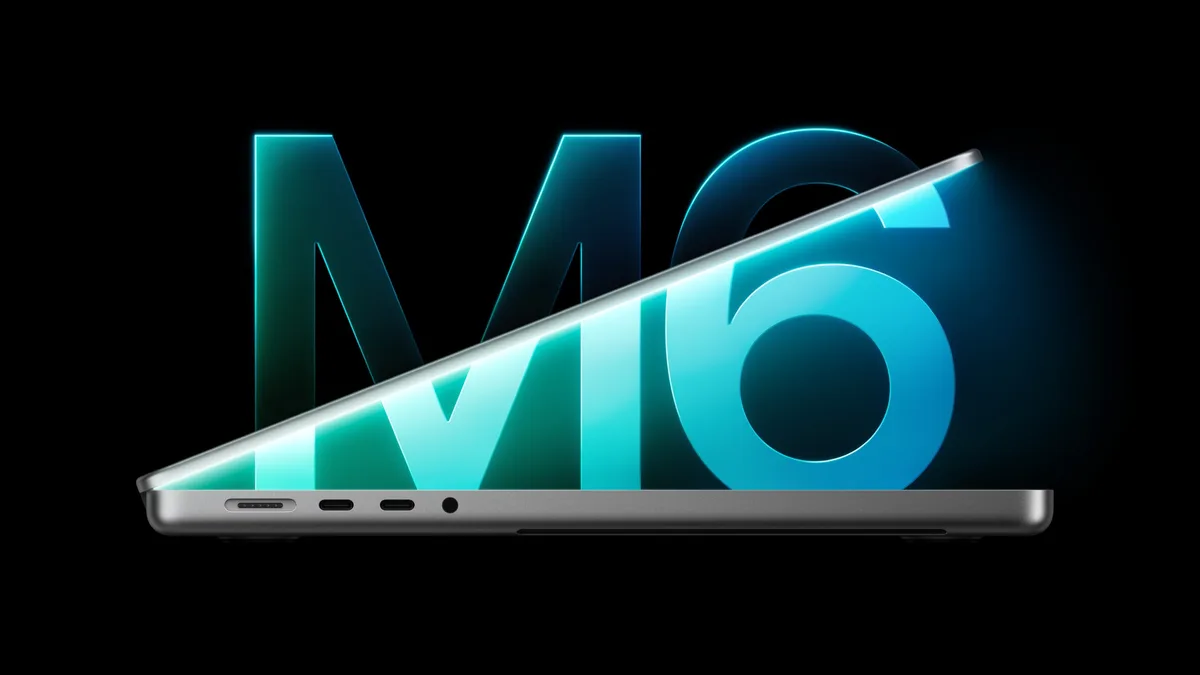
Apple announced a new 14-inch MacBook Pro with the M6 chip on 27 October 2026. It’s a chip upgrade in the same body: a faster M6 with more cores, Wi-Fi 7 and Bluetooth 6, and the same excellent screen, ports and battery life. It starts at $1,999 (₹2,39,900), pre-orders open on 28 October, and it arrives on Friday, 6 November.
There’s a twist, though: Apple has confirmed a “Pro and Tell” media event in Los Angeles at 10am Pacific on 28 October (10:30pm in India), and Bloomberg reports that redesigned MacBook Pros with OLED touchscreens will be shown there. More on that below.
We haven’t used the M6 MacBook Pro yet. This guide is based on Apple’s announcement and spec sheets, and the speed-ups quoted are Apple’s own claims.

14-inch MacBook Pro with M6 at a glance
| 14-inch MacBook Pro (M6) | |
|---|---|
| Price | From $1,999 ($1,899 education) · ₹2,39,900 |
| Chip | M6: 12-core CPU, 12-core GPU, Dual 16-core Neural Engine |
| Memory | 16GB (24GB or 32GB optional) |
| Storage | 1TB (2TB or 4TB optional) |
| Display | 14.2-inch Liquid Retina XDR, up to 1,600 nits HDR; nano-texture optional |
| Battery | Up to 24 hours of video streaming, 16 hours of web browsing |
| Ports | 3 × Thunderbolt 4, HDMI, SD card slot, MagSafe 3, headphone jack |
| Wireless | Wi-Fi 7, Bluetooth 6 |
| Weight | 1.55 kg (3.4 lb) |
| Colours | Space black, silver |
| In the box | 70W charger |
What’s new compared with the M5 model
- Two more CPU cores and two more GPU cores. The M6 has a 12-core CPU and a 12-core GPU, up from 10 of each on M5.
- Faster, in Apple’s tests: up to 30% faster graphics and 25% faster AI work than M5. In specific apps, Apple claims up to 1.3x faster code builds in Xcode, 1.3x faster ray-traced renders in Blender and 1.2x faster image processing in Affinity.
- A stronger AI engine. Every GPU core gets a Neural Accelerator, and the new Dual 16-core Neural Engine is up to 1.9x faster than M5’s.
- Faster memory, up to 170GB/s, but only with 24GB or more (see the catch below).
- Wi-Fi 7 and Bluetooth 6.
That’s it. MacRumors notes that everything else is the same as the M5 model, so this is an internal upgrade, not a redesign.
What you still get
- A superb screen: a 14.2-inch Liquid Retina XDR panel with up to 1,600 nits of HDR brightness, plus an optional nano-texture finish that cuts glare.
- All-day battery: up to 24 hours of video, which Apple says is the longest of any Mac. Fast charging (50% in 30 minutes) needs a 96W or bigger charger, though, and the box only includes a 70W one.
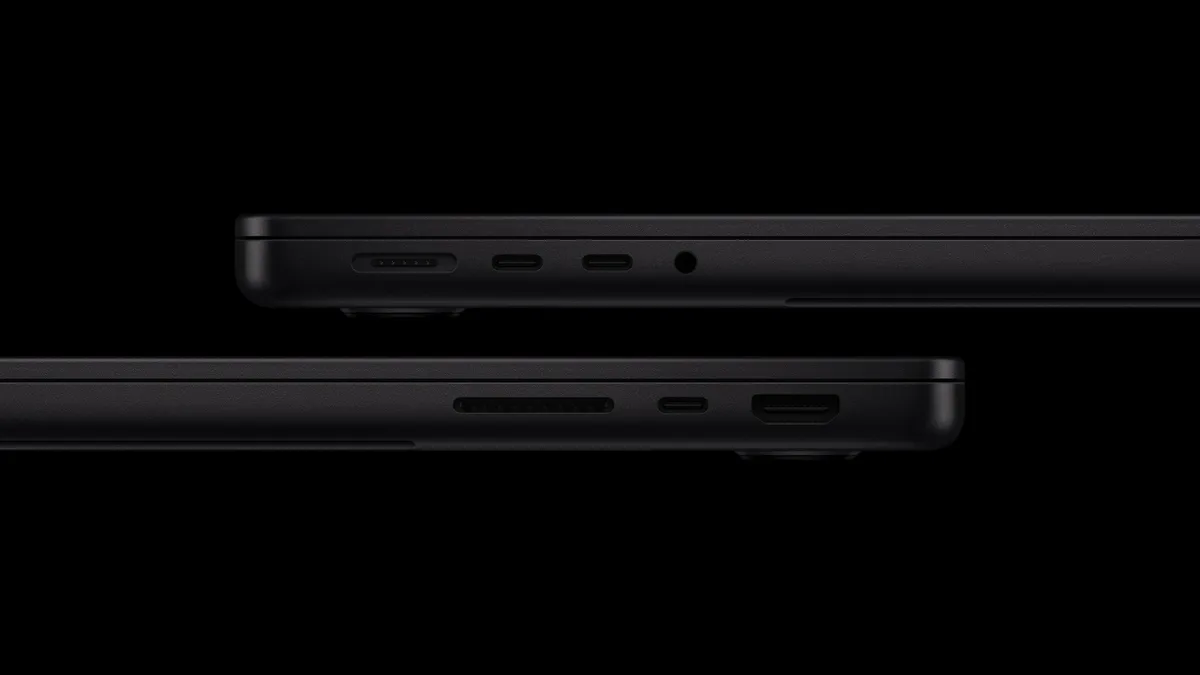
- Proper ports: HDMI and an SD card slot, so you won’t need a dongle, plus three Thunderbolt 4 ports and support for two external displays.
- A fan, so it can run flat out for long exports and builds without slowing down, unlike the fanless MacBook Air.
- A 12MP Center Stage camera, three mics and six speakers.
The catch: memory
The base model’s 16GB runs at 153GB/s; the faster 170GB/s only comes with 24GB or 32GB. For everyday work, 16GB is fine. But if you’re buying a MacBook Pro for video, development or running local AI models, get at least 24GB: you can’t add memory later.
The M6 model also tops out at 32GB. If you need more, Apple still sells the 14-inch MacBook Pro with M5 Pro (up to 64GB) and M5 Max (up to 128GB), and the 16-inch starts at $2,999.
Should you buy it, or wait a day?
Apple has confirmed a “Pro and Tell” media event in Los Angeles at 10am Pacific on 28 October (10:30pm in India), and Bloomberg reports that redesigned MacBook Pros with OLED screens and touch support will be unveiled there. Pre-orders for this M6 model open the same day anyway, so there’s no cost to waiting a few hours to see what Apple announces. Reportedly, the OLED models will be more expensive, so the M6 model may stay the value pick either way. We’ll update this guide once they’re official.
Should you upgrade?
- From an Intel MacBook or an M1: yes. Apple claims up to 11.7x faster renders and 13x faster local AI than the M1 13-inch MacBook Pro, plus up to four more hours of battery, an extra Thunderbolt port and 16GB of memory as standard.
- From an M3 or M4 MacBook Pro: only if AI speed matters to you.
- From an M5 MacBook Pro: no. The gains are real but modest.
MacBook Pro or MacBook Air?
For many people, the MacBook Air (M5) at $1,299 is still enough: it’s lighter, silent and fast. Pay the extra $700 for the MacBook Pro if you’ll use what it adds: the fan for long, heavy jobs, the XDR screen for HDR photo and video work, HDMI and an SD slot, 1TB of storage as standard, and longer battery life. Our Which Mac should you buy? guide compares every model.
Buying in India
The 14-inch MacBook Pro with M6 starts at ₹2,39,900 on Apple India’s store, with pre-orders from 28 October and availability from 6 November. Apple India is also offering no-cost EMI and instant cashback with selected bank cards on some Macs; check the current terms before you order.
The bottom line
The M6 update makes the 14-inch MacBook Pro faster and better connected without changing what people already love about it: the screen, the ports and the battery. If you’re coming from an Intel or M1 Mac and want a pro laptop, it’s an easy recommendation, ideally with 24GB of memory. Just wait for Apple’s 28 October event to see the rumoured OLED models before you place the order, and if you own an M4 or M5 MacBook Pro, keep it.
Sources & further reading
- Apple Newsroom — Apple introduces the new 14-inch MacBook Pro with M6
- Apple — MacBook Pro technical specifications
- Apple India — Buy MacBook Pro (India pricing)
- MacRumors — Apple announces new 14-inch MacBook Pro with M6 chip
- MacRumors — Apple teases an 'exciting week' ahead
- Macworld — Apple confirms its October 28 "Pro and Tell" event: date and time
- MacRumors — Apple to launch touchscreen OLED MacBook Pro (Bloomberg report)
Keep reading
New iMac with M6: what's new, which model to buy, and is it worth upgrading?
Apple's new iMac gets the M6 chip, Wi-Fi 7 and faster storage from $1,499 (₹1,74,900). What's new versus M4, which model to get, and who should skip it.
Read more →
Which Mac should you buy in 2026?
MacBook Neo, Air, Pro, Mac mini, iMac or Studio? How to pick the right Mac for what you do, with late-2026 prices and the one spec that matters most.
Read more →
New iPad mini (2026): OLED screen, A20 Pro and a $699 price. Should you buy it?
Apple's new iPad mini gets an 8.5-inch OLED screen, A20 Pro, IP67 water resistance and Wi-Fi 7, from $699 (₹82,900). What's new, the catches and who should buy.
Read more →