Samsung's 32-inch Odyssey G5 is down to $210: is this 1440p gaming monitor worth it?
Samsung's 32-inch Odyssey G5 (G50F) has a 1440p, 180Hz IPS screen and a fully adjustable stand, now $209.99 at Amazon. What you get and the catches.
Disclosure: This article may contain affiliate links. If you buy through them we may earn a small commission at no extra cost to you. It never influences our editorial opinion.
Samsung’s 32-inch Odyssey G5 (G50F) is down to $209.99 at Amazon, 40% off its $349.99 list price. That’s a lot of screen for the money: a 1440p IPS panel running at up to 180Hz, on a stand that adjusts every way. Here’s what you get, what you don’t, and whether it’s the right monitor for you.
Price checked on 28 October 2026; deals like this can end without notice. We haven’t tested this monitor ourselves. This guide is based on Samsung’s specifications and retailer listings.
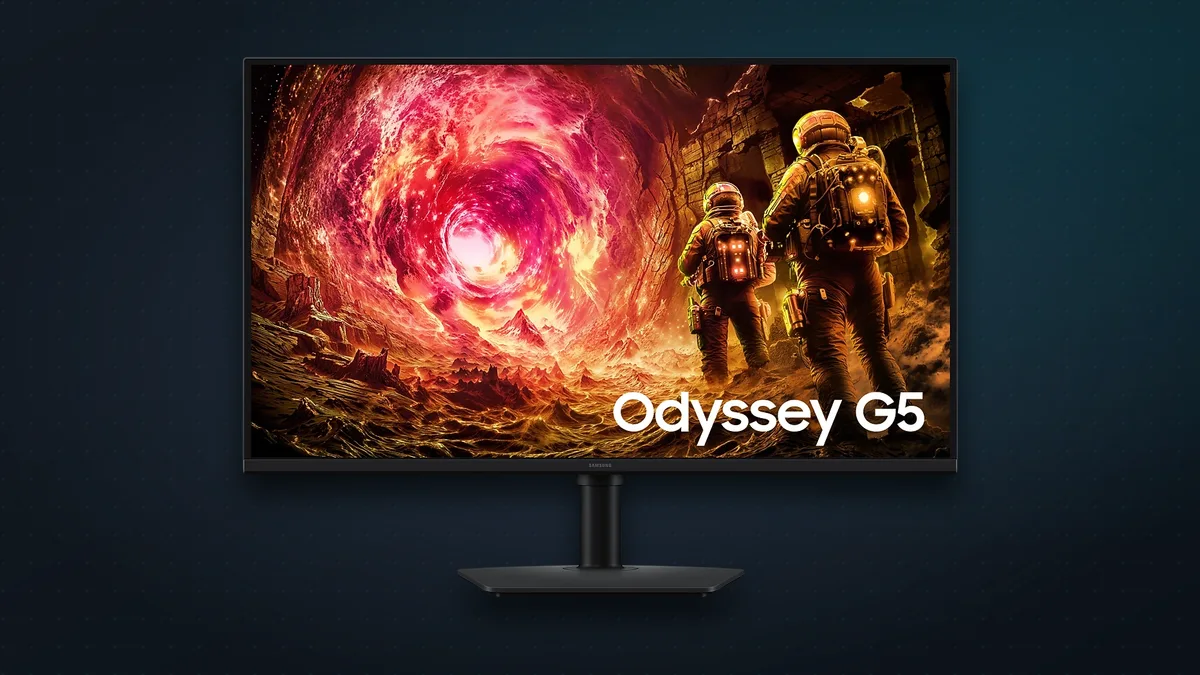
Odyssey G5 (32-inch) at a glance
| Samsung Odyssey G5 G50F (32”) | |
|---|---|
| Price | $209.99 at Amazon (list $349.99) |
| Screen | 32-inch flat IPS, matte finish |
| Resolution | 2560 × 1440 (QHD) |
| Refresh rate | Up to 180Hz; 1ms (GtG) response |
| Brightness / HDR | 300 nits; HDR10 |
| Contrast | 1,000:1 |
| Adaptive sync | AMD FreeSync and NVIDIA G-Sync Compatible |
| Inputs | 1 × DisplayPort 1.2, 1 × HDMI 2.0, headphone jack |
| Stand | Height, tilt, swivel and pivot |
| In the box | Power, HDMI and DisplayPort cables |
| Model | LS32FG502ENXZA |
What’s good
- The right resolution for most gamers. 1440p is the sweet spot for mid-range graphics cards: noticeably sharper than 1080p, without needing a top-end card to hit high frame rates the way 4K does.
- Fast and smooth. 180Hz with FreeSync and G-Sync Compatible support means fluid, tear-free motion in shooters and racing games.
- An IPS panel for punchy colours and wide viewing angles, with a matte finish that keeps reflections down.
- A proper stand. It adjusts for height, tilt and swivel, and even pivots to portrait, which many budget monitors skip.
- Everything’s in the box, including both HDMI and DisplayPort cables.
- Extra gaming tricks: Samsung’s Black Equalizer brightens dark areas so you can spot enemies in shadows, and Virtual Aim Point puts a crosshair on screen.
The catches
- HDR is in name only. At 300 nits with no local dimming, HDR10 support won’t give you the eye-popping highlights of a real HDR screen. Think of it as an SDR monitor.
- Greyish blacks in a dark room. IPS panels like this one have a 1,000:1 contrast ratio, so dark scenes look a little washed out compared with VA or OLED monitors.
- Use DisplayPort for 180Hz. The HDMI 2.0 port is fine for a console, but retailers such as Micro Center list it at up to 144Hz. Plug your PC in over DisplayPort to get the full refresh rate.
- Bare-bones connections. Just one DisplayPort and one HDMI input, and no daisy-chaining a second monitor, according to Best Buy’s listing.
- Text isn’t razor-sharp at 32 inches. 1440p across a 32-inch screen works out to about 93 pixels per inch. That’s great for games, but if you mostly read and write all day, a 27-inch 1440p or a 32-inch 4K monitor will look crisper.
32-inch or 27-inch?
The 27-inch Odyssey G5 (G50F) has the same features in a smaller size, and it packs the same pixels into less space, so text looks sharper. Right now, though, it costs more than the 32-inch at about $268, which makes the bigger screen the better deal. Get the 27-inch only if your desk is shallow or you sit close to the screen.
Who should buy it?
Buy it if you play on a PC with a mid-range graphics card, want a bigger screen than a typical 24- or 27-inch monitor, or need a big desk screen for a PS5 or Xbox. At $210 it’s one of the cheapest ways to get a 32-inch, 1440p, high-refresh IPS monitor from a major brand, with a good stand thrown in.
Skip it if you play competitive esports and want 240Hz or faster, care about real HDR or deep blacks for films and dark games (look at OLED or mini-LED instead), or mostly do text-heavy work where a 4K screen would be easier on the eyes.
The bottom line
At its full $349.99 price, the 32-inch Odyssey G5 is a decent but unremarkable budget gaming monitor. At $209.99, it’s an easy recommendation for anyone who wants a big, smooth 1440p screen without spending much. Just go in knowing it isn’t a true HDR monitor, and use DisplayPort to get the full 180Hz.
Kitting out your setup? See our picks for the best budget gaming mice under $50 and the best gaming microphones under $50.
Sources & further reading
Keep reading

The best gaming microphones under $50 (2026): sound like a streamer on a budget
Five USB mics under $50 that make you sound far better than a headset on Discord, streams and calls, plus where to put your mic and when to go dynamic.
Read more →
The best budget gaming mice under $50 (2026): wired and wireless picks
Five gaming mice under $50 that punch well above their price, wired and wireless, plus how to choose: weight, hand size, DPI myths and whether wireless lags.
Read more →
Kindle Paperwhite Signature Edition (2026): what's new, and is it worth paying extra?
The 2026 Kindle Paperwhite Signature Edition adds an aluminium back, auto-brightness and double-tap page turns for $249.99, but drops wireless charging.
Read more →